
Without a doubt, many who are reading this post right now are huge
Pokémon GO fans. The game took the mobile device market by storm and it
became an instant hit, topping the application stores on two of the largest
competitors on the market today: iOS and Android.
One of the things that can’t be avoided while playing Pokémon GO is the
battery drain you’re going to suffer, and this is because it’s a GPS-based
game, but there are still some pointers you can follow to help reduce battery
drain so you can play as long as possible.
The best tips for conserving battery for
Pokémon GO
Because battery drain is inevitable while letting an app access your location
the whole time you’re playing a game, which is often going to be for a few
hours at a time, chances are you’ve run your battery into the red more than
once while playing Pokémon GO.
If you’re an avid player and want to get more out of your gaming
experience, then you might want to consider some of these power-saving
tips to ensure you can play as long as possible without seeing the low
battery indicator:
1. Disable augmented reality mode
Augmented reality (AR) mode is the most power-hungry aspect of the
Pokémon GO game behind the GPS usage. It requires the use of your
camera while you’re catching Pokémon, and as a result, it uses more power.
Sure; it looks cooler, but it’s going to drain your battery up to what feels like
30% faster. Disabling it makes catching Pokémon easier anyhow, since you
don’t have to face a certain way.
2. Turn on Battery Saver mode
After the most recent Pokémon GO game update, Battery Saver mode is
back in the game. You can access it from the Pokémon GO settings and it
allows you to turn your display dark when you hold your phone a certain
way so you can reduce display usage while you’re walking. After all, the
display eats up the most power of any component on your device.
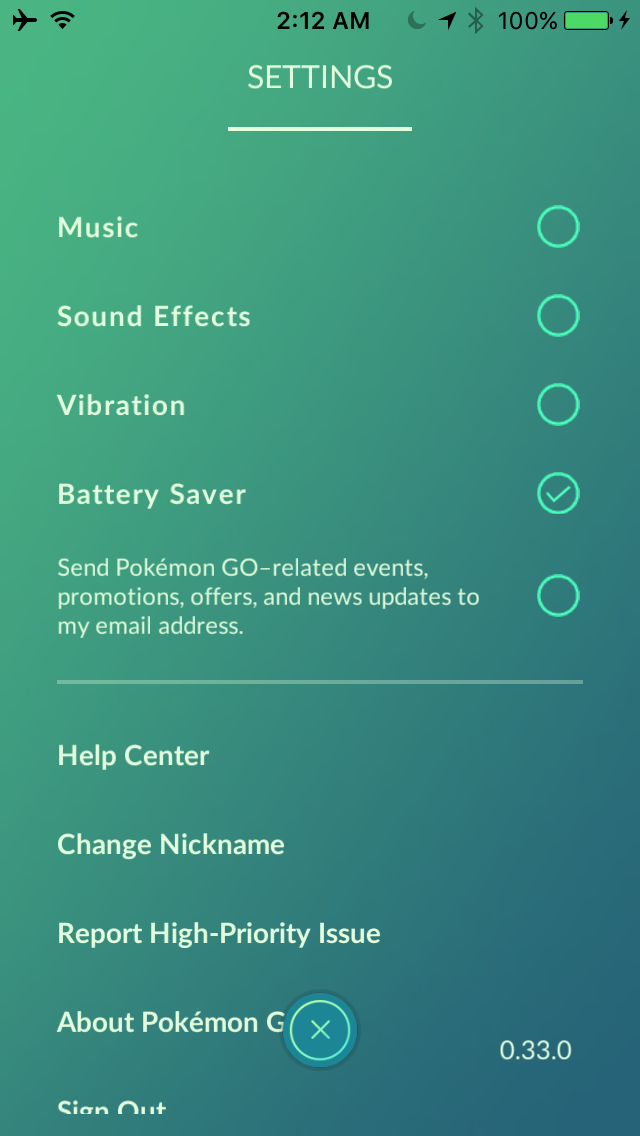
3. Disable in-app vibration
One of the features in Pokémon GO is for the game to make your iPhone
vibrate when a Pokémon is found nearby. This is great if you’re not staring
at your screen constantly, but the problem is the vibrator motor will eat into
your battery life. We recommend turning this feature off and just keeping an
eye on your screen ever 10 steps or so. You can do this from the Pokémon
GO settings too.
4. Disable music and sounds
There’s really no reason to waste any battery listening to repetitive music
and sounds while you play the game. All you really need is a visual of what’s
going on, and that’s what your display is for. If you turn off music and
sounds from the Pokémon GO app’s settings, you’ll reduce the usage of your
iPhone’s speaker, which means less power being used from the battery.
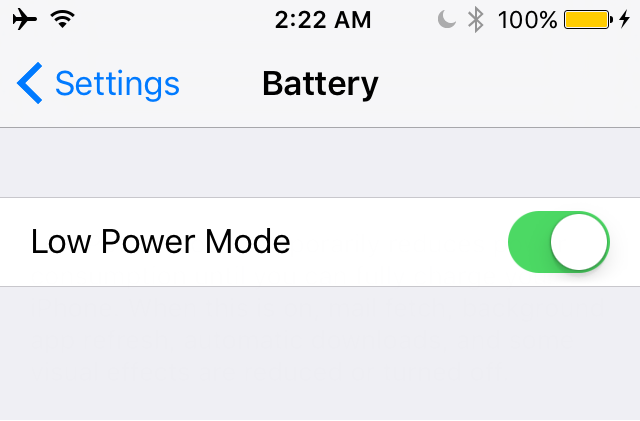
5. Enable iOS’ Low Power Mode
This one should seem like a no-brainer, but if you need to squeeze some
extra juice out of your device, consider turning on Low Power Mode from
Settings > Battery even if your phone is fully-charged at 100% so that your
push notifications are fetched less frequently and other processes are
reduced to keep your battery power focused on Pokémon GO only.
6. Reduce display brightness
During the day, a lot of us are tempted to crank the display brightness all
the way up to combat the Sun. Fortunately for me, I work all day and I play
more during the evening/night hours. If you’re playing during the day, try to
limit your display brightness level, as your display eats up most of your
device’s battery power.
7. Disable Wi-Fi/Bluetooth
Since the game is mostly a GPS-based game and because you’re going to be
playing it outside, often in the middle of nowhere, you really don’t need to
be letting your iOS device waste energy looking for a Wi-Fi signal or
Bluetooth device to connect with. If you don’t need to use these radios for
any reason, turn them off via Control Center.
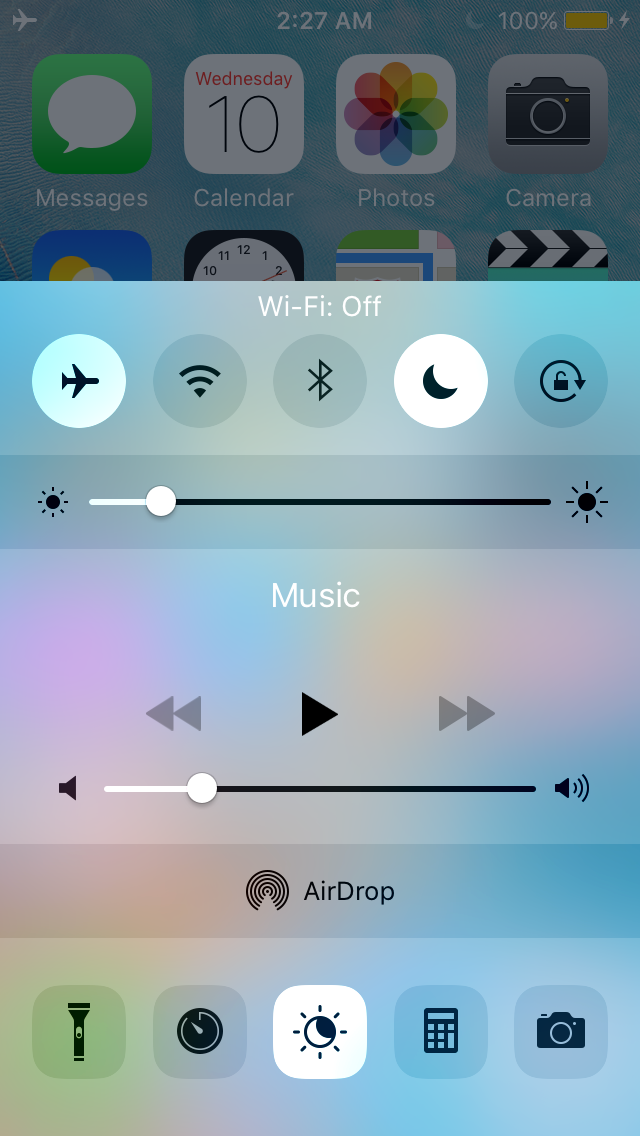
8. Enable Do Not Disturb
While you’re playing Pokémon GO, consider turning on Do Not Disturb. This
feature will prevent your device from vibrating unnecessarily when people
blow your phone up with messages and phone calls among various other
kinds of notifications from other apps. Instead, your phone won’t bother to
vibrate and you could save more power.
9. Invest in an external battery
This isn’t particularly a power-saving feature, but it will certainly extend the
period of time you can stay outside and play Pokémon GO. I am a big fan of
the BatteryBox Mini because of the fact that it’s slim and easy to tuck away
in my pocket. Using it, I can easily spend 12+ hours playing Pokémon GO,
but I never have that much time to play, unfortunately.
Wrapping up
With these tips, excluding tip 9, most smartphones should last 3-4 hours
while playing Pokémon GO. With an external battery or two, however, you
can easily play all day.
If you aren’t already playing Pokémon GO, then you can download it from
the App Store for free.