
- Joined
- Mar 1, 2019
- Messages
- 215
- Reaction score
- 55
- Points
- 1
- Location
- Pob. District 2, MacArthur Leyte
Sana po makatulong lalo na don sa mga nagsisimula palang na gaya ko.
History ng unit: ini Hard Reset daw ng coworkers namin na feeling tech non di ako pumasok..
ayun nganga dahil si frp..
So let's begin
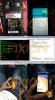
1. open cm2spd
2. go to settings
piliin niyo yung
CPU: SP[SC983x] eMMC [Generic Android 5.x]
3. click service tab then
click ( Format FS / Reset Phone / Clear FRP )
4. remove the battery of the unit then put it back.
make it sure na patay ang unit..
5. hold boot key or volume up (+) then saksak si usb cable
wait mo na ma detect tapos bitaw.
hintayin mo nalang matapos.
 .
.
History ng unit: ini Hard Reset daw ng coworkers namin na feeling tech non di ako pumasok..
ayun nganga dahil si frp..
So let's begin
1. open cm2spd
2. go to settings
piliin niyo yung
CPU: SP[SC983x] eMMC [Generic Android 5.x]
3. click service tab then
click ( Format FS / Reset Phone / Clear FRP )
4. remove the battery of the unit then put it back.
make it sure na patay ang unit..
5. hold boot key or volume up (+) then saksak si usb cable
wait mo na ma detect tapos bitaw.
hintayin mo nalang matapos.
.