- Joined
- Jun 17, 2014
- Messages
- 573
- Reaction score
- 61
- Points
- 81
iTunes is the most popular Apple software and it’s used for a multitude of functions,
storing all your music, TV shows, podcasts, etc, creating backups, and even updating and
restoring your iPhone. However, it is the latter of these options where the problem arises.
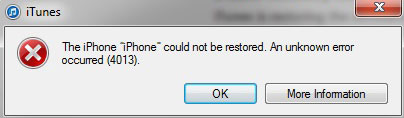
The iPhone error 4013 prevents your iTunes from updating your iPhone. However, this isn’t
a serious problem. A few simple solutions should solve the issue. So read on to find out
how to fix iPhone error 4013.
Solution 1: Fix iPhone error 4013 without losing data
There are a lot of different solutions to iPhone error 4013 or iTunes error
4013, however the problem is that it’s hard to diagnose exactly where the issue lies, so
most of the solutions work on a trial-and-error basis. That is, you try out something, and if
it doesn’t work out, you try the next thing. This can be an extremely tiresome and long
process, it doesn’t promise results, and it also runs the risk of serious data loss. However,
if you’d like a one-touch solution, something that can immediately diagnose the problem
and fix it without data loss, then you should use a third-party software called
dr.fone — Repair.

dr.fone — Repair
Fix iPhone error 4013 or iTunes error 4013 without data loss.
Start Download
4,234,803 people have downloaded it
How to fix iPhone Error 4013 or iTunes 4013 without data loss?
Start Download Start Download
Solution 2: Fix iTunes error 4013 by checking USB port & connector
If the previous solution doesn’t work then it’s highly likely that the problem is hardware-related. So you should start with checking to see that all your USB ports and connectors are working fine. This is what you should do:
If you try out all these methods and nothing works, then your USB connection is fine, and you should move on to the next solution.
Solution 3: Fix iTunes error 4013 by updating iTunes
As we already mentioned, iPhone error 4013 is also called iTunes error 4013, this is because this error only comes when trying to restore iPhone using iTunes. It might be possible that your iTunes is corrupted or maybe you haven’t updated to the latest iTunes.
In this case you should ‘Check for Updates.’ If an update is available, download it, if not, then move on to the next solution.
Solution 4: Fix iPhone error 4013 by resetting all settings
This method also puts you at risk of data loss, so you should first backup iPhone data to iCloud or iTunes.
Solution 5: Fix iPhone error 4013 or iTunes error 4013 by clearing up space
The iPhone error 4013 occurs while updating the iOS. So the problem may arise if there isn’t enough space in your iPhone to accommodate a new update. So you should make sure there’s enough space, and if not, then clean up iPhone.
Solution 6: Fix iPhone error 4013 or iTunes 3014 via factory reset
In order to fix iTunes error 3014 or iPhone 3014, you can also try to factory reset your iPhone. Below are the steps to fix iPhone error 4013 via factory reset
Solution 7: Fix iPhone error 4013 by entering DFU mode
If none of the previous advices worked, you should be prepared to put your device into DFU mode. Take this option only as your last resort, as it is something that will surely work, but it will cost you all the data you have on your Apple device (including all the applications but the default ones, all pictures, videos etc.), as it will practically wipe our anything you have on your iPhone or iPad and restore it as new. So, how to put your iPhone into DFU mode?
So you now know what is iPhone error 4013, and why it occurs. You also know all the different methods you can try to fix iPhone error 4013 yourself. Due to the uncertain nature of iPhone error 4013, it is hard to arrive at a strong diagnosis, which is why you would have to engage in a lot of trial-and-error methods, which would also put you at risk of data loss. However, we recommend that you use dr.fone - iOS System Recovery, as it will scan your entire system and fix whatever problem is there, all without any data loss.
Whatever you decide to do, keep us posted down on the comments. If you find another solution to the problem, be sure to let us know!
https://drfone.wondershare.com/iphone-problems/iphone-error-4013.html#part1
storing all your music, TV shows, podcasts, etc, creating backups, and even updating and
restoring your iPhone. However, it is the latter of these options where the problem arises.
The iPhone error 4013 prevents your iTunes from updating your iPhone. However, this isn’t
a serious problem. A few simple solutions should solve the issue. So read on to find out
how to fix iPhone error 4013.
Solution 1: Fix iPhone error 4013 without losing data
There are a lot of different solutions to iPhone error 4013 or iTunes error
4013, however the problem is that it’s hard to diagnose exactly where the issue lies, so
most of the solutions work on a trial-and-error basis. That is, you try out something, and if
it doesn’t work out, you try the next thing. This can be an extremely tiresome and long
process, it doesn’t promise results, and it also runs the risk of serious data loss. However,
if you’d like a one-touch solution, something that can immediately diagnose the problem
and fix it without data loss, then you should use a third-party software called
dr.fone — Repair.
dr.fone — Repair
Fix iPhone error 4013 or iTunes error 4013 without data loss.
- Fix various iOS system issues stuck in recovery mode, white Apple logo, black screen, looping on start, etc.
- Only fix your iOS to normal, no data loss at all.
- Fixes other iPhone error and iTunes errors, such as iTunes error 4013, error 14, iTunes error 27 and more.
- Works for all models of iPhone, iPad and iPod touch.
- Fully compatible with the latest iOS 11.

Start Download
4,234,803 people have downloaded it
How to fix iPhone Error 4013 or iTunes 4013 without data loss?
- Download and launch dr.fone. From the main menu, choose ‘Repair’.
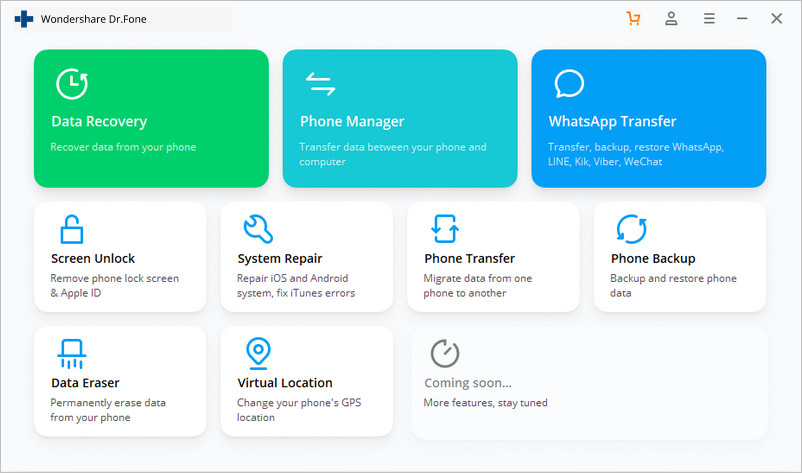
- Connect your device to the computer via a cable. dr.fone will immediately detect
- your device, and then you can click on ‘Start.’
- Follow the instruction on dr.fone and boot your iPhone in DFU mode.
-
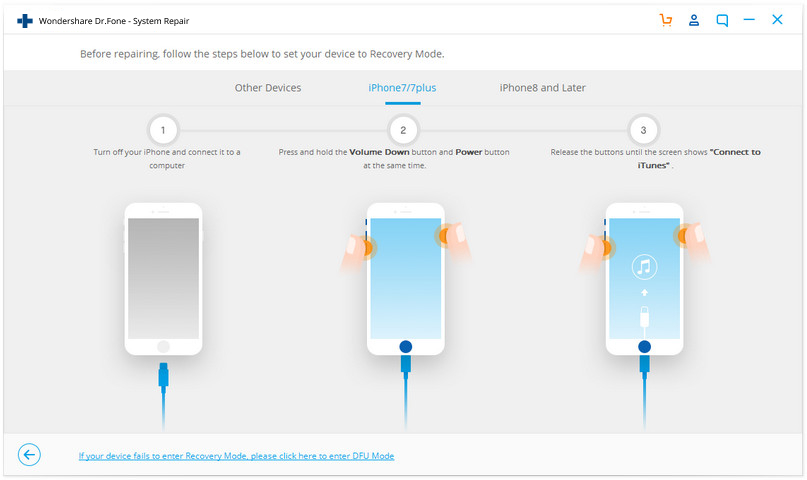
- dr.fone will identify your iOS device and iOS version, and automatically detect the
- latest firmware. All you have to do is click on ‘Download.’ The download will take a
- while, depending on your internet connection.
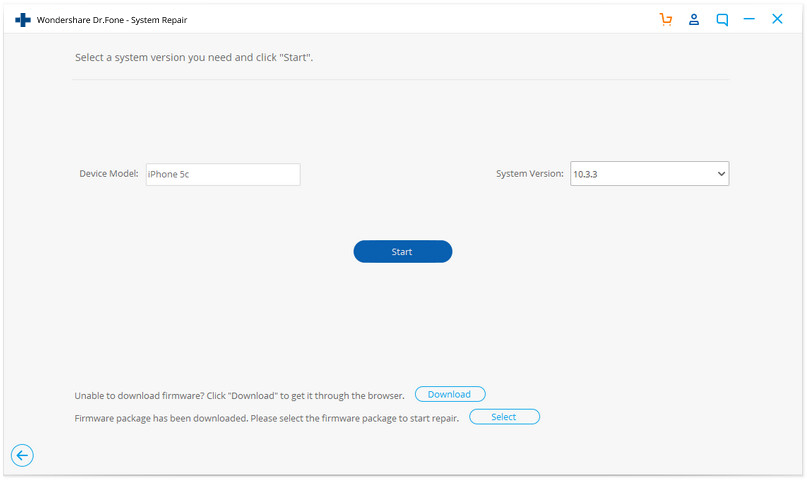
- After the download, it will automatically start scanning your device for problems and fix it. You will soon get a message that “repair of the operating system is complete.†This means that your device has been fixed. The whole process shouldn’t take much longer than 10 minutes, and you won’t have to do anything yourself!
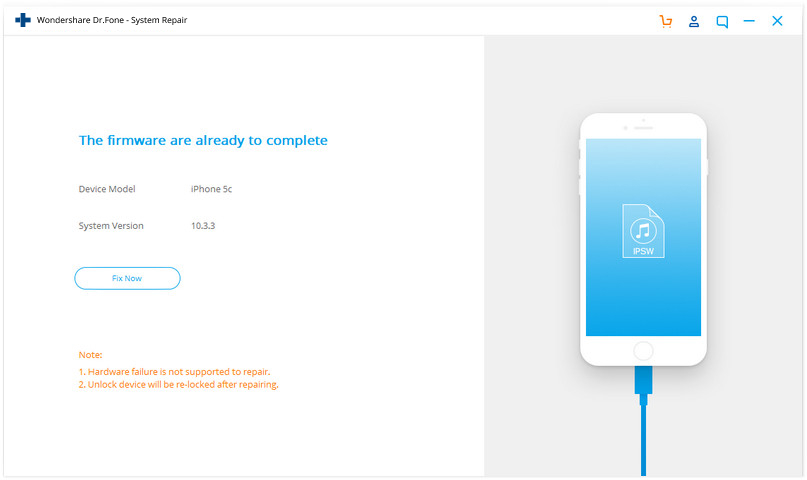
- This process should ensure that whatever the reason may be for iPhone error 4013, it will be fixed for good.
Start Download Start Download
Solution 2: Fix iTunes error 4013 by checking USB port & connector
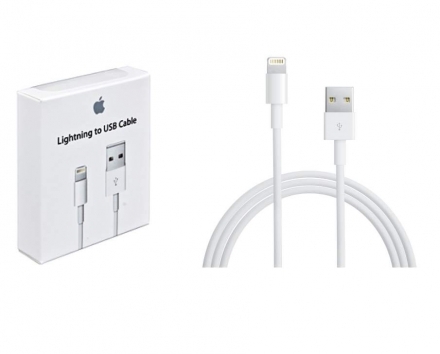
If the previous solution doesn’t work then it’s highly likely that the problem is hardware-related. So you should start with checking to see that all your USB ports and connectors are working fine. This is what you should do:
- Make sure you are using an Apple USB port.
- Use a different USB port.
- Try to plug into another PC.
If you try out all these methods and nothing works, then your USB connection is fine, and you should move on to the next solution.
Solution 3: Fix iTunes error 4013 by updating iTunes
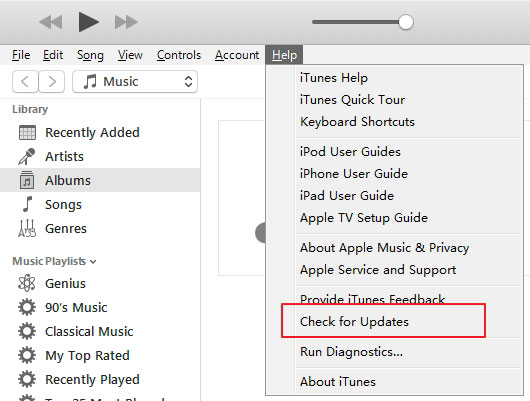
As we already mentioned, iPhone error 4013 is also called iTunes error 4013, this is because this error only comes when trying to restore iPhone using iTunes. It might be possible that your iTunes is corrupted or maybe you haven’t updated to the latest iTunes.
In this case you should ‘Check for Updates.’ If an update is available, download it, if not, then move on to the next solution.
Solution 4: Fix iPhone error 4013 by resetting all settings
- Restart your iPhone.
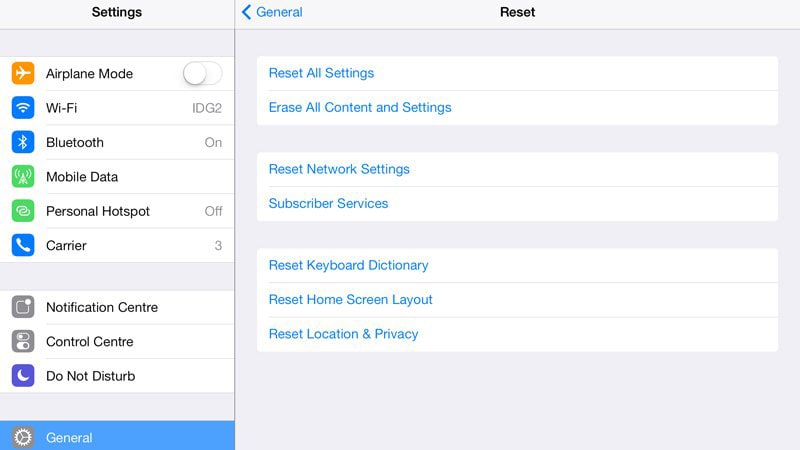
- Go to Settings > General > Reset > Reset All Settings.
This method also puts you at risk of data loss, so you should first backup iPhone data to iCloud or iTunes.
Solution 5: Fix iPhone error 4013 or iTunes error 4013 by clearing up space
The iPhone error 4013 occurs while updating the iOS. So the problem may arise if there isn’t enough space in your iPhone to accommodate a new update. So you should make sure there’s enough space, and if not, then clean up iPhone.
Solution 6: Fix iPhone error 4013 or iTunes 3014 via factory reset
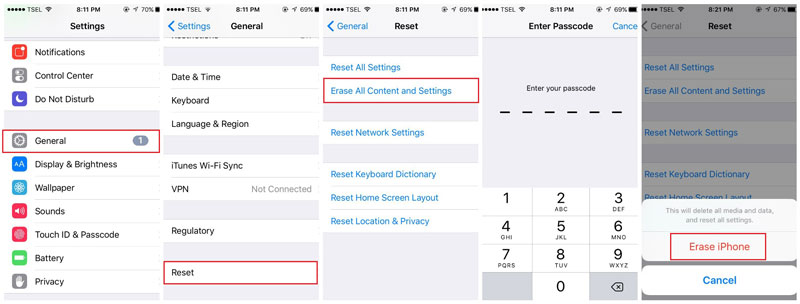
In order to fix iTunes error 3014 or iPhone 3014, you can also try to factory reset your iPhone. Below are the steps to fix iPhone error 4013 via factory reset
- Firstly, back up your iPhone.
- Go to "Settings" > "General" > "Reset"
- Choose the "Erase All Content and Settings".
- Enter your passcode.
- Tap on "Erase iPhone"
Solution 7: Fix iPhone error 4013 by entering DFU mode
If none of the previous advices worked, you should be prepared to put your device into DFU mode. Take this option only as your last resort, as it is something that will surely work, but it will cost you all the data you have on your Apple device (including all the applications but the default ones, all pictures, videos etc.), as it will practically wipe our anything you have on your iPhone or iPad and restore it as new. So, how to put your iPhone into DFU mode?
- Connect your iPhone to the computer and launch iTunes.
- Press and hold the Sleep/Wake Button and Home Button simultaneously for 10 seconds.
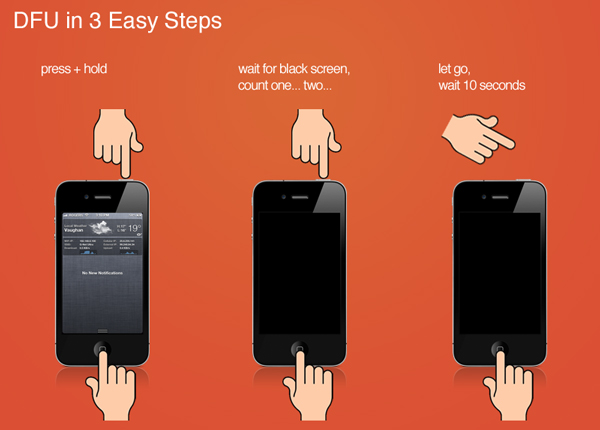
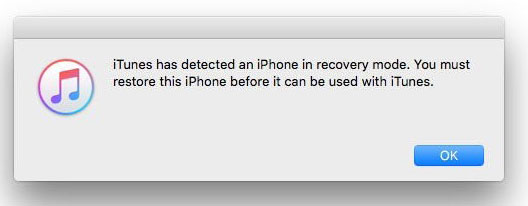
- After that, release the Sleep/Wake Button but continue to press the Home Button until iTunes says “iTunes has detected an iPhone in recovery mode.â€
- Release the Home Button. Your iPhone's screen will be completely black. If it’s not, try the above steps again from the beginning.
- Restore your iPhone with iTunes.
So you now know what is iPhone error 4013, and why it occurs. You also know all the different methods you can try to fix iPhone error 4013 yourself. Due to the uncertain nature of iPhone error 4013, it is hard to arrive at a strong diagnosis, which is why you would have to engage in a lot of trial-and-error methods, which would also put you at risk of data loss. However, we recommend that you use dr.fone - iOS System Recovery, as it will scan your entire system and fix whatever problem is there, all without any data loss.
Whatever you decide to do, keep us posted down on the comments. If you find another solution to the problem, be sure to let us know!
https://drfone.wondershare.com/iphone-problems/iphone-error-4013.html#part1