
32bit/64bit | All Editions
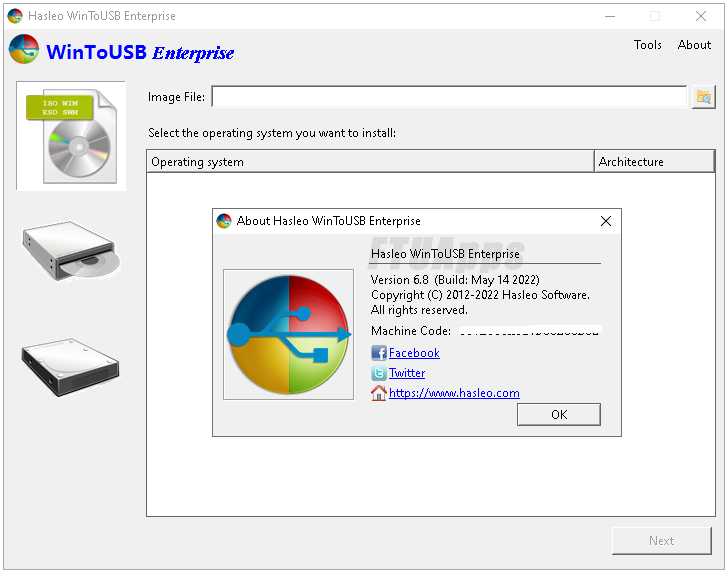
WinToUSB is the best Windows To Go Maker that allows you to install and run Windows operating system on a USB hard drive or USB flash drive, using an ISO image or CD/DVD drive as the source of installation. Starting from version 2.0, you can clone current Windows OS installation (Windows 7 or later) to a USB drive as a Windows To Go Workspace. WinToUSB also supports creating a bootable WinPE USB drive, it can help you transfer the contents of WinPE to a USB drive and make the drive bootable.
WinToUSB’s key features include:
• Easy-to-use wizard interface that provides step-by-step instructions for creating a Windows To Go USB drive.
• Creation of Windows To Go from an ISO image file or CD/DVD drive.
• Clone an existing Windows OS (Windows 7 or later) to a USB Drive as a Windows To Go Workspace.
• Use of a Non-Enterprise Edition of Windows 10/8.1/8/7 to create Windows To Go Workspace.
• Creation of Windows To Go on Non•Certified Windows To Go USB Drive.
• Support for creating VHD-based/VHDX-based Windows To Go Workspace.
• Clone current Windows OS (Enterprise edition of Windows 10/8.1/8/7) to a USB drive as a Windows To Go Workspace
• Clone current Windows OS which on a dynamic disk to a USB drive as a Windows To Go Workspace
• Clone current Windows OS which on a USB disk (Windows To Go USB drive) to other USB drives as a Windows To Go Workspace
Extra features of the Enterprise Edition:
• Clone current Windows OS (Enterprise edition of Windows 10/8.1/8/7) to a USB drive as a Windows To Go Workspace
• Clone current Windows OS which on a dynamic disk to a USB drive as a Windows To Go Workspace
• Clone current Windows OS which on a USB disk (Windows To Go USB drive) to other USB drives as a Windows To Go Workspace
What’s new:
– http://www.easyuefi.com/wintousb/change-logs.html
Edition Included:
• Enterprise + portable
• Professional + portable
• Technician + portable
Operating Systems:
– Windows 11/10/8.1/7/XP/Servers or later (64 & 32 bits)
Homepage: http://www.easyuefi.com/wintousb/
https://ftuapps.dev/wp-content/uplo....8-All-Editions-Multilingual-Portable.torrent