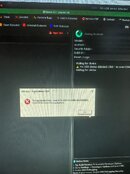
PREMIUM APK Pop-up Virus Remove Done!

androford10

Premium Account
Joined
Jan 8, 2016
Messages
779
Reaction score
655
Points
121
Location
Talamban cebu,city
May apps talaga na pop up virus kahit e check mo sa apps manager walang Uninstall na option.
Pero via APK Pop-up Virus Remover one click lang tangal na ang Pop-up Virus. Safe pa ang userdata...fb, messenger, ml and etc.
link: https://www.mediafire.com/file/q2j4..._Virus_Remover_Portable_-_drox-Ph-Ceb.7z/file portable version
video: click me

1785829814853.png
 
Last edited:
Pop-up Virus Problem done
no data loss
for latest Samsung na ayaw ma enable ang usb debugging just
1. Open Settings on your Samsung Galaxy device.
2. Tap Security and privacy.
3. Select Auto Blocker and switch if off

Note: Wag kalimutang e off ang Developer Option after ng process para magamit ang Gcash niya.


1786095142334.png
 
Frp problem done safe and fast gamit ang (module + apk pop up virus remover) tested for tecno, itel, and infinix. No dm verity problem...
click_video
 
latest version link: Setup Installer or portable version
Hot 30 play and Hot 20 4g frp done
credit to Sir Rolly for his photo i just copied this for referrence.
Supported models: Any models specially Itel, Tecno or infinix as long as you can connect through wifi frp portal


Requirements:
laptop that supports hotspot

Procedure:
1. Click "Frp Portal"
2. Click "start hotspot"
3. Open android wifi and look for "FRP Portal" and enter password: 12345678 (note: just try to forget or connect again importante maka enter kayo sa frp portal)
4. Inside FRP Portal click open dial and dial adb enabler code sample *#85# or *#*#49*#*#
5. After enabled adb via dial click "Remove FRP"
Note: just reset phone on settings if there is a problem.
Done!

For Pop-up Virus Procedure
just enable adb and click "Remove Virus" wait till done! make sure to turn off developer after the process para gumana ang Gcash.

1795922851930.png

1795923574273.png
 
Last edited:
latest version link: Setup Installer or portable version
Hot 30 play and Hot 20 4g frp done
credit to Sir Rolly for his photo i just copied this for referrence.
Supported models: Any models specially Itel, Tecno or infinix as long as you can connect through wifi frp portal


Requirements:
laptop that supports hotspot

Procedure:
1. Click "Frp Portal"
2. Click "start hotspot"
3. Open android wifi and look for "FRP Portal" and enter password: 12345678 (note: just try to forget or connect again importante maka enter kayo sa frp portal)
4. Inside FRP Portal click open dial and dial adb enabler code sample *#85# or *#*#49*#*#
5. After enabled adb via dial click "Remove FRP"
Note: just reset phone on settings if there is a problem.
Done!

For Pop-up Virus Procedure
just enable adb and click "Remove Virus" wait till done! make sure to turn off developer after the process para gumana ang Gcash.

View attachment 41826
View attachment 41827
Bossing pwede ba sa apps mismo mag update or different po ito?
 
Back
Top