
- Joined
- Jun 13, 2014
- Messages
- 56
- Reaction score
- 0
- Points
- 1
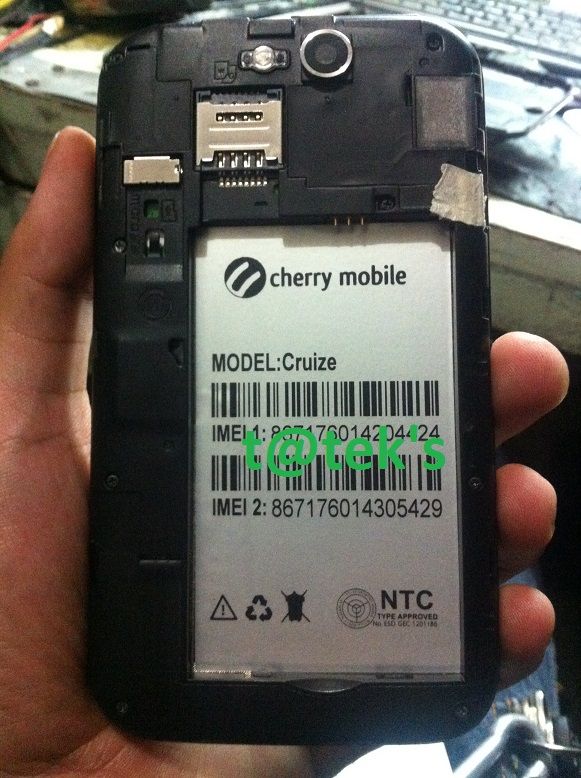
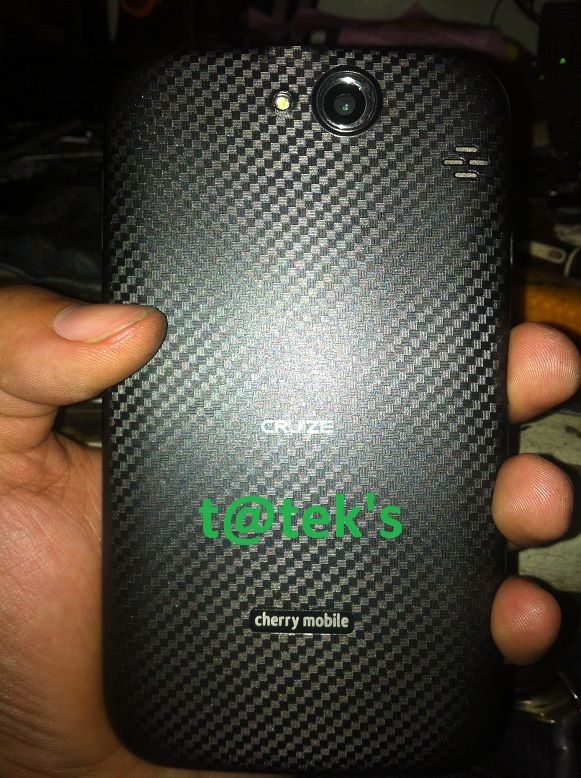
UNIT MODEL:
Cherry Mobile CRUIZE
CPU BASED:
Broadcom BCM2350
PROBLEM:
No Power
HISTORY:
Naglalaro lang daw ng COC may lumabas na unfortunately google stop something ganon daw, nalobat tapos di na nag power
ACTION TAKEN:
1. Check Power, sa power Supply , Check battery and recharge sa desktop, No luck
2. Check sa usb, detected pero sandali lang
3. Proceed to Flashing
4. First Download, Extract, then install the drivers
DRIVERS
FLASHER
FIRMWARE
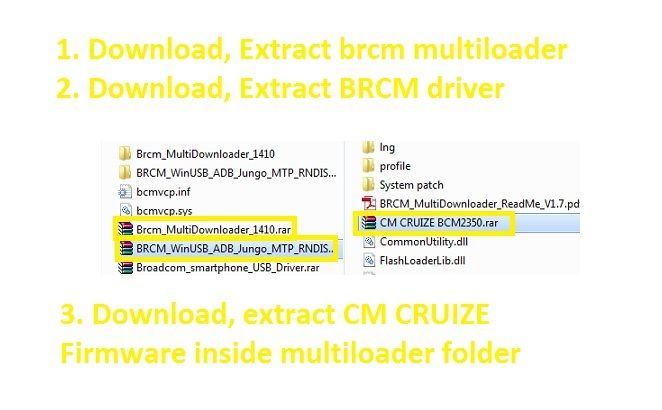
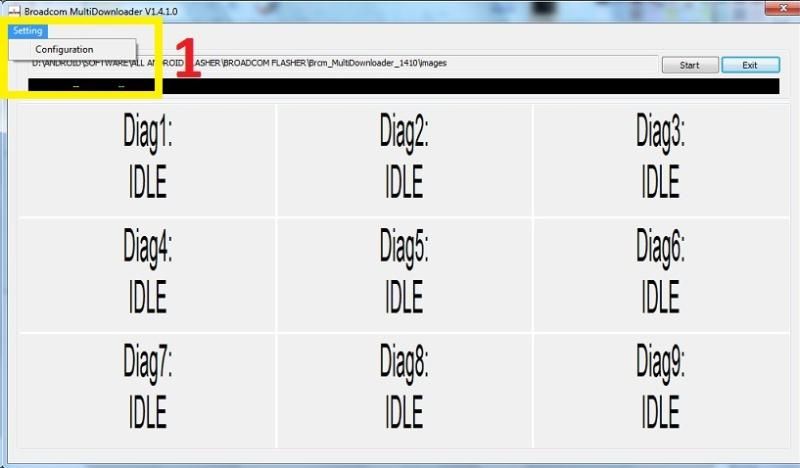
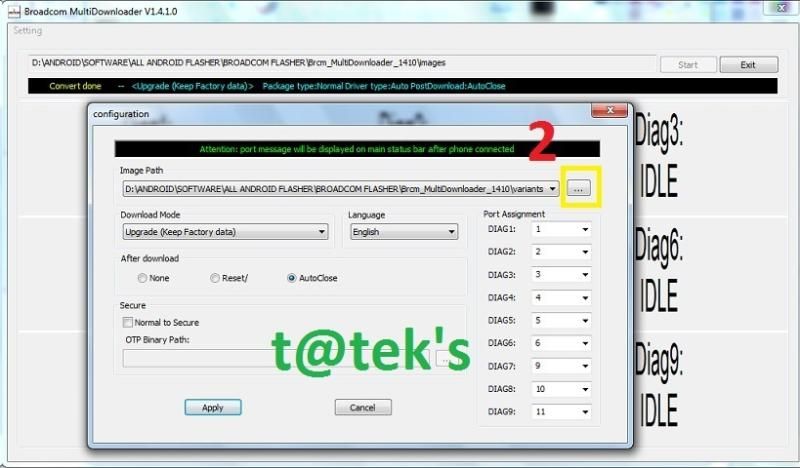
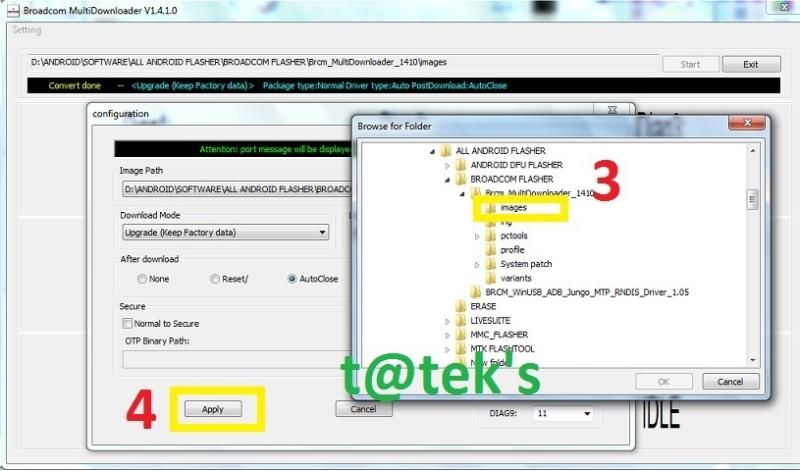
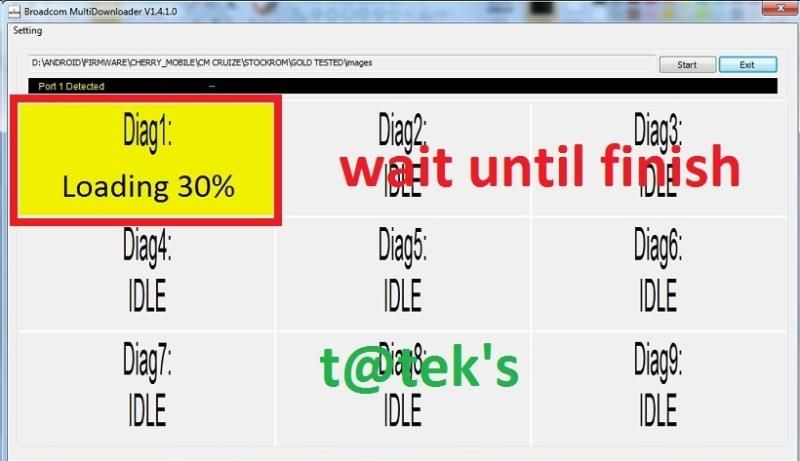
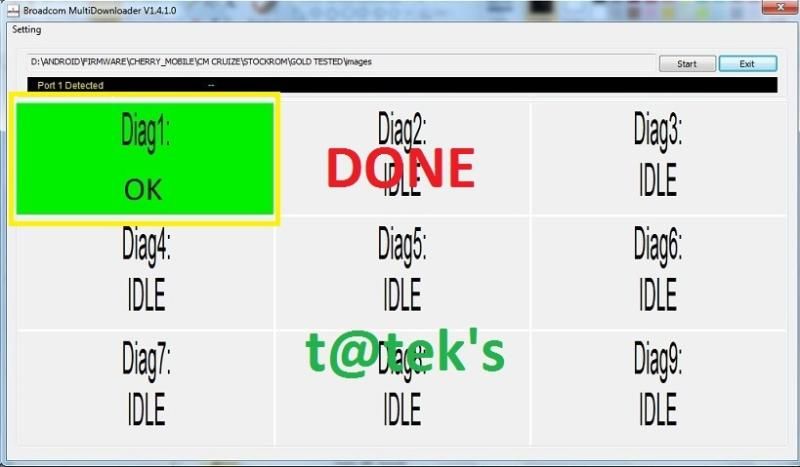
5. For flashing guide open the multiloader and follow the picture below
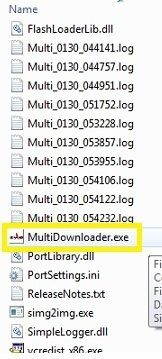
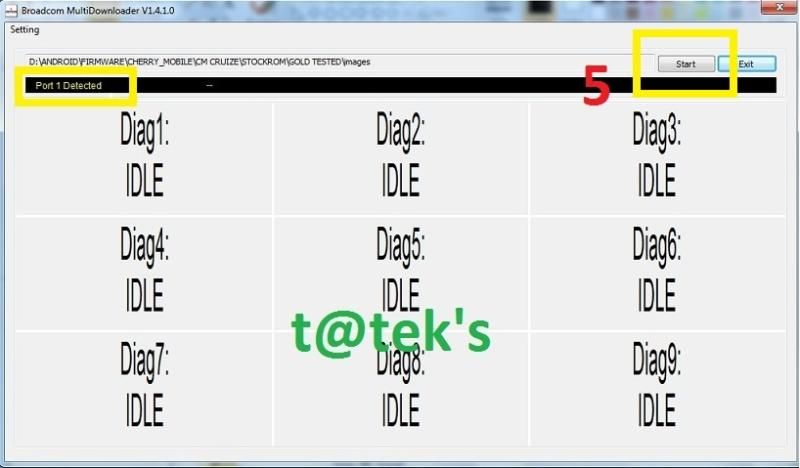
6. Connect Phone while holding volume up and volume down , when port detected , click the start tab and wait until done
SCREENSHOTS:
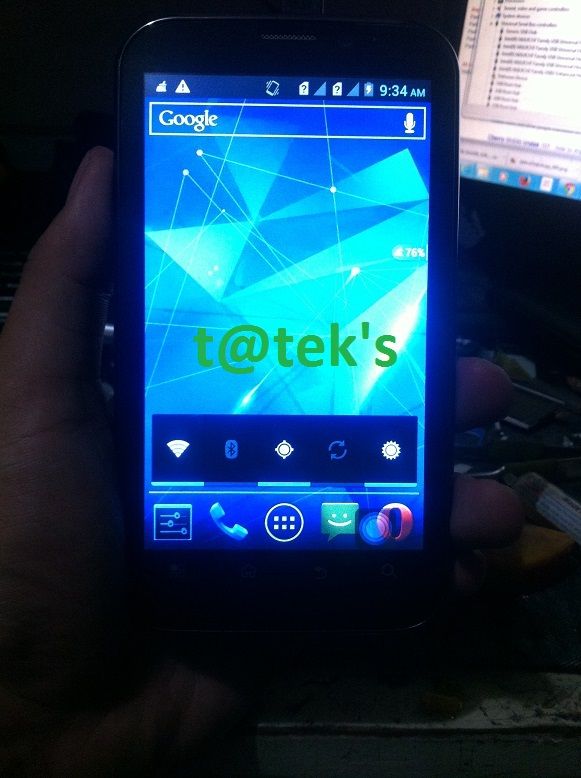
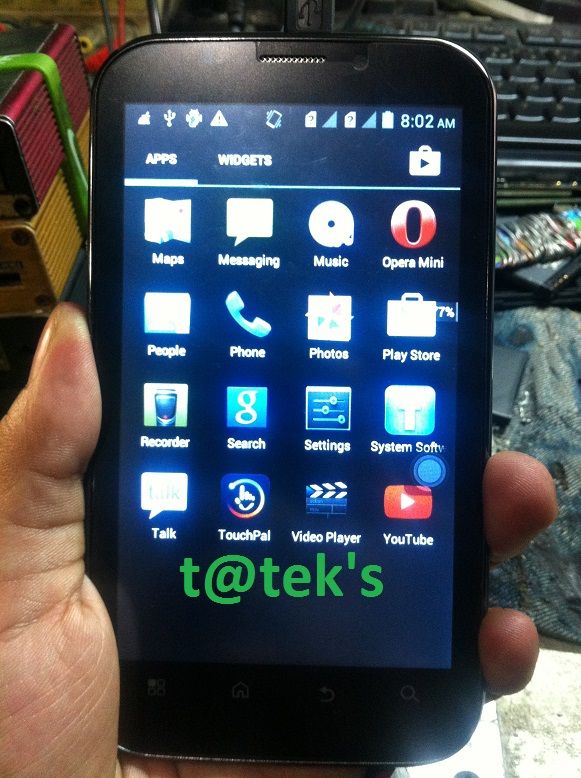
DONE
Cherry Mobile CRUIZE


CPU BASED:
Broadcom BCM2350
PROBLEM:
No Power
HISTORY:
Naglalaro lang daw ng COC may lumabas na unfortunately google stop something ganon daw, nalobat tapos di na nag power
ACTION TAKEN:
1. Check Power, sa power Supply , Check battery and recharge sa desktop, No luck
2. Check sa usb, detected pero sandali lang
3. Proceed to Flashing
4. First Download, Extract, then install the drivers
DRIVERS
FLASHER
FIRMWARE

5. For flashing guide open the multiloader and follow the picture below


6. Connect Phone while holding volume up and volume down , when port detected , click the start tab and wait until done


SCREENSHOTS:


DONE


