
Phoneboard 1.7.0
support:
Step-2 You will see an executable file Phoneboard v1.7.0.exe. Double click to open it.
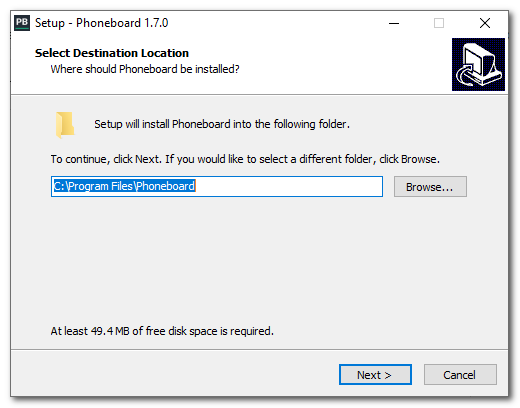
Step-3 Then follow the instructions to install it on your PC/Laptop
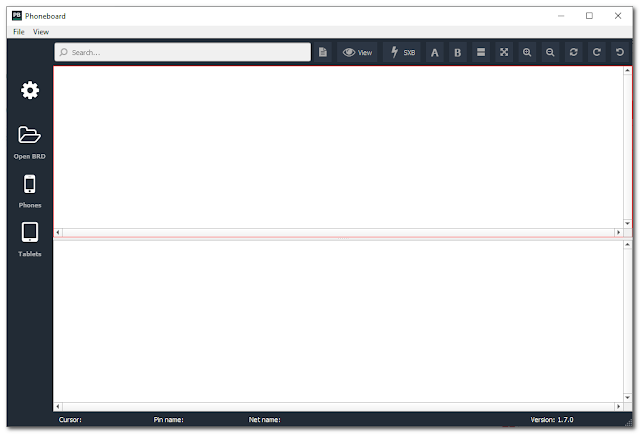
Step-4 Open the Phoneboard tool.
Step-5 On the left panel click on Phone or tablet to check for the respective device.
Step-6 You will see a list of devices that are supported by the tool.
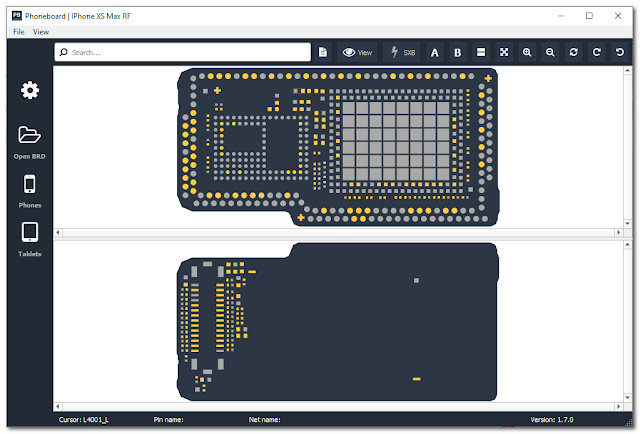
Step-7 Click on the device name and the phone board info will show up.
LINK: file here
free
support:
- Apple: iPhone / iPad
- Samsung
- Vivo
- Oppo
- Xiaomi
Step-2 You will see an executable file Phoneboard v1.7.0.exe. Double click to open it.
Step-3 Then follow the instructions to install it on your PC/Laptop
Step-4 Open the Phoneboard tool.
Step-5 On the left panel click on Phone or tablet to check for the respective device.
Step-6 You will see a list of devices that are supported by the tool.
Step-7 Click on the device name and the phone board info will show up.
LINK: file here
free

