
Good Day!
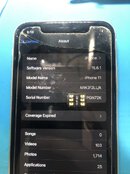
iPhone 11
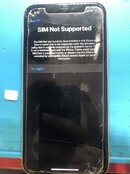
Issue: T-Mobile Lock. Current version is 15.6.1
Solution: Unlock using DB-Sim V60.04
Steps and Screenshots:
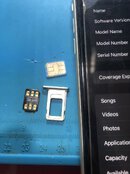
1. Insert Db-Sim and Sim Card that you want to use. Dont connect on wifi.
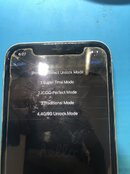
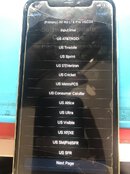
2. Choose #1. Super TMSI Mode
3. Choose Carrier. Since it was T-Mobile lock so I chose US Tmobile.
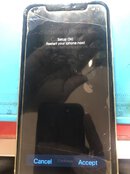
4. Choose Accept and just wait until your phone goes to Home Screen Menu.
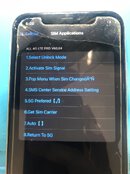
5. Go to settings/cellular/Sim Application
6. Tap #2. Activate Sim Signal and it will goes to activation mode but just wait in a few seconds and it will be back to home menu.
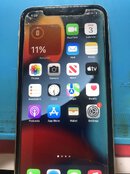
7. Check also Settings/cellular data(turn it on)/ cellular data option/data roaming( turn it on also). And after that, it's Done!
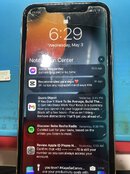
Saramano kahapon
Thanks for viewing!
iPhone 11
Issue: T-Mobile Lock. Current version is 15.6.1
Solution: Unlock using DB-Sim V60.04
Steps and Screenshots:
1. Insert Db-Sim and Sim Card that you want to use. Dont connect on wifi.
2. Choose #1. Super TMSI Mode
3. Choose Carrier. Since it was T-Mobile lock so I chose US Tmobile.
4. Choose Accept and just wait until your phone goes to Home Screen Menu.
5. Go to settings/cellular/Sim Application
6. Tap #2. Activate Sim Signal and it will goes to activation mode but just wait in a few seconds and it will be back to home menu.
7. Check also Settings/cellular data(turn it on)/ cellular data option/data roaming( turn it on also). And after that, it's Done!
Saramano kahapon
Thanks for viewing!
Last edited:
![[BLAZER]](/data/avatars/m/12/12922.jpg?1743577320)