
- Joined
- Jul 25, 2014
- Messages
- 295
- Reaction score
- 90
- Points
- 1
a3s password
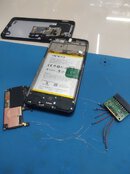
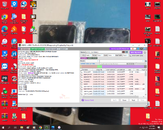
run ufi eMMC TOOL box
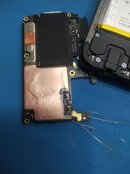
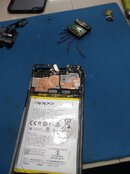
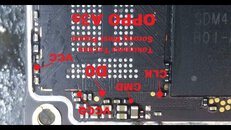
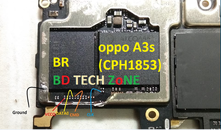
put check DIRECT EMMC (ISP)
click IDENTIFY EMMC
phone must be connected and readable by sw (with battery connected)
click USERAREA PART
click SPECIAL TASK
OPPO
WIPE DATA ONLY
done
disconnect phone
remove all attached connection with isp jtag
re assemble phone
power on phone
phone must be loading and restart by itself
wait 3-5 minutes until completely boot in normal mode
dial *#813# for frp
run ufi eMMC TOOL box
put check DIRECT EMMC (ISP)
click IDENTIFY EMMC
phone must be connected and readable by sw (with battery connected)
click USERAREA PART
click SPECIAL TASK
OPPO
WIPE DATA ONLY
done
disconnect phone
remove all attached connection with isp jtag
re assemble phone
power on phone
phone must be loading and restart by itself
wait 3-5 minutes until completely boot in normal mode
dial *#813# for frp
Attachments
Last edited:

