
Model:
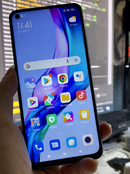
Redmi Note 9
Issue:
Hang on Logo / Auto Restart
Solution:
Flash Stock Firmware
Procedure:
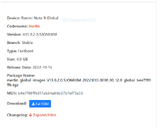
1. Download Redmi Note 9 Stock Fastboot ROM https://xiaomifirmwareupdater.com/miui/merlin/stable/V13.0.2.0.SJOMIXM/
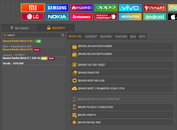
2. Open UnlockTool > Go to Mi Tab > Security > Search and select Xiaomi Redmi Note 9 / 10X 4G > Select Unlock Bootloader
(Kung unlocked na ang bootloader, pwedeng i-skip ang step na ito.)
3. Turn off the unit and plug in while pressing Volume + and Volume - and wait for the bootloader unlock to finish.
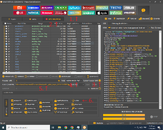
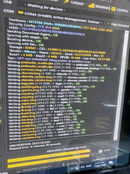
4. Go to Mediatek Tab > MTK Universal > Check Custom Preloader / EMI > Change the Model to Redmi note9_merlin > Load the Scatter file from downloaded firmware "MT6768_Android_scatter.txt" > Select Flash > Turn off the phone and plug in while pressing Volume + and Volume - > Wait for the flashing to finish.
Congratulations! You have successfully unbricked your Xiaomi Redmi Note 9!
2. Open UnlockTool > Go to Mi Tab > Security > Search and select Xiaomi Redmi Note 9 / 10X 4G > Select Unlock Bootloader
(Kung unlocked na ang bootloader, pwedeng i-skip ang step na ito.)
3. Turn off the unit and plug in while pressing Volume + and Volume - and wait for the bootloader unlock to finish.
4. Go to Mediatek Tab > MTK Universal > Check Custom Preloader / EMI > Change the Model to Redmi note9_merlin > Load the Scatter file from downloaded firmware "MT6768_Android_scatter.txt" > Select Flash > Turn off the phone and plug in while pressing Volume + and Volume - > Wait for the flashing to finish.
Congratulations! You have successfully unbricked your Xiaomi Redmi Note 9!


