Motorola A956 Android how to hard reset TESTED by ME!
Slide the keyboard open.
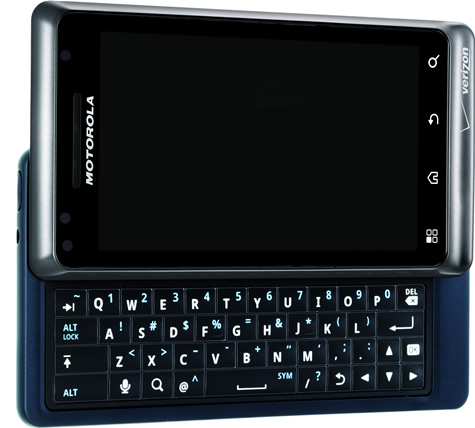
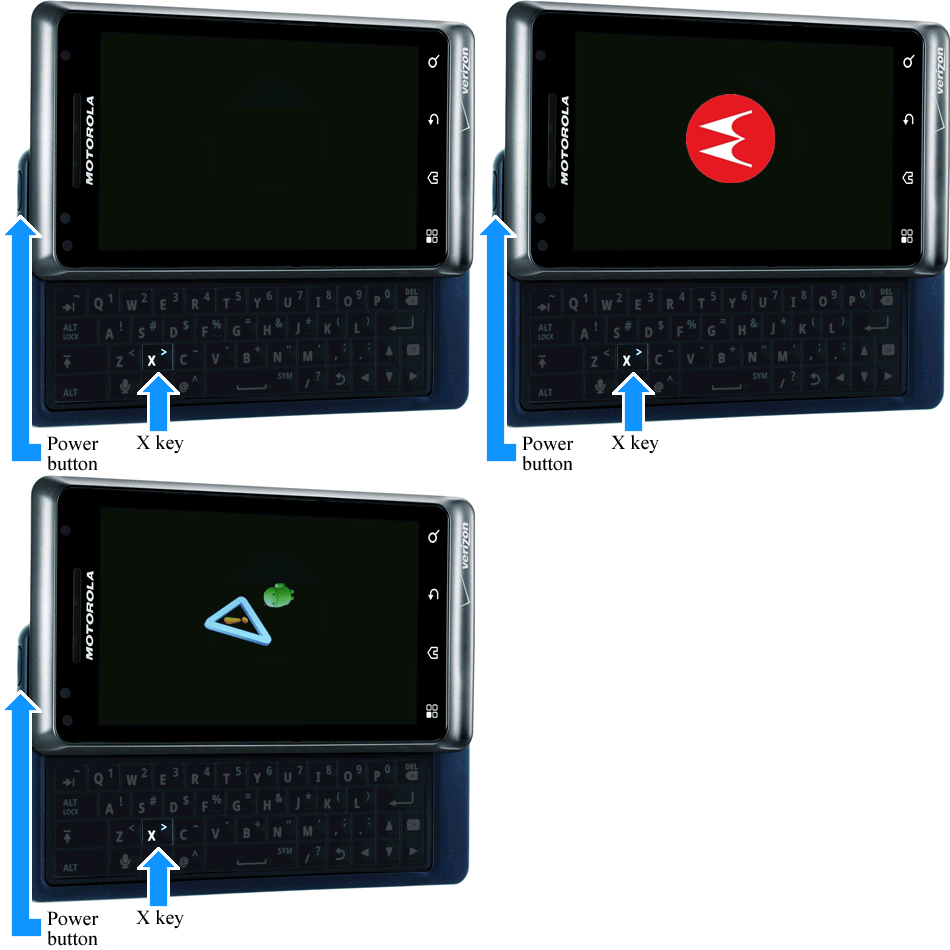
Press and hold the Power button+X key simultaneously until the Recovery screen (exclamation point with an android figure) appears.
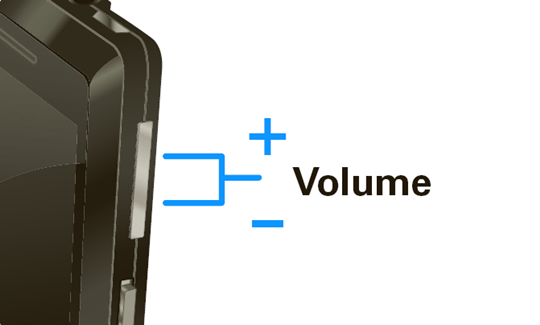
From the Recovery screen, press both volume buttons (NOT SEARCH ICON ON KEYBOARD)
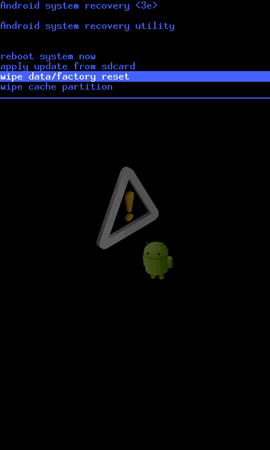
Select wipe data/factory reset.
Note Utilize the Volume keys (up / down) to highlight and the Power button to select.
Note If necessary, slide the keyboard to the closed position.
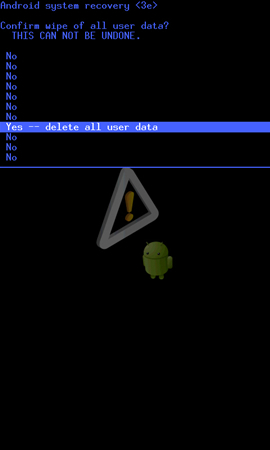
Select Yes -- delete all user data.
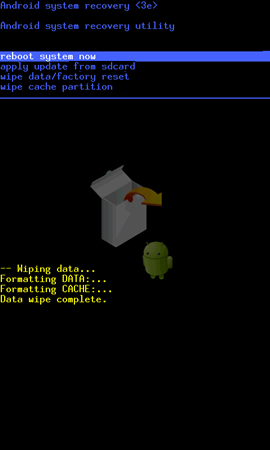
Note Allow the factory reset process to complete (approximately 1 minute).
Select reboot system now.
Note Allow several minutes for the reboot process to complete.
DONE!

Slide the keyboard open.
Press and hold the Power button+X key simultaneously until the Recovery screen (exclamation point with an android figure) appears.
From the Recovery screen, press both volume buttons (NOT SEARCH ICON ON KEYBOARD)
Select wipe data/factory reset.
Note Utilize the Volume keys (up / down) to highlight and the Power button to select.
Note If necessary, slide the keyboard to the closed position.
Select Yes -- delete all user data.
Note Allow the factory reset process to complete (approximately 1 minute).
Select reboot system now.
Note Allow several minutes for the reboot process to complete.
DONE!