
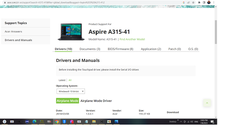
Go to support --> https://www.acer.com/ph-en/support and download the necessary bios file
Search %temp%
open folder then mag abang
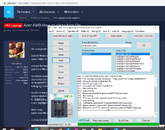
extract firmware then Run
punta sa %folder% kunin Z8E.fd or kahit ano sa tingin mong bin file
to delete upper part of supportfile.bin
search textstring $_iflash_biosimg
sa supportfile.bin
bilang ng 8 then burahin kasama ang nabilang na 8 pataas
to delete lower part of supportfile.bin
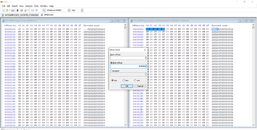
select block/Control E
0 - 8388608 on length select dec
it will highlight
then copy
open new file then save
it should be 8mb- 8192kb x 1024 = 8388608
write na sa bios chip
Done
Search %temp%
open folder then mag abang
extract firmware then Run
punta sa %folder% kunin Z8E.fd or kahit ano sa tingin mong bin file
to delete upper part of supportfile.bin
search textstring $_iflash_biosimg
sa supportfile.bin
bilang ng 8 then burahin kasama ang nabilang na 8 pataas
to delete lower part of supportfile.bin
select block/Control E
0 - 8388608 on length select dec
it will highlight
then copy
open new file then save
it should be 8mb- 8192kb x 1024 = 8388608
write na sa bios chip
Done
Last edited: