
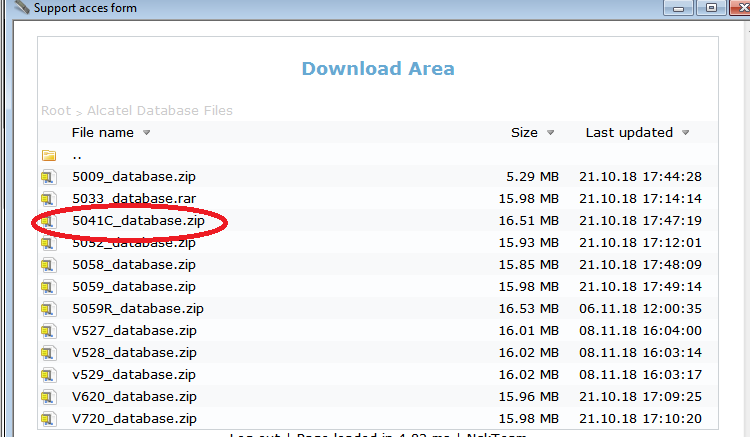
first download (5041C_database.db) in support site ng nckbox
procedure..
off the unit
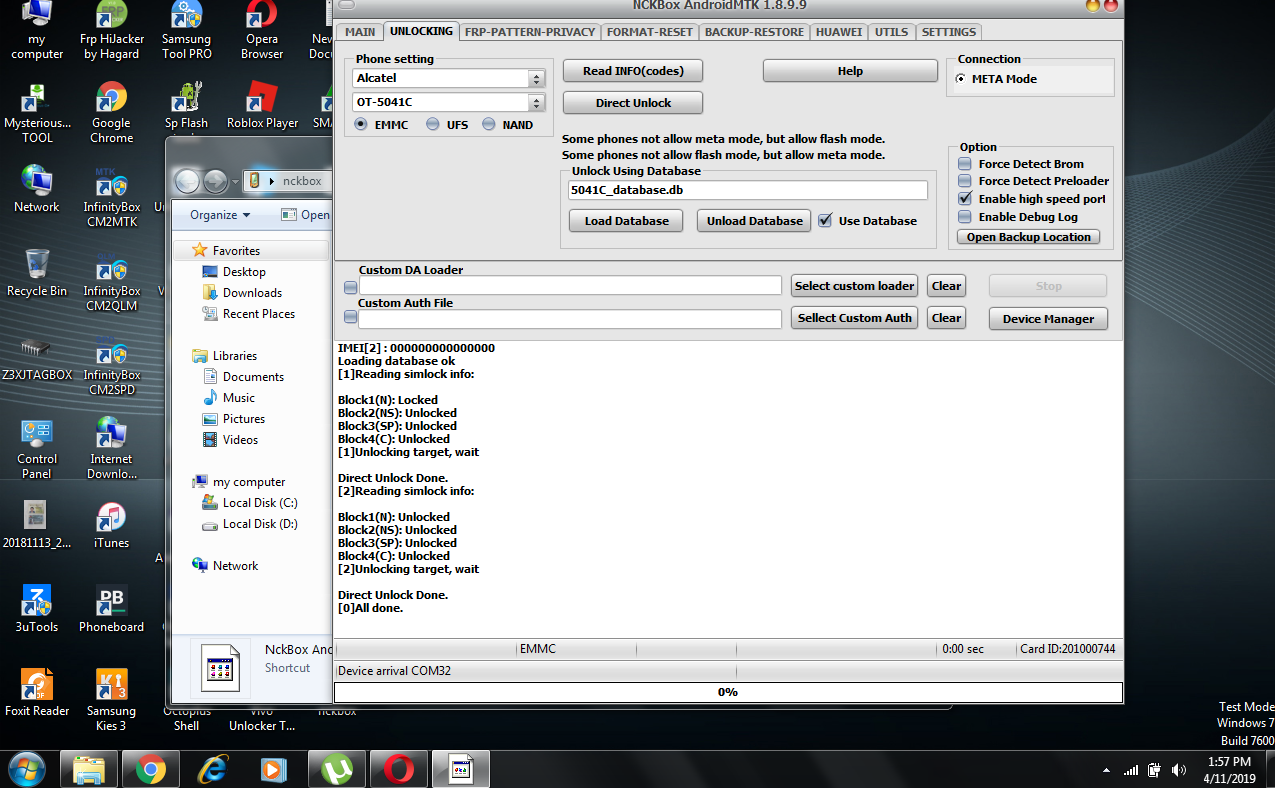
open nck andriodMTK
select : alcatel, OT.5041C
click load sa database..
upload 5041C_database.db
then click direct unlock
press vol - insert usbcable(install usbdriver if not install)
logs..
procedure..
off the unit
open nck andriodMTK
select : alcatel, OT.5041C
click load sa database..
upload 5041C_database.db
then click direct unlock
press vol - insert usbcable(install usbdriver if not install)
logs..
Exe version: NCKBox AndroidMTK 1.8.9.9
Selected model: Alcatel OT-5041C
Action: Unlock
Will be used database connection.
Scanning for presents meta ports...
Phone must be off with battery inside.
Please insert USB cable now...
In some phones need to keep VOL- button untill inserting USB cable.
[33]Detected: MediaTek USB Port (COM33)
\\?\usb#vid_0e8d&pid_0003#5&2fd2185b&0&3#{a5dcbf10-6530-11d2-901f-00c04fb951ed}
Starting META mode, wait...
Restarting to meta,wait....
If drivers missing, please install CDC drivers.
This can take up to 5 min on slow phones.
If take too long, check device manager for drivers.
[60]META Port Detected: MediaTek USB VCOM (Android) (COM60)
USB\VID_0E8D&PID_200E&MI_01\6&37813E2E&0&0001
ChipID: MT6739,S01
Using Algo 5.
Starting META using port[COM60], wait...
BaseBand CPU : MT6739
MODEM SW Version : MOLY.LR12A.R3.MP.V10.3.P8
MODEM HW Version : TK_MD_L4_HW
IMEI location: OTP
IMEI[1] : 015163001360071
IMEI[2] : 000000000000000
Loading database ok
[1]Reading simlock info:
Block1(N): Locked
Block2(NS): Unlocked
Block3(SP): Unlocked
Block4(C): Unlocked
[1]Unlocking target, wait
Direct Unlock Done.
[2]Reading simlock info:
Block1(N): Unlocked
Block2(NS): Unlocked
Block3(SP): Unlocked
Block4(C): Unlocked
[2]Unlocking target, wait
Direct Unlock Done.
[0]All done.