
- Joined
- Jun 13, 2014
- Messages
- 56
- Reaction score
- 0
- Points
- 1
Share ko lang po nakakatuwa lang, pinahirapan kasi ko ng UNIT na to buti nagawa pa  )
)
first of all salamat po sa mga mababait na nagbahagi at nagpm, salamat na rin sa iba na naniningil ng bayad sa tested files daw, na para sa unit ko... kung sino ka man pasensya na wala kasi akong pambayad disgrasya lang po ito...anyway maliit lang naman yung PHP200 load, padadalahan na lang kita kahit wala po yung tested files mo ....pm mo ulit ako sir sa ym ko...
wala na talaga yung Spirit of sharing sa forum, majority likes pag tumulong laging may inreturn, sana magbalikan yung mga idol, hinahangaan at mga totoong tao sa forum yung sa simpleng thanks button lang masaya na
UNIT MODEL:
Alcatel Pop C7 7040E
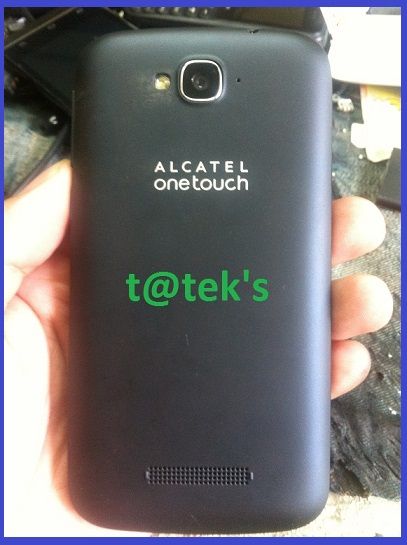

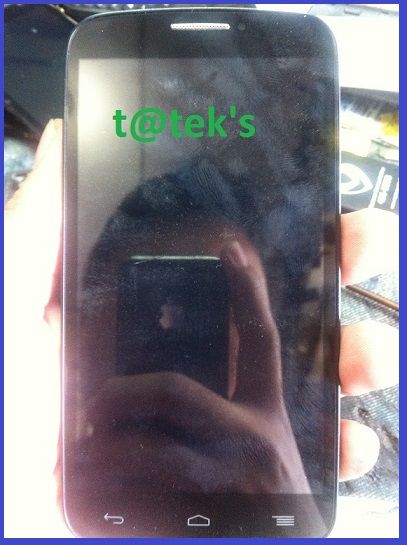
PROBLEM:
Dead Phone
ACTION TAKEN:
1. Try ko sa Mobile Upgrade S 4.3.1 But no luck, ayaw tumuloy sa upgrading
2. Try to flash in SPFLASHTOOL with different version, kaso ganito yung error
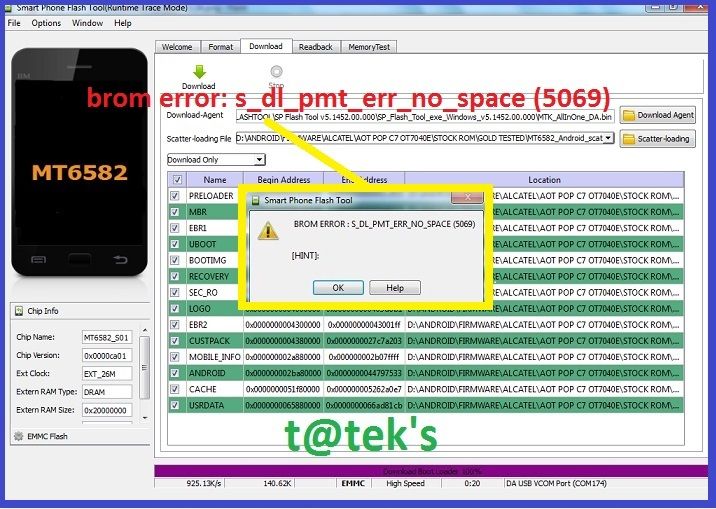
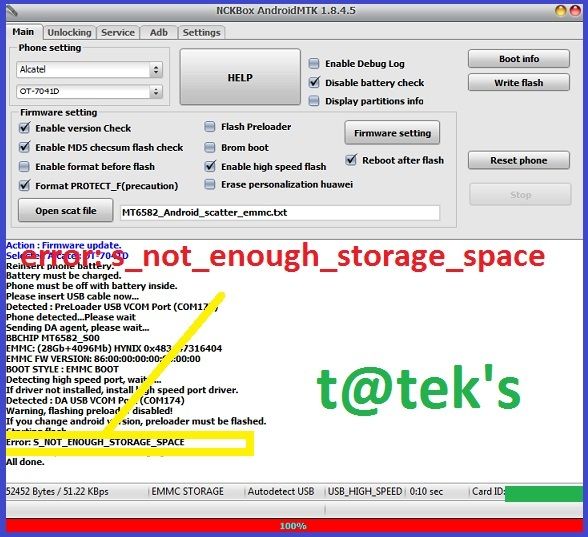
3. Try with NCK BOX Firmware 7041D flashing with SPFLASHTOOLl brom error: s_dl_pmt_err_no_space (5069), same thing no luck with NCK BOX NCK Box Android MTK Module
4. Kuha ng martilyo saka pukpukin ang LCD) joke lang, Isip.....Isip.....Decide itago muna ang phone )
5. After two weeks may nagpapagawa na customer ALCATEL mukang pareho, pagtingin ko 7041D  , pinaiwan yung phone, no power daw, nung chineck ko drain lang ang battery
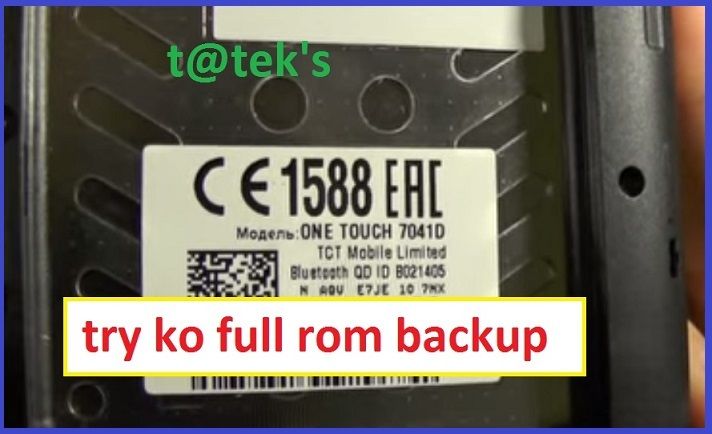
6. Try ko backup using MTKDROIDTOOLS and SPFLASHTOOL
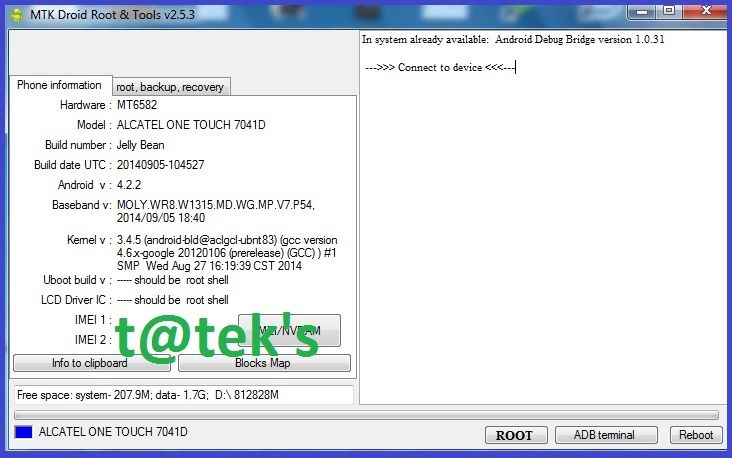
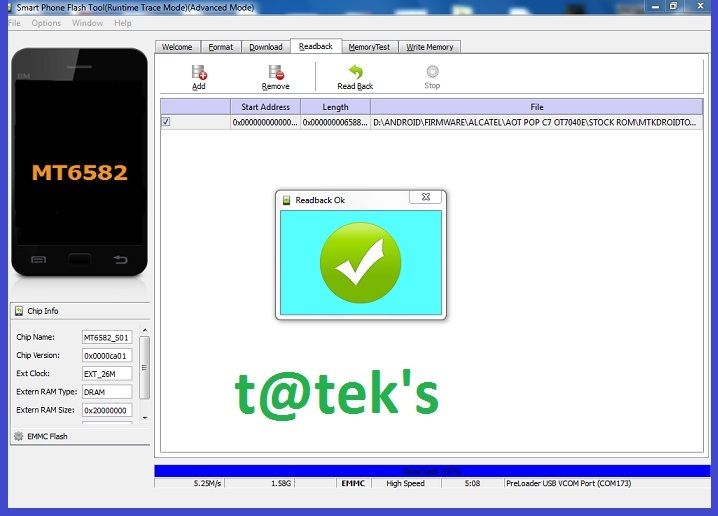
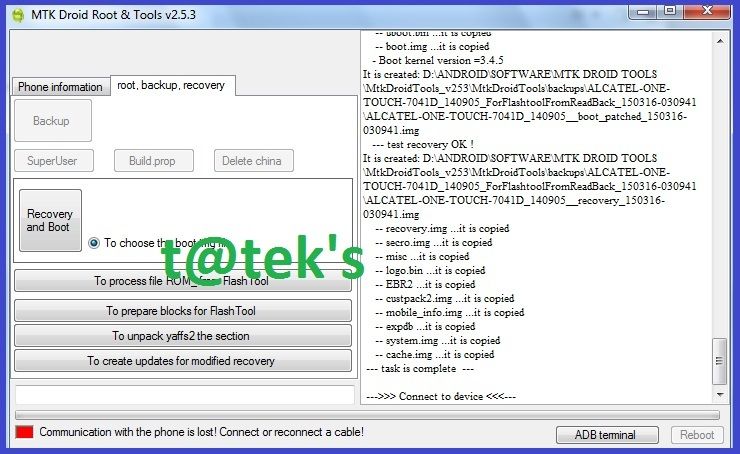
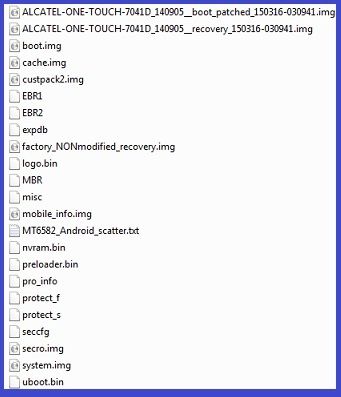
7. Flash again sa spflashtool using new backup, error ulit pero iba naman
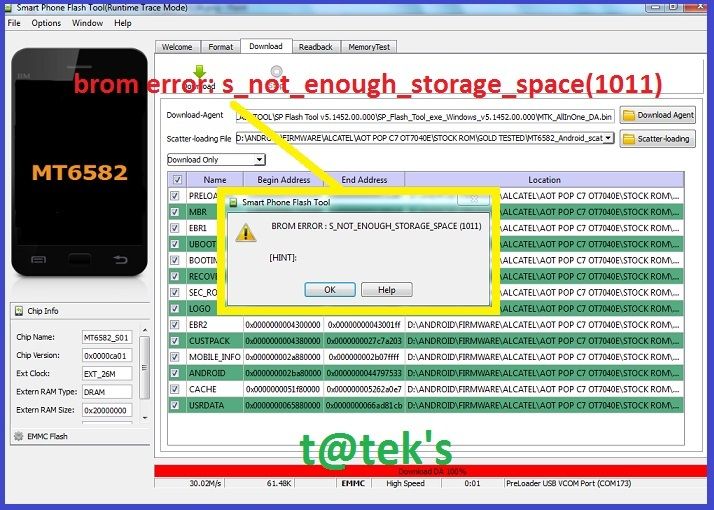
8. Dahil nageeror sa scatter files, naisip ko write na lang yung mismong full dump ROM_0 na binasa sa 7041D
Note: Flashing full dump from another phone is not recomended
bakit?
Once na nagflash ka ng full dump parang kinopya mo lang yung kung ano ang laman ng nand ic , yung calibration data are located in different address, kahit same phone pa ang pinanggalingan ng backup, without proper parameter, it will cause, hang, no power, deadboot, invalid imei, etc....
unlike official Rom with proper scatter files and firmware, pag yun ang ginamit, automatic na nilalagay sa proper parameter yung bawat files at itinatama through spflashtool parameter din....
mapapansin natin sa spflashtool, kung hindi tama yung firmware sa start pa lang may error na, kahit minsan tama yung firmware pero may error pa rin, like PMT error, brom error , etc......
dahil yan sa permission of data, such as correct partition, info, address, loader etc, kung mapapansin sa scatter txt files natin, may true, false, reverse, invisible, etc...yan yung mga permission.... na dapat angkop din sa firmware na ginagamit
di ba lagi natin nababasa sa mga kasama natin sa forum, pag may error, " akina edit po natin yung scatter files para magflash, in most cases nasa scatter yung permision ng loader at bootrom, minsan naman nasa flasher, madalas nasa firmware...kaya minsan non sense mag modified ng scatter files minsan nakakatulong din
iba-ibang parameter at technique ang ginagamit ng mga programmer para masulatan ang NAND IC, para lang maprotektahan ang kanilang trabaho,
A good example is MT6571 chipset, mapapansin natin na maraming namromroblema dito, regarding linear address and physical address magkaibang format based para lang pumasok ang program...
since hidden sa spflashtool yung ibang tab, like the advance mode walang trigger to open the physical address format option sa software
unless you know the command or just use firmware upgrade, as long the pro info is exist in the phone parameter... pano kung na format na, dead, at wrong partition?
same thing sa PC natin regarding operating system, posible bang mailagay ang windows 95 OS sa NTFS PARTITION or a windows 8 in FAT16 PARTITION, partition is the main based of all operating system....kaya malaking factor ito
Anyway that was another topic......pero ano nga bang kinalaman nun sa thread na to.? ....
9. Flash muna ang full dump through spflashtool.... sundan na lang yung nasa pics pero bago yun Download muna itong ROM and PARTTION DATAhttp://www.4shared.com/rar/ztQFZDOlce/ALCATEL_7040E_GOLD_tteks.html? LINK
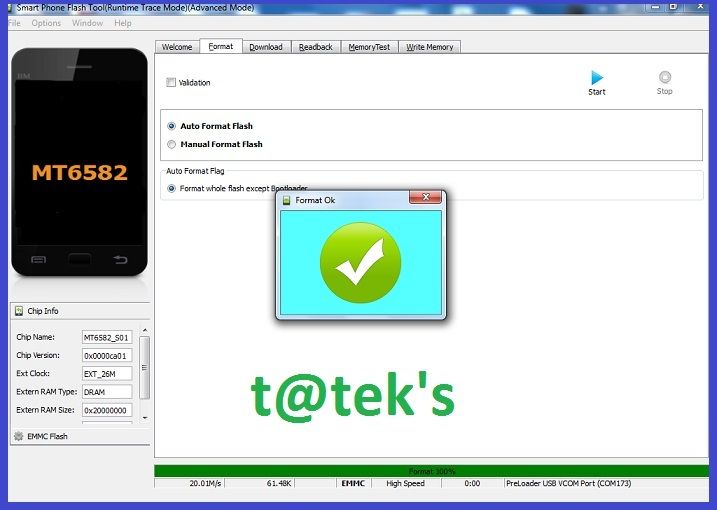

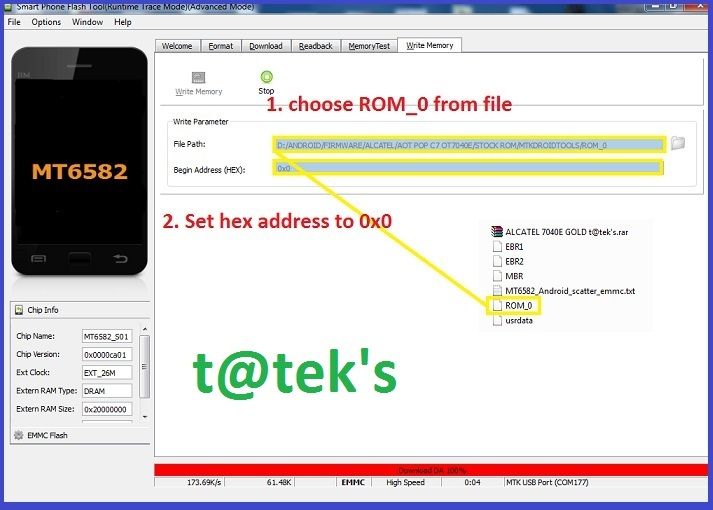
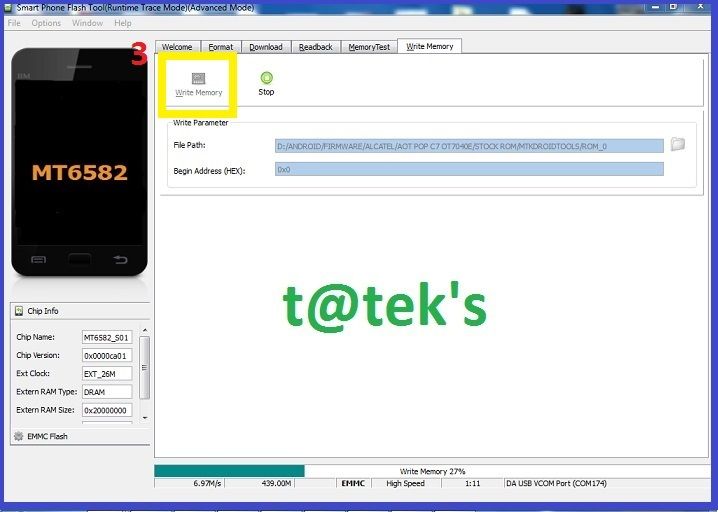
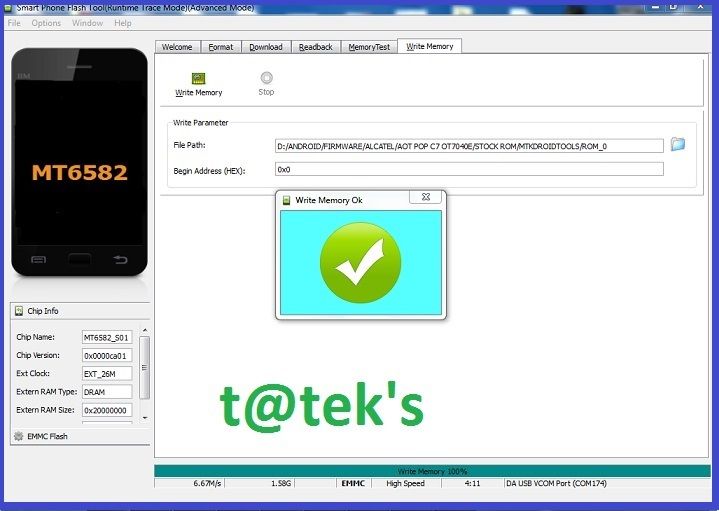
10. After flash ng full dump , sa case ko, logo lang ang phone, after waiting for some minutes biglang nagoff, nung inoon ko na no power na ulit) may be nadetect ng phone na may mali sa program niya, kaya hindi binigyan ng permission to boot, pero bakit after flash nag on? yung unang boot kasi dun pumapasok lahat ng calibration ng phone, as i said wrong parameter will cause some issue in phone.....
from previous files na nadownload ko, galing kay sir handicap backup niya from original 7040E the problem is walang cache, system and userdata yung nagawang backup, kaya ang kinuha ko na lang is yung partition data, thanks pala sir handicap sa backup mo napakinabangan ko po
11. Proceed to partition data flashing, from the given file, load lang yung scatter file then download lang po
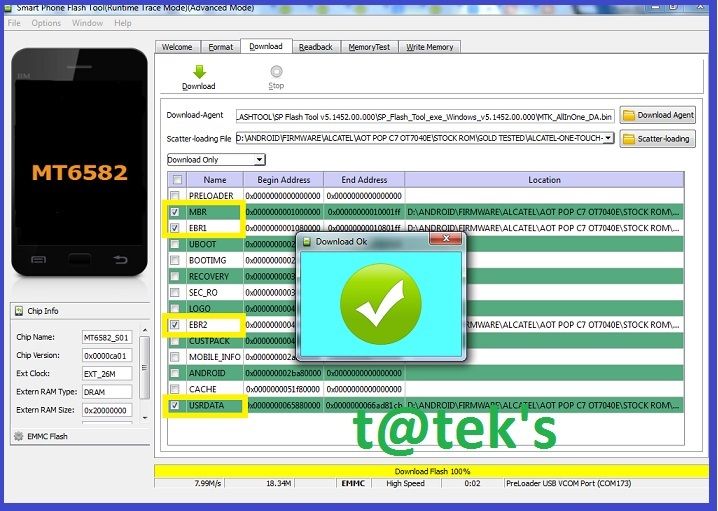
12. After Flashing Complete for the partition data... test ko ang unit....and thanks GOD tulala pa rin) , medyo matagal lang po magloading di ko alam kung bakit...pero wait niyo lang...after 2 to 3 minutes... phone are working properly...
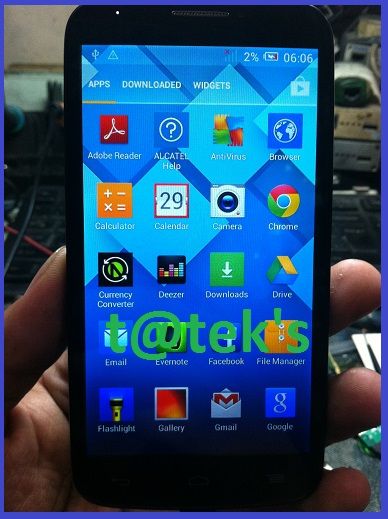
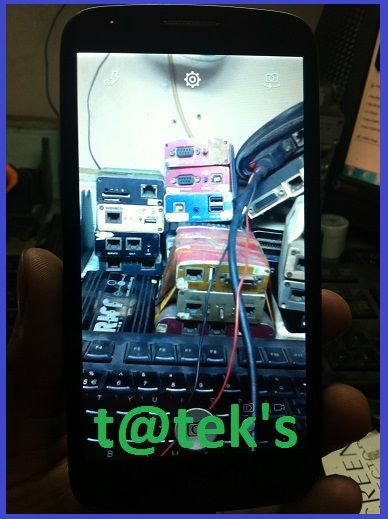
in case na may official firmware po kayo disregard niyo po ang guide na to para sa alcatel 7040E, this guide is only for those tech. na walang hawak na official rom at walang madownload, or napaglaruan na ang low level partition,
warning dont play android low level partition if you are not sure of what you are doing, pwedeng hindi na madetect ang phone, hindi magwrite, hindi marepartition ulit, etc..
in most cases Testpoint or the bootmode pin will help to disable right protection sa nand ic, pero hindi sa lahat ng phone ay visible ang bootmode pin...
Kung iaaply niyo po sa ibang phone, Do at your own risk
thanks for reading
Please USE Triangle Button for Password
) first of all salamat po sa mga mababait na nagbahagi at nagpm, salamat na rin sa iba na naniningil ng bayad sa tested files daw, na para sa unit ko... kung sino ka man pasensya na wala kasi akong pambayad disgrasya lang po ito...anyway maliit lang naman yung PHP200 load, padadalahan na lang kita kahit wala po yung tested files mo ....pm mo ulit ako sir sa ym ko...
wala na talaga yung Spirit of sharing sa forum, majority likes pag tumulong laging may inreturn, sana magbalikan yung mga idol, hinahangaan at mga totoong tao sa forum yung sa simpleng thanks button lang masaya na
UNIT MODEL:
Alcatel Pop C7 7040E


PROBLEM:
Dead Phone

ACTION TAKEN:
1. Try ko sa Mobile Upgrade S 4.3.1 But no luck, ayaw tumuloy sa upgrading
2. Try to flash in SPFLASHTOOL with different version, kaso ganito yung error

3. Try with NCK BOX Firmware 7041D flashing with SPFLASHTOOLl brom error: s_dl_pmt_err_no_space (5069), same thing no luck with NCK BOX NCK Box Android MTK Module

4. Kuha ng martilyo saka pukpukin ang LCD
) joke lang, Isip.....Isip.....Decide itago muna ang phone )5. After two weeks may nagpapagawa na customer ALCATEL
mukang pareho, pagtingin ko 7041D , pinaiwan yung phone, no power daw, nung chineck ko drain lang ang battery
6. Try ko backup using MTKDROIDTOOLS and SPFLASHTOOL


7. Flash again sa spflashtool using new backup, error ulit pero iba naman

8. Dahil nageeror sa scatter files, naisip ko write na lang yung mismong full dump ROM_0 na binasa sa 7041D
Note: Flashing full dump from another phone is not recomended
bakit?
Once na nagflash ka ng full dump parang kinopya mo lang yung kung ano ang laman ng nand ic , yung calibration data are located in different address, kahit same phone pa ang pinanggalingan ng backup, without proper parameter, it will cause, hang, no power, deadboot, invalid imei, etc....
unlike official Rom with proper scatter files and firmware, pag yun ang ginamit, automatic na nilalagay sa proper parameter yung bawat files at itinatama through spflashtool parameter din....
mapapansin natin sa spflashtool, kung hindi tama yung firmware sa start pa lang may error na, kahit minsan tama yung firmware pero may error pa rin, like PMT error, brom error , etc......
dahil yan sa permission of data, such as correct partition, info, address, loader etc, kung mapapansin sa scatter txt files natin, may true, false, reverse, invisible, etc...yan yung mga permission.... na dapat angkop din sa firmware na ginagamit
di ba lagi natin nababasa sa mga kasama natin sa forum, pag may error, " akina edit po natin yung scatter files para magflash, in most cases nasa scatter yung permision ng loader at bootrom, minsan naman nasa flasher, madalas nasa firmware...kaya minsan non sense mag modified ng scatter files minsan nakakatulong din
iba-ibang parameter at technique ang ginagamit ng mga programmer para masulatan ang NAND IC, para lang maprotektahan ang kanilang trabaho,
A good example is MT6571 chipset, mapapansin natin na maraming namromroblema dito, regarding linear address and physical address magkaibang format based para lang pumasok ang program...
since hidden sa spflashtool yung ibang tab, like the advance mode walang trigger to open the physical address format option sa software
unless you know the command or just use firmware upgrade, as long the pro info is exist in the phone parameter... pano kung na format na, dead, at wrong partition?
same thing sa PC natin regarding operating system, posible bang mailagay ang windows 95 OS sa NTFS PARTITION or a windows 8 in FAT16 PARTITION, partition is the main based of all operating system....kaya malaking factor ito
Anyway that was another topic......pero ano nga bang kinalaman nun sa thread na to.? ....
9. Flash muna ang full dump through spflashtool.... sundan na lang yung nasa pics pero bago yun Download muna itong ROM and PARTTION DATAhttp://www.4shared.com/rar/ztQFZDOlce/ALCATEL_7040E_GOLD_tteks.html? LINK


10. After flash ng full dump , sa case ko, logo lang ang phone, after waiting for some minutes biglang nagoff, nung inoon ko na no power na ulit
) may be nadetect ng phone na may mali sa program niya, kaya hindi binigyan ng permission to boot, pero bakit after flash nag on? yung unang boot kasi dun pumapasok lahat ng calibration ng phone, as i said wrong parameter will cause some issue in phone..... from previous files na nadownload ko, galing kay sir handicap backup niya from original 7040E the problem is walang cache, system and userdata yung nagawang backup, kaya ang kinuha ko na lang is yung partition data, thanks pala sir handicap sa backup mo napakinabangan ko po
11. Proceed to partition data flashing, from the given file, load lang yung scatter file then download lang po

12. After Flashing Complete for the partition data... test ko ang unit....and thanks GOD tulala pa rin
) , medyo matagal lang po magloading di ko alam kung bakit...pero wait niyo lang...after 2 to 3 minutes... phone are working properly...

in case na may official firmware po kayo disregard niyo po ang guide na to para sa alcatel 7040E, this guide is only for those tech. na walang hawak na official rom at walang madownload, or napaglaruan na ang low level partition,
warning dont play android low level partition if you are not sure of what you are doing, pwedeng hindi na madetect ang phone, hindi magwrite, hindi marepartition ulit, etc..
in most cases Testpoint or the bootmode pin will help to disable right protection sa nand ic, pero hindi sa lahat ng phone ay visible ang bootmode pin...
Kung iaaply niyo po sa ibang phone, Do at your own risk
thanks for reading
Please USE Triangle Button for Password


