
- Joined
- Feb 19, 2019
- Messages
- 124
- Reaction score
- 28
- Points
- 1
- Location
- Cauayan City Isabela Philliphines
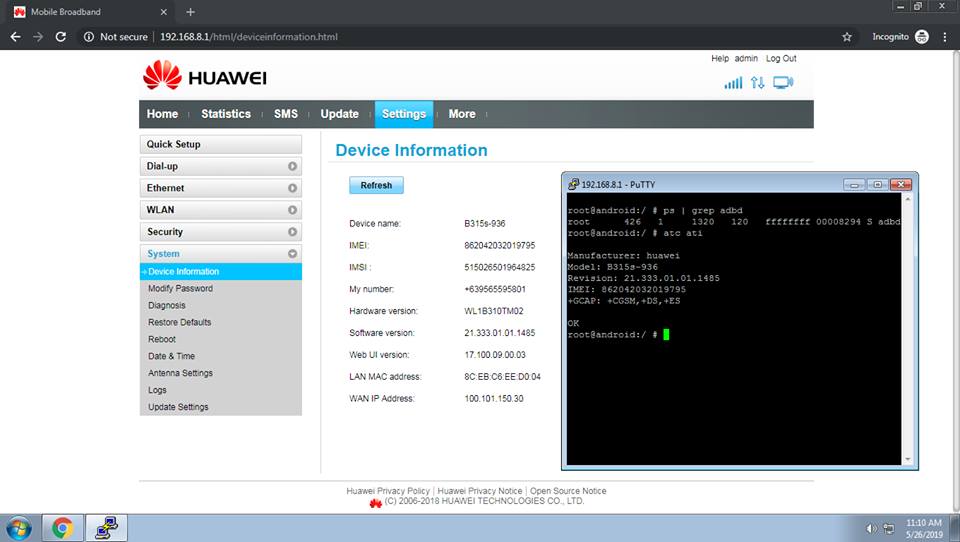
B315s-936 Firmware
Software Version: 21.333.01.01.1485
Web UI Version: 17.100.09.00.03
Features
* Builtin unlocker by executing "unlock" in telnet.
* Add commands
passwd - to set telnet password and disable adb.
delpasswd - to delete telnet password and enable adb.
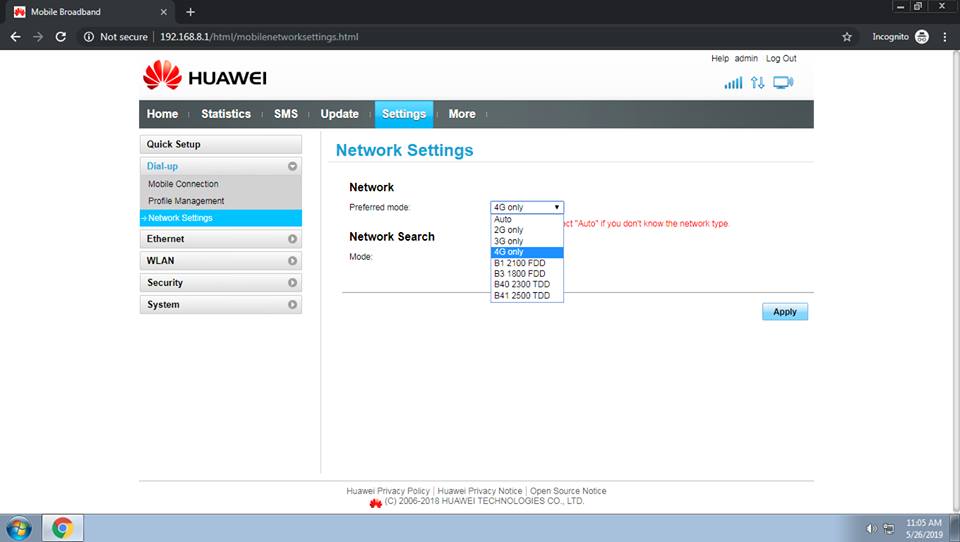
* LTE Band selector
Band 1 2100 FDD
Band 3 1800 FDD
Band 40 2300 TDD
Band 41 2500 TDD
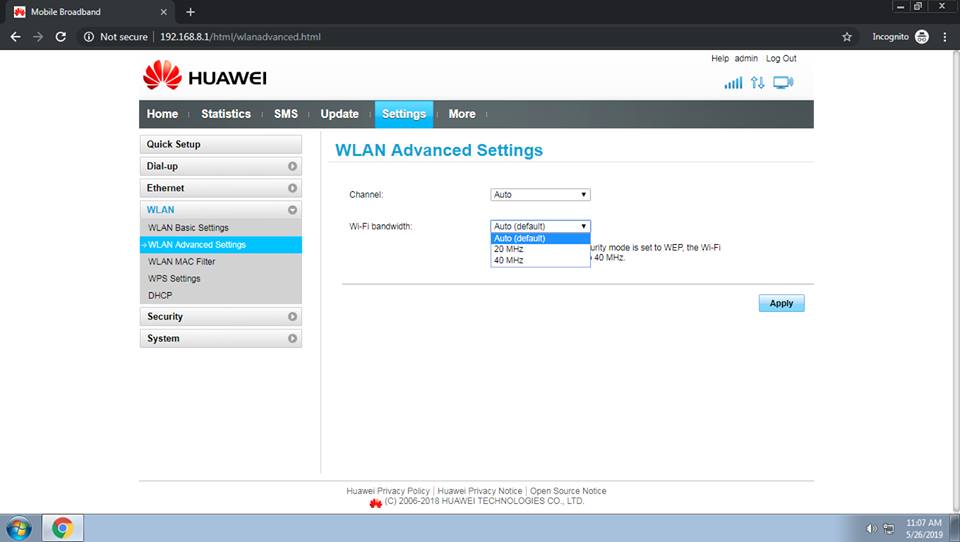
* Enable 40Mhz Wi-Fi bandwidth
* TELNET Enabled (Note: Always set telnet password to avoid device bricking/touching system files or vpn server telnet remoting. Pero kung vpn ko ang gamit nyo, naka
drop na sa iptables ang remote ng tun0 interface.)
* ADB Enabled
* ATC Enabled
* HUAWEI HiLink Supported
Drivers Download
ADB Drivers: https://www.dropbox.com/s/yf518av84izwfiv/ADB%20Drivers.exe…
HUAWEI Drivers: https://www.dropbox.com/s/2xbj3hozqtt…/HUAWEI%20Drivers.exe…
Firmware Download
https://www.dropbox.com/…/B315s-936_UPDATE_21.333.01.01.148…
Firmware Password protected
How to flash?
1. Install ADB and HUAWEI drivers.
2. Do jumper method, make sure na hindi iilaw ang device.
3. Iconnect sa pc ang modem via USB cable.
4. Iopen ang flasher at hintayin matapos.
Note: Flash at your own risk! Baka kasi hindi mag boot ang device nyo, may inedit kasi ako para mapaganda pa lalo ang performance ng device. Pero nagagawa pa naman via flashing other firmware. Sa blue lable na B315s-936 ko ito tinrial and error, hindi ko lang sure kung gagana sa tattoo.
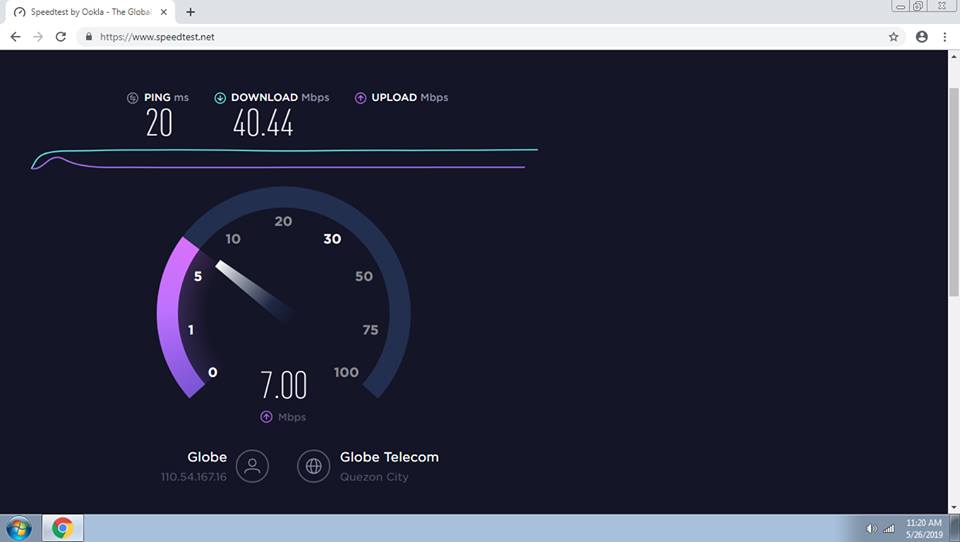
Yung 20ms na speedtest ay via wifi channel 11 and bandwidth 40.
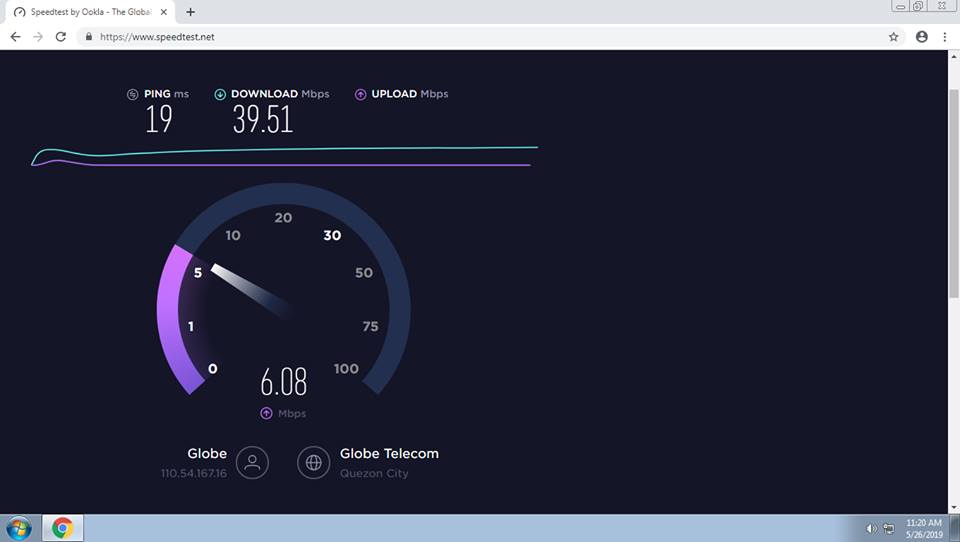
Yung 19ms na speedtest ay via lan cable.
credit to: jeromelaliag
Software Version: 21.333.01.01.1485
Web UI Version: 17.100.09.00.03
Features
* Builtin unlocker by executing "unlock" in telnet.
* Add commands
passwd - to set telnet password and disable adb.
delpasswd - to delete telnet password and enable adb.
* LTE Band selector
Band 1 2100 FDD
Band 3 1800 FDD
Band 40 2300 TDD
Band 41 2500 TDD
* Enable 40Mhz Wi-Fi bandwidth
* TELNET Enabled (Note: Always set telnet password to avoid device bricking/touching system files or vpn server telnet remoting. Pero kung vpn ko ang gamit nyo, naka
drop na sa iptables ang remote ng tun0 interface.)
* ADB Enabled
* ATC Enabled
* HUAWEI HiLink Supported
Drivers Download
ADB Drivers: https://www.dropbox.com/s/yf518av84izwfiv/ADB%20Drivers.exe…
HUAWEI Drivers: https://www.dropbox.com/s/2xbj3hozqtt…/HUAWEI%20Drivers.exe…
Firmware Download
https://www.dropbox.com/…/B315s-936_UPDATE_21.333.01.01.148…
Firmware Password protected
How to flash?
1. Install ADB and HUAWEI drivers.
2. Do jumper method, make sure na hindi iilaw ang device.
3. Iconnect sa pc ang modem via USB cable.
4. Iopen ang flasher at hintayin matapos.
Note: Flash at your own risk! Baka kasi hindi mag boot ang device nyo, may inedit kasi ako para mapaganda pa lalo ang performance ng device. Pero nagagawa pa naman via flashing other firmware. Sa blue lable na B315s-936 ko ito tinrial and error, hindi ko lang sure kung gagana sa tattoo.
Yung 20ms na speedtest ay via wifi channel 11 and bandwidth 40.
Yung 19ms na speedtest ay via lan cable.
credit to: jeromelaliag
