Share ko lang po sa ating lahat mga ka-ANT
wala pa kasi akong nakitang ganitong unit sa ating tahanan
Model:
Blu Studio 5.0 LTE
Status:
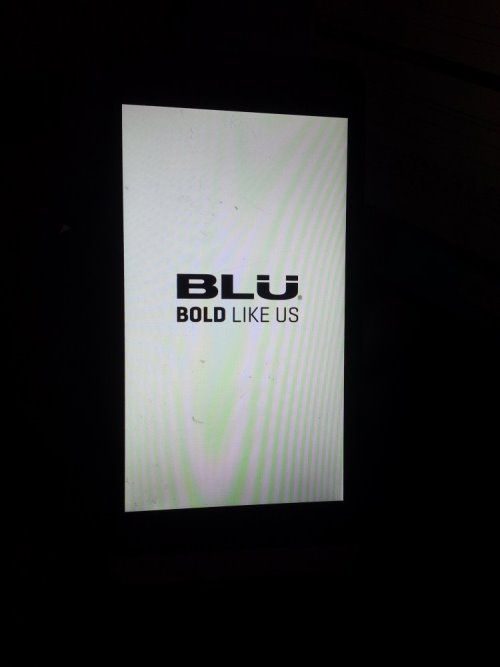
Hang in Logo
Firmware & Tool
Firmware
https://docs.google.com/uc?id=0B6p8Atp2pRl6Y2oxOV9fdVk0YU0
Tool
https://androiddatahost.com/np4wq
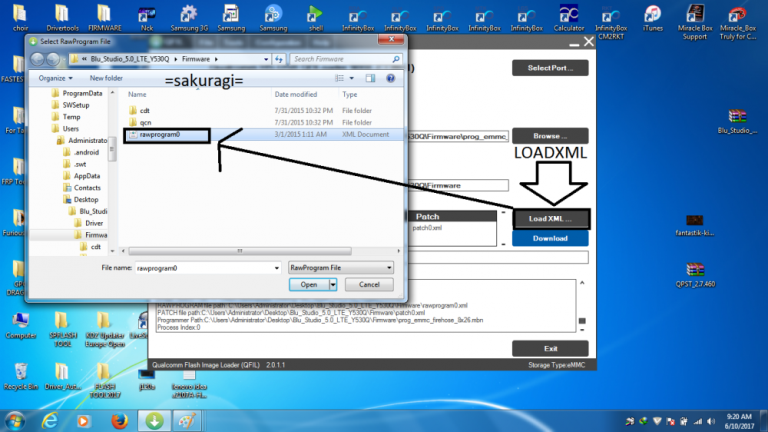
Procedure follow SS:
1. Download first the necessary files
2. install driver if necessary
3. put device in "EMERGENCY DOWNLOAD"
How to put device in EMERGENCY DOWNLOAD
* Press Volume up & down together and insert usb cable to deviceand connect to Laptop or Pc then choose Emergency Download
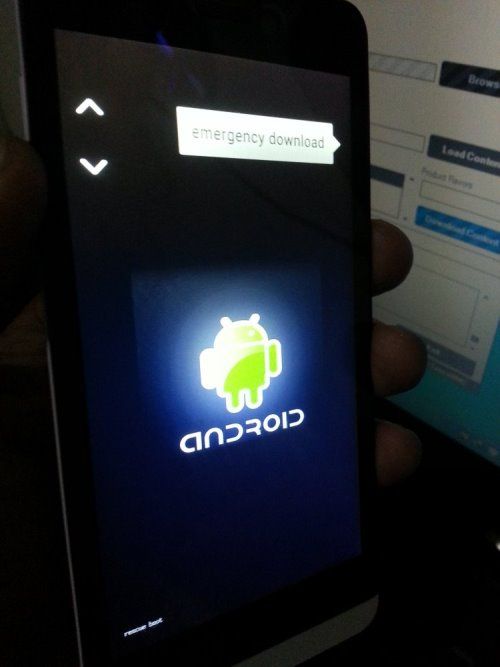
use volume key to "SCROLL" and power key to "OKEY"
your device is now in Emergency download "BLACKSCREEN STATUS"
4. Now open QFIL
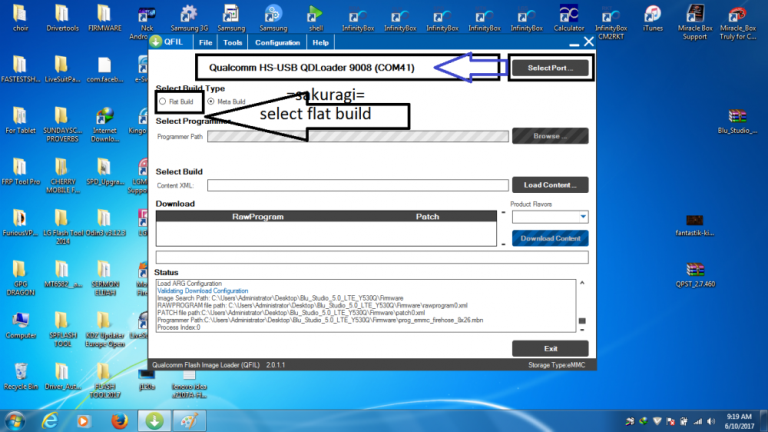
5. Load 3 files
prog_emmc_firehose_8x26.mbn
rawprogram0
patch0
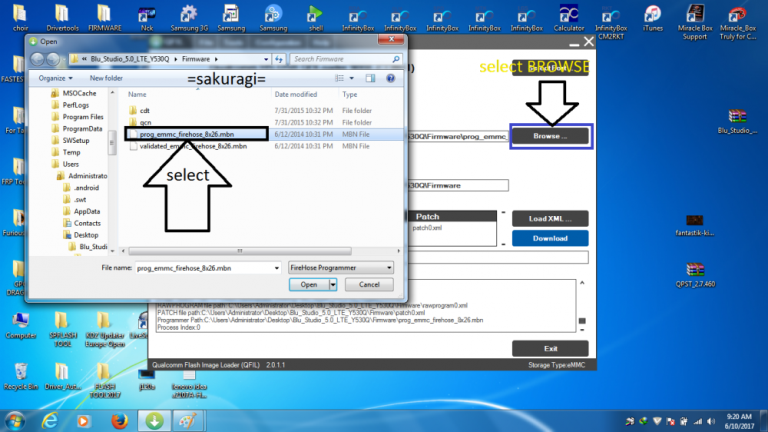
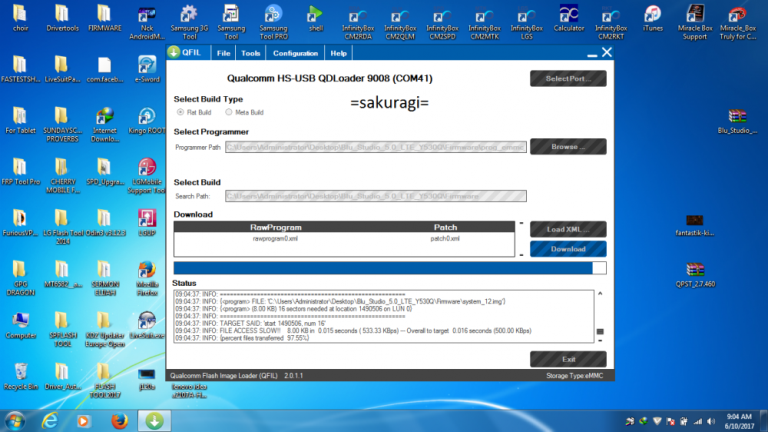
6. Hit DOWNLOAD
FINISH DOWNLOAD
Now your Done
remove cable
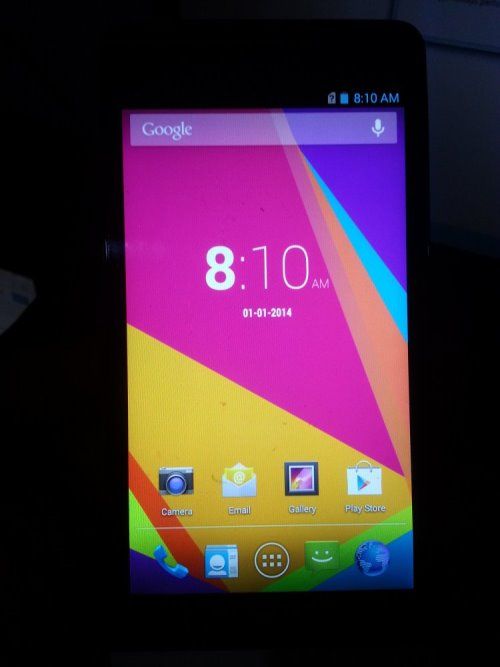
and try open the device
RESULT
Sana Makatulong sa ating lahat
God Bless po!
wala pa kasi akong nakitang ganitong unit sa ating tahanan
Model:
Blu Studio 5.0 LTE
Status:
Hang in Logo

Firmware & Tool
Firmware
https://docs.google.com/uc?id=0B6p8Atp2pRl6Y2oxOV9fdVk0YU0
Tool
https://androiddatahost.com/np4wq
Procedure follow SS:
1. Download first the necessary files
2. install driver if necessary
3. put device in "EMERGENCY DOWNLOAD"
How to put device in EMERGENCY DOWNLOAD
* Press Volume up & down together and insert usb cable to deviceand connect to Laptop or Pc then choose Emergency Download

use volume key to "SCROLL" and power key to "OKEY"
your device is now in Emergency download "BLACKSCREEN STATUS"
4. Now open QFIL

5. Load 3 files
prog_emmc_firehose_8x26.mbn
rawprogram0
patch0


6. Hit DOWNLOAD
FINISH DOWNLOAD
Now your Done
remove cable
and try open the device
RESULT

Sana Makatulong sa ating lahat
God Bless po!