
share kolng po ito mga bos
bka maktulong sa inyo ngtataka kayo kng bakt mhina mga vpn sa inyo malaks nmn kpg laod lng
try nyo ito bka amkatulong
**
run as admin command prompt with administrator privileges.
**
1.Reset DNS Cache by " ipconfig /flushdns" and hit enter.
**
2. Type following commands
**
- Netsh int tcp show global
**
- Netsh int tcp set global chimney=enabled
**
- Netsh int tcp set global autotuninglevel=normal
**
3.Boost up internet by the continuous reply of pinging your connection
**
In command prompt window type ipconfig and press enter.Now you can find default gateway number .
**
ping –t (Default Gateway) 192.168.1.1
Ss proof ko without antenna 1bar lng sgnal
tested sa vpn ko
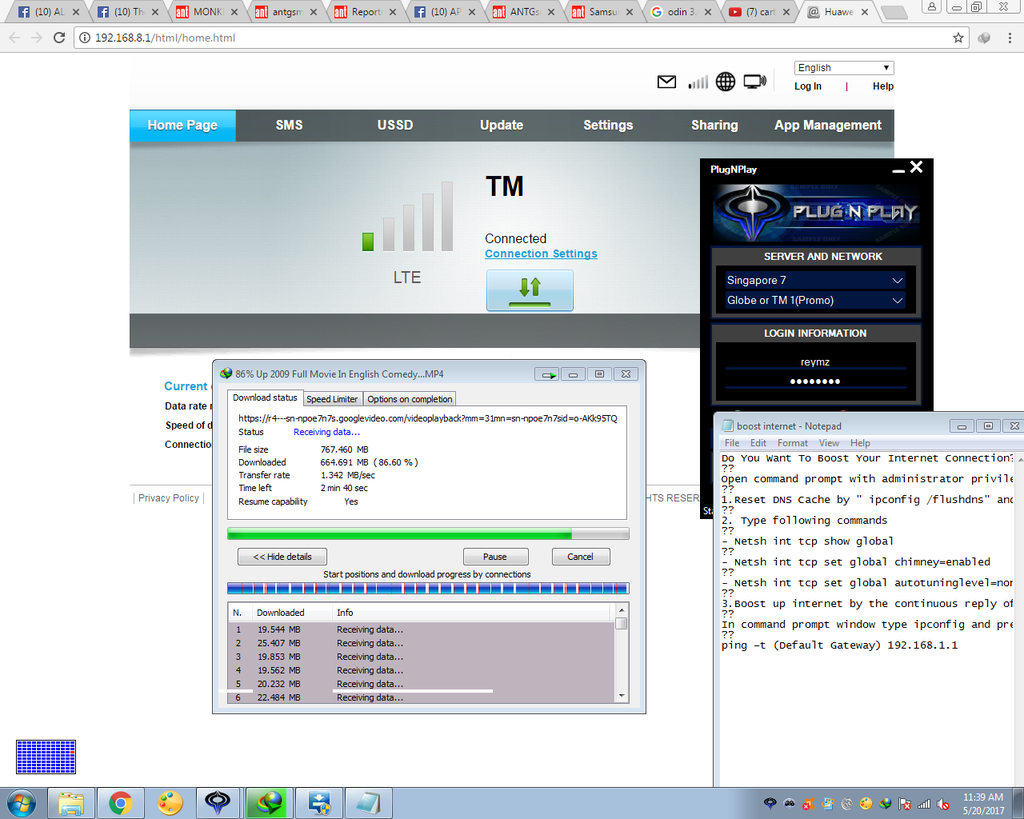
credit sa nka dskobre
thanks button kgn naktulong slamt po
bka maktulong sa inyo ngtataka kayo kng bakt mhina mga vpn sa inyo malaks nmn kpg laod lng
try nyo ito bka amkatulong
**
run as admin command prompt with administrator privileges.
**
1.Reset DNS Cache by " ipconfig /flushdns" and hit enter.
**
2. Type following commands
**
- Netsh int tcp show global
**
- Netsh int tcp set global chimney=enabled
**
- Netsh int tcp set global autotuninglevel=normal
**
3.Boost up internet by the continuous reply of pinging your connection
**
In command prompt window type ipconfig and press enter.Now you can find default gateway number .
**
ping –t (Default Gateway) 192.168.1.1
Ss proof ko without antenna 1bar lng sgnal
tested sa vpn ko

credit sa nka dskobre
thanks button kgn naktulong
slamt po

