
OneKey Recovery allow you to unlock all android 4.3/4.4.2 remove screenlock W/O userdata loss.
Follow steps:
1. OneKey Recovery
2. Enter recovery mode
3. Scan
4. Tick "remove google lock"
5. Click "Unlock"
all done

Eg. Samsung SM-N900 (N900ZSUDNB1-4.4.2) remove screenlock without userdata loss!
1). Power on the phone and then connect with usb cables (install phone driver if needed)
2). Run BST and then click "Scan"
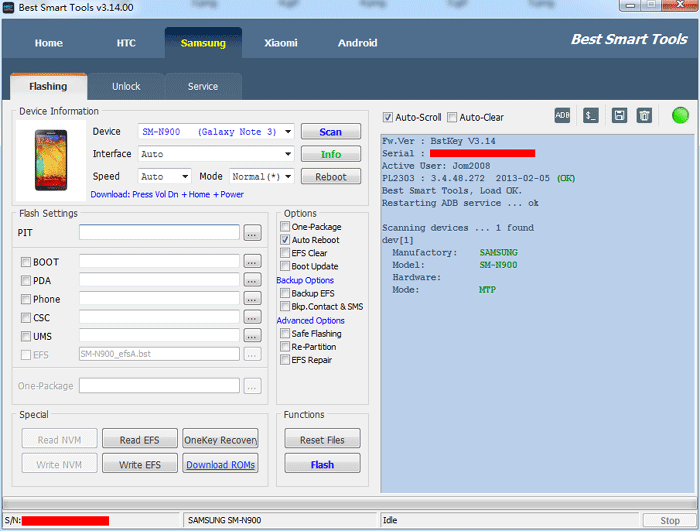
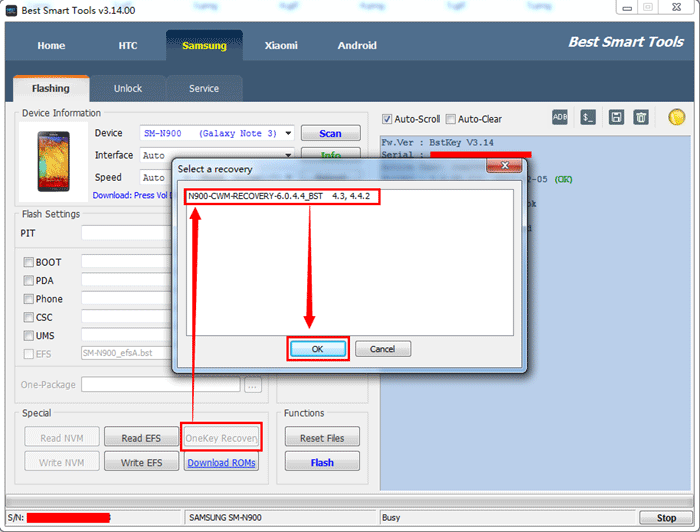
3). Click "OneKey Recovery", Select correct android version and then click "OK".
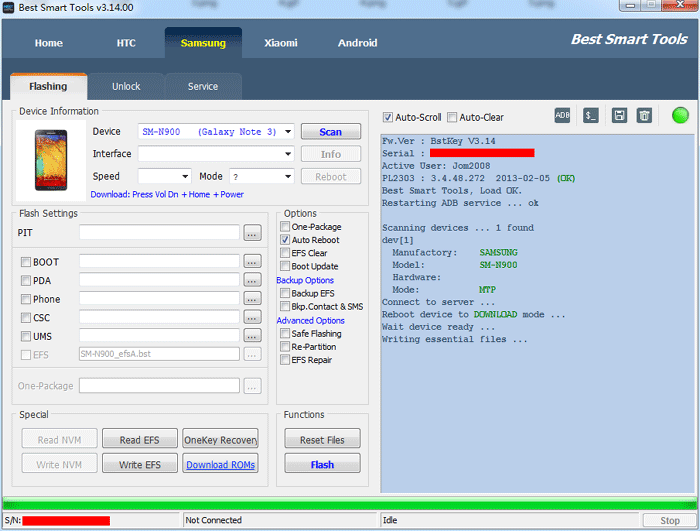
4). After OneKey Recovery done, enter Recovery mode by mannually. (Vol Up + Home + Power)
Tips: Enter recovery mode by mannually before phone auto power on, because phone will auto restore official recovery after power on.
5). Installer Phone recovery drivers if needed, click "Scan".
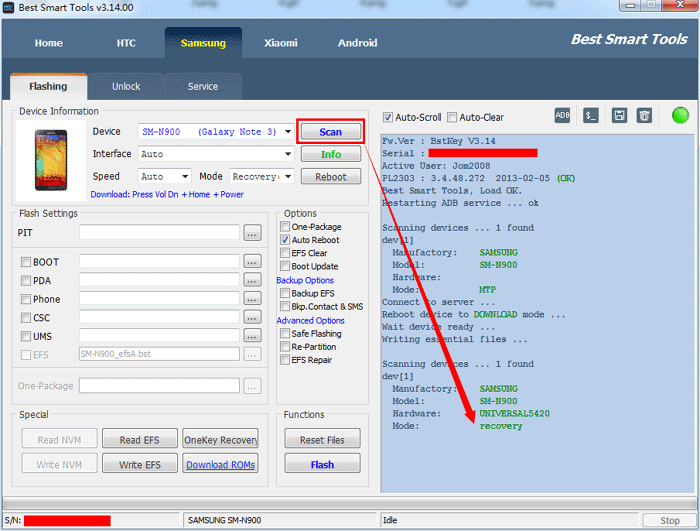
6). Click "Unlock".
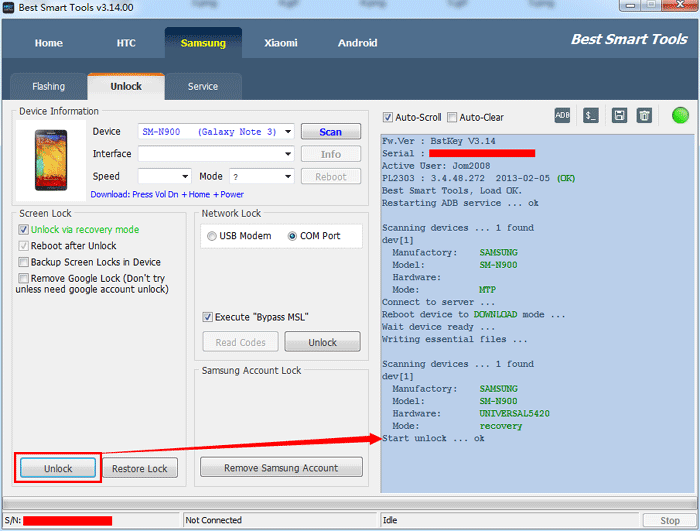
Now, OneKey Recovery remove screenlock all done!
Follow steps:
1. OneKey Recovery
2. Enter recovery mode
3. Scan
4. Tick "remove google lock"
5. Click "Unlock"
all done
Eg. Samsung SM-N900 (N900ZSUDNB1-4.4.2) remove screenlock without userdata loss!
1). Power on the phone and then connect with usb cables (install phone driver if needed)
2). Run BST and then click "Scan"
3). Click "OneKey Recovery", Select correct android version and then click "OK".
4). After OneKey Recovery done, enter Recovery mode by mannually. (Vol Up + Home + Power)
Tips: Enter recovery mode by mannually before phone auto power on, because phone will auto restore official recovery after power on.
5). Installer Phone recovery drivers if needed, click "Scan".
6). Click "Unlock".
Now, OneKey Recovery remove screenlock all done!
