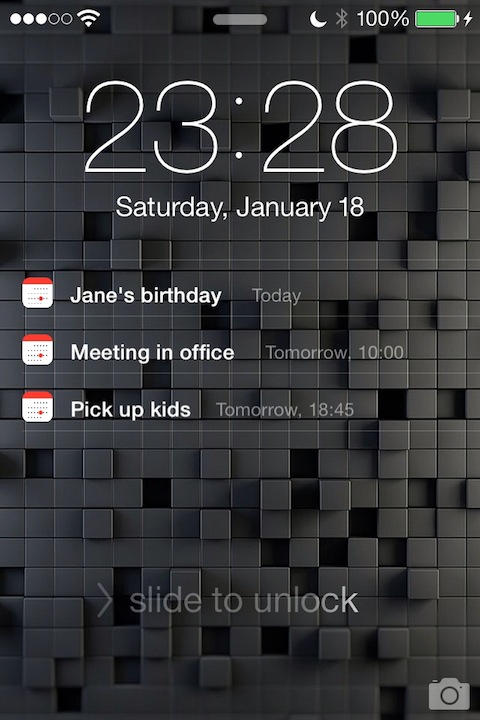
This tweak displays your upcoming calendar events on the lock screen, so you can easily see your schedule at a glance. The events will not disappear after unlocking or pulling Notification Center down (while other notifications, like missed calls and messages will still behave as before). Swiping right on an event will open it in Calendar app.
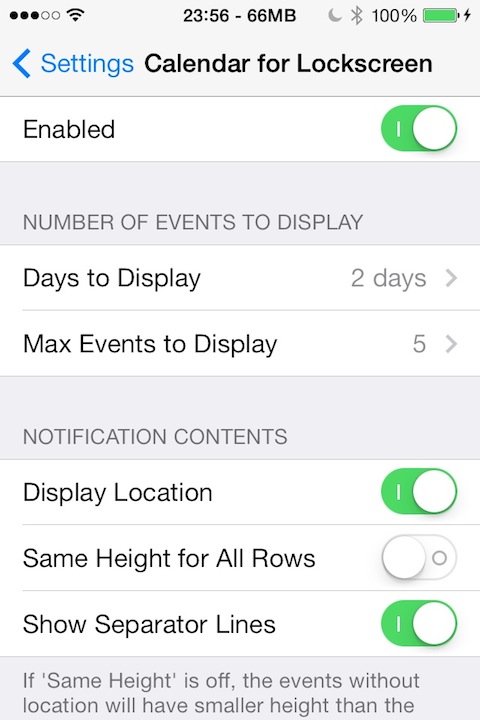
It is possible to set the number of days ahead to display, as well as the maximum
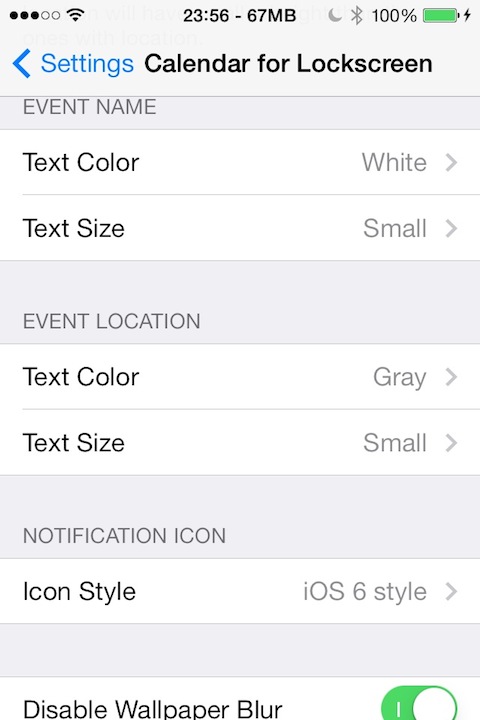
number of events. You can change the text color, size and notification icon, and
disable the wallpaper blur when the notifications are present on the lockscreen. It is
also possible to show or hide the event location and the separator lines.
Compatible with iOS 7 and 8

In this version:
1.5.0:
- iOS 8 compatibility
- Event title color can be set to be the same as its calendar color
DOWNLOAD
It is possible to set the number of days ahead to display, as well as the maximum
number of events. You can change the text color, size and notification icon, and
disable the wallpaper blur when the notifications are present on the lockscreen. It is
also possible to show or hide the event location and the separator lines.
Compatible with iOS 7 and 8
In this version:
1.5.0:
- iOS 8 compatibility
- Event title color can be set to be the same as its calendar color
DOWNLOAD