
- Joined
- Jun 12, 2014
- Messages
- 24
- Reaction score
- 4
- Points
- 1
Cherry Mobile BURST " DEADBOOT " revive done by Medusa Jtag
TOOLS:
MEDUSA BOX
USB CABLE CA-101
BOOT FILES DOWNLOAD HERE: Auto Boot 19-12-2013 12_45_09.bin
PROCEDURE:
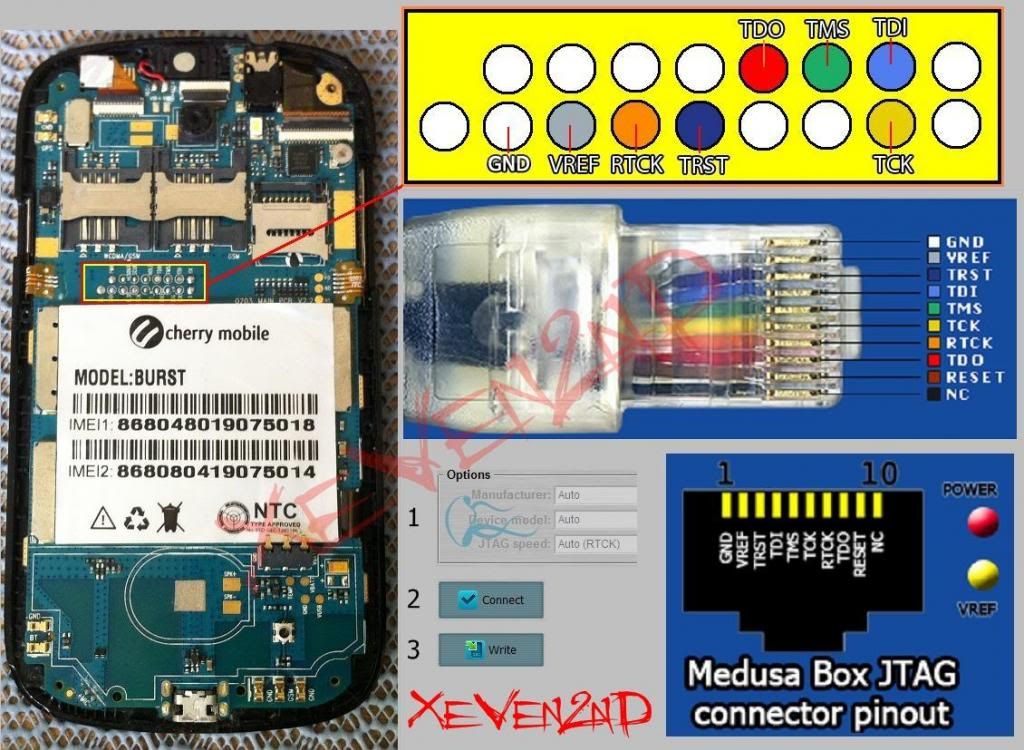
- Soldered pinout then connect phone to Box
- Connect phone to pc using CA-101 usb cable
PINOUT USE:
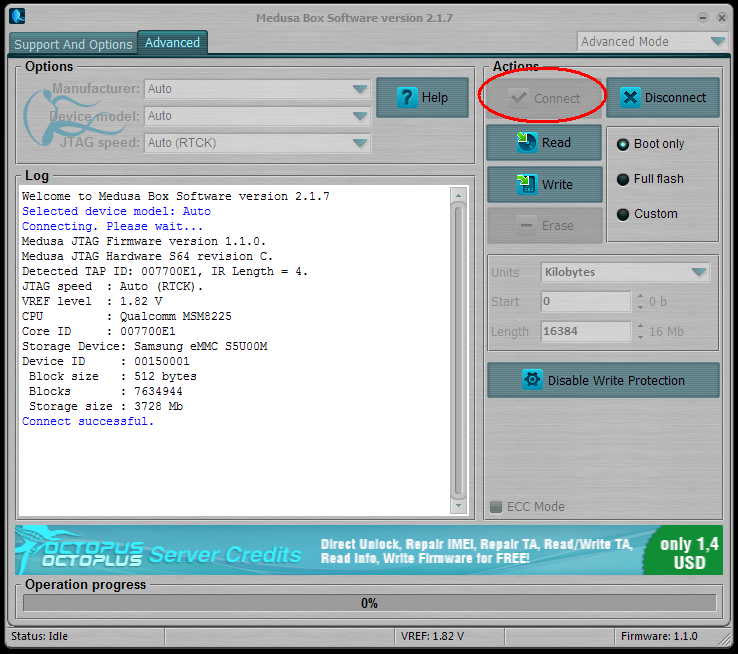
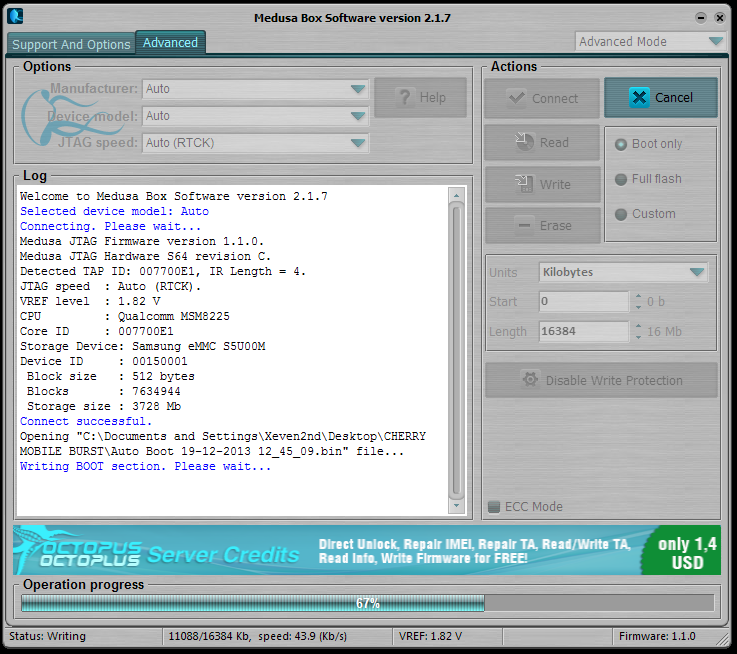
- run MEDUSA software
- click CONNECT
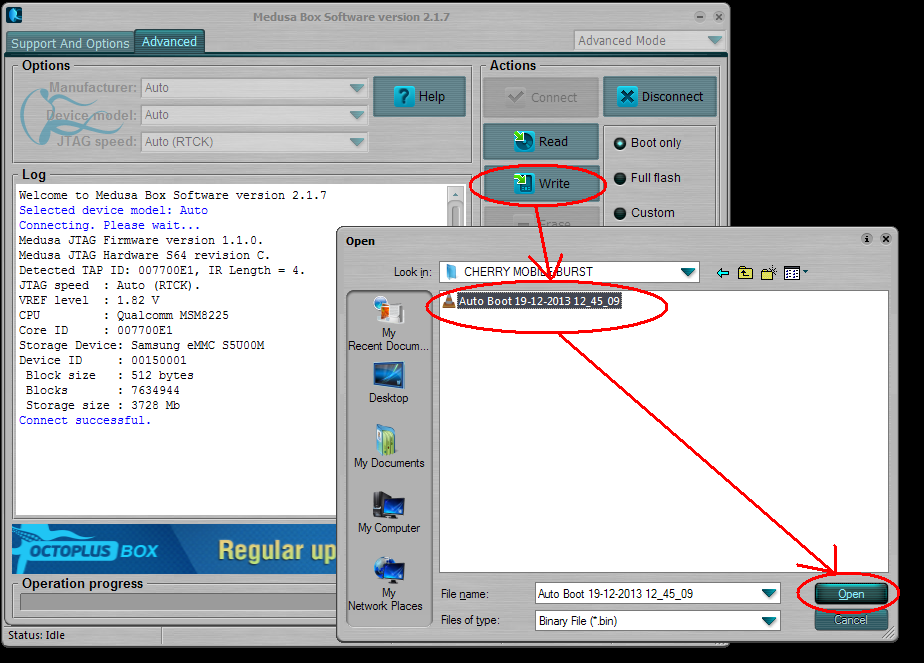
- browse Auto Boot 19-12-2013 12_45_09
- Flashing Progress . . . . . .
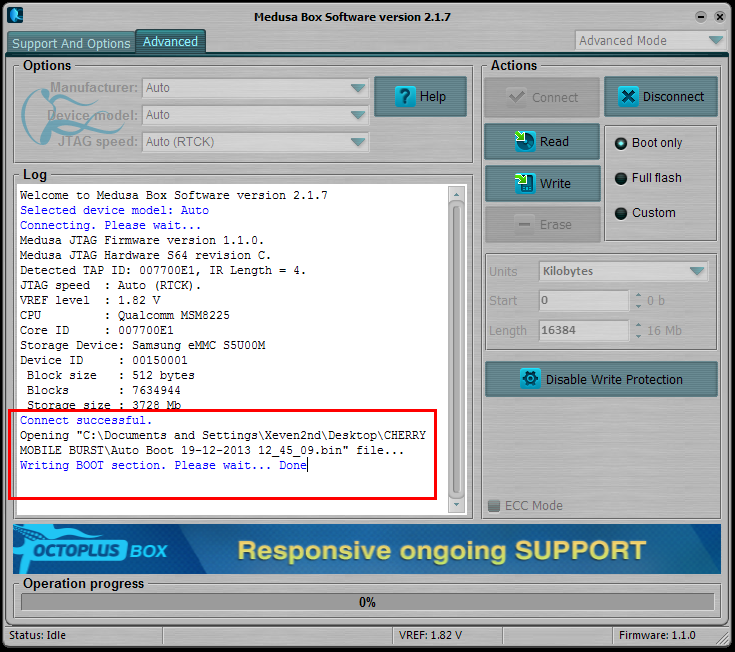
Finish
DONE JTAG AND PHONE IS ALIVE BUT HANG ONLY ON BURST LOGO
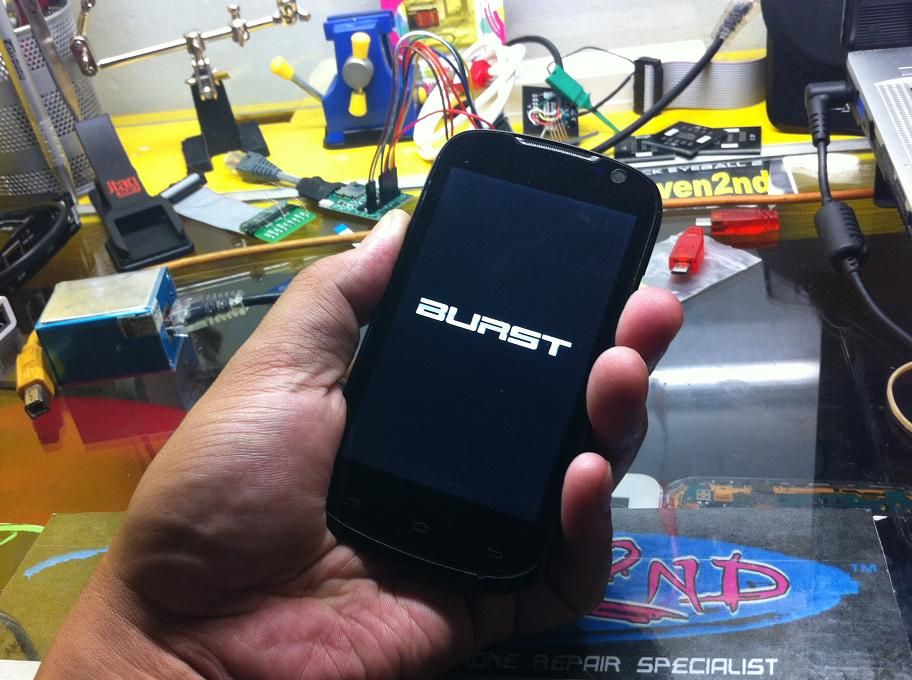
NOW PROCEED TO FLASHING
- power off phone with battery
- hold volume up then press power
switch on to put in DOWNLOADING MODE
- connect Phone to PC using USB cable CA-101
- Run " Android_AIO_Flasher " download here: Android_AIO_Flasher_1.40
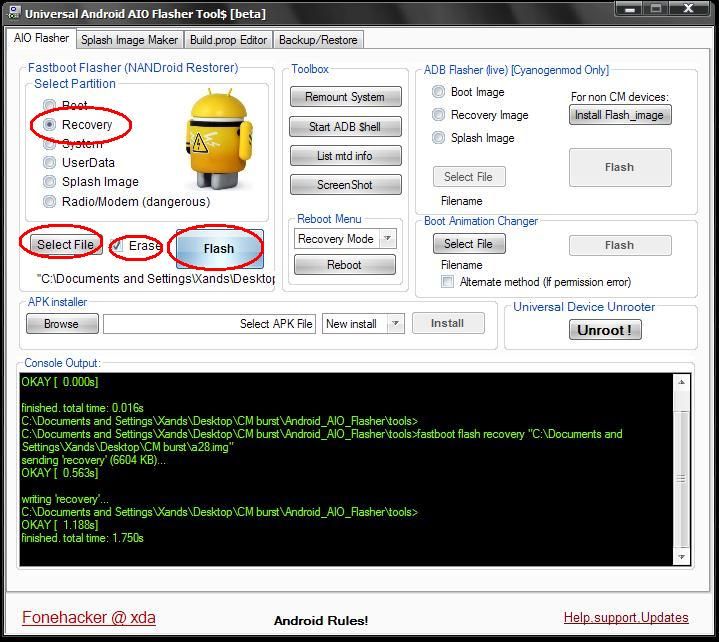
- click RECOVERY on select partition
- click SELECT FILE " a28.img "
- put check ERASE
- then click FLASH
- after Flashing " a28.img " download here: a28.img
- remove phone to PC and remove battery
- now we need atleast 1GB SD card
then copy this file " TeamBURST.Rom.mk.4 " download here : TeamBURST.Rom.mk.4.zip
in SD card root directory
- then put the SD card to power off Phone with battery
- hold volume down then press power to enter recovery mode
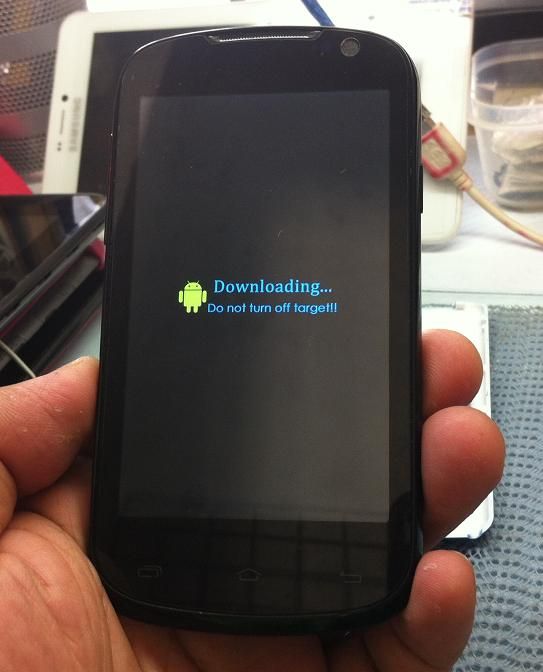
- select " install zip from sdcard " then press power switch to select
- select " choose zip from sdcard " then press power switch to select
- select " TeamBURST.Rom.mk.4.zip " press power switch to select
- select " YES - install TeamBURST.Rom.mk.4.zip " press power switch to select
then Follow procedure in Phone screen . . .
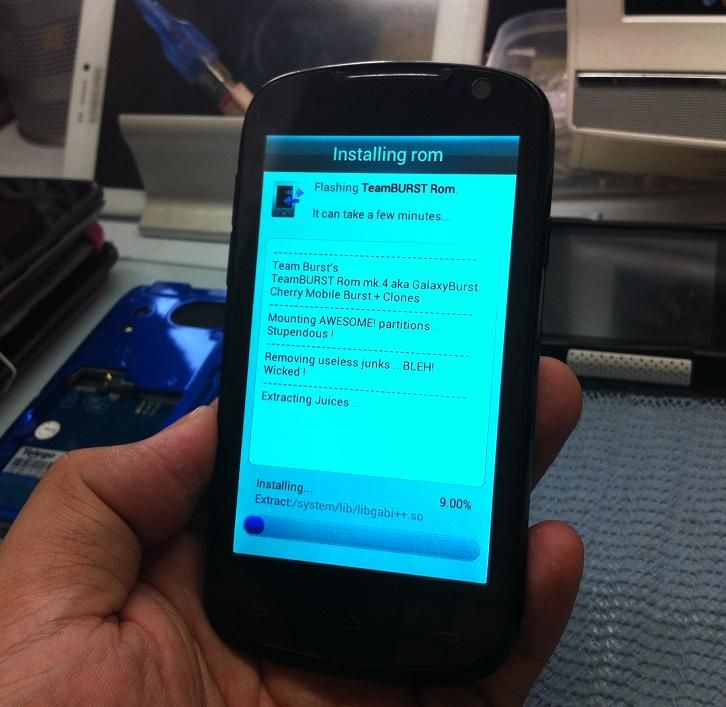
and wait till finish Flashing via SD card
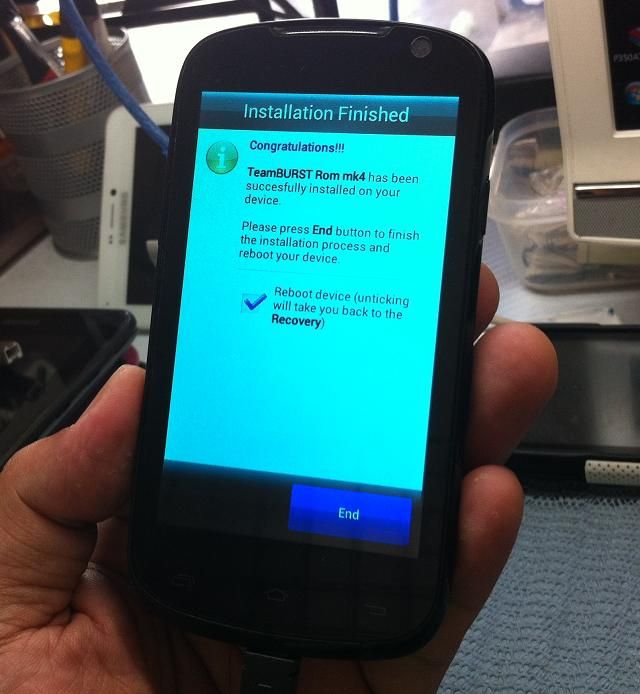

FINISH FLASHING VIA SD CARD

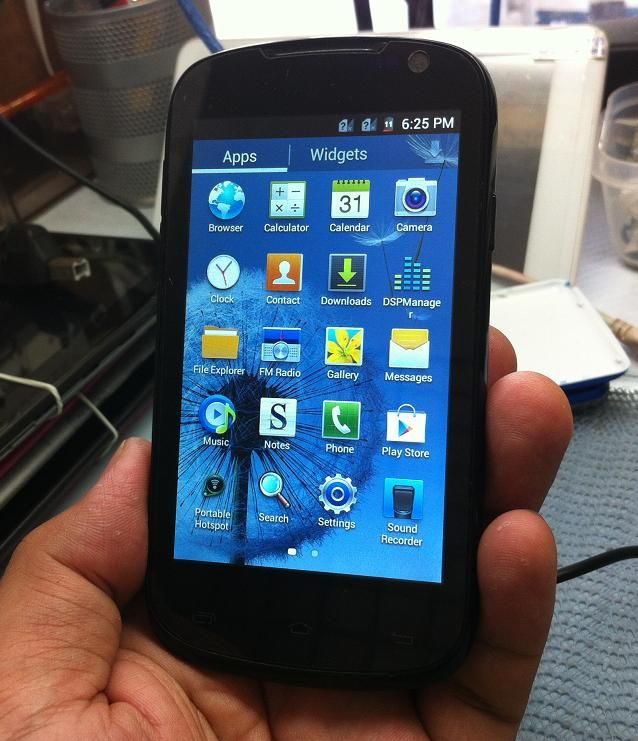
Thanks and Credits Goes to my
GSM friends for iDeas , Firmwares and Procedures.
jaded_17
ayhen42
etnad
Br,
Xeven2nd
TOOLS:
MEDUSA BOX
USB CABLE CA-101
BOOT FILES DOWNLOAD HERE: Auto Boot 19-12-2013 12_45_09.bin
PROCEDURE:
- Soldered pinout then connect phone to Box
- Connect phone to pc using CA-101 usb cable
PINOUT USE:
- run MEDUSA software
- click CONNECT
- browse Auto Boot 19-12-2013 12_45_09
- Flashing Progress . . . . . .
Finish
DONE JTAG AND PHONE IS ALIVE BUT HANG ONLY ON BURST LOGO
NOW PROCEED TO FLASHING
- power off phone with battery
- hold volume up then press power
switch on to put in DOWNLOADING MODE
- connect Phone to PC using USB cable CA-101
- Run " Android_AIO_Flasher " download here: Android_AIO_Flasher_1.40
- click RECOVERY on select partition
- click SELECT FILE " a28.img "
- put check ERASE
- then click FLASH
- after Flashing " a28.img " download here: a28.img
- remove phone to PC and remove battery
- now we need atleast 1GB SD card
then copy this file " TeamBURST.Rom.mk.4 " download here : TeamBURST.Rom.mk.4.zip
in SD card root directory
- then put the SD card to power off Phone with battery
- hold volume down then press power to enter recovery mode
- select " install zip from sdcard " then press power switch to select
- select " choose zip from sdcard " then press power switch to select
- select " TeamBURST.Rom.mk.4.zip " press power switch to select
- select " YES - install TeamBURST.Rom.mk.4.zip " press power switch to select
then Follow procedure in Phone screen . . .
and wait till finish Flashing via SD card
FINISH FLASHING VIA SD CARD
Thanks and Credits Goes to my
GSM friends for iDeas , Firmwares and Procedures.
jaded_17
ayhen42
etnad
Br,
Xeven2nd
