
Hey Ka-Ants! turo ko lang kung pano i-reset ang Cherry Mobile ET02(windows 10)
Tools we need:
1.Full Charged Battery si Tablet
2. OTG
3. USB Mouse
Let's Start!
1.
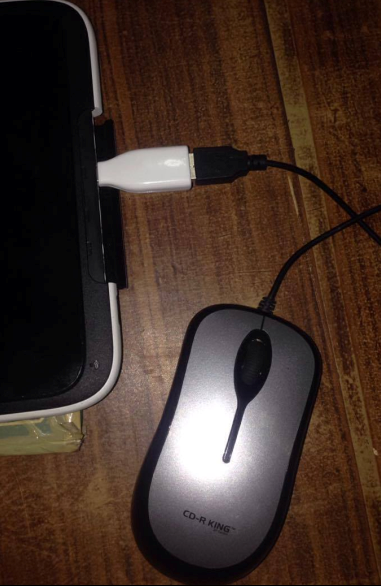
isaksak nyo yung OTG kasama yung mouse to prepare.. kasi alam nyo kung bakit kailangan natin ng mouse na nakakabit sa OTG? kasi pagdating dun sa Option after mag restart eh hindi gumagana yung touch.. ewan ko lang sa inyo kung gumagana.. sa akin kasi hindi eh kaya gumamit ako ng mouse..
2.
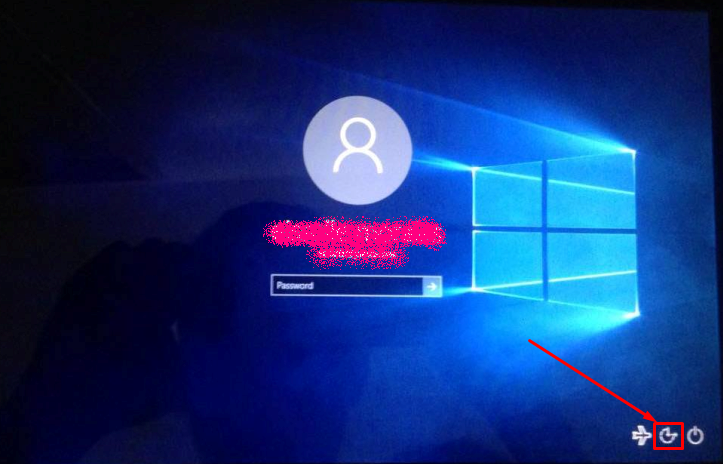
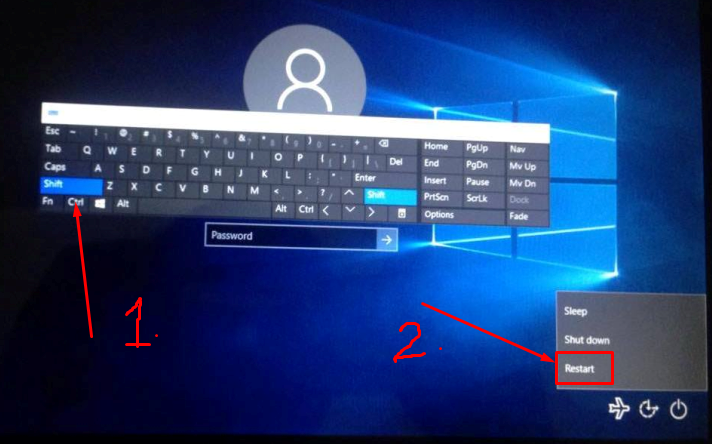
Pagdating nyo sa login window Click nyo yung icon.. see image bellow
3.
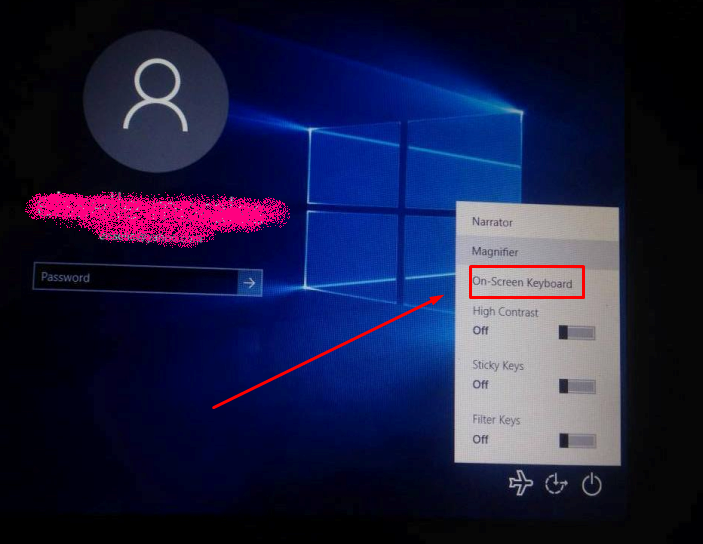
At ito ang menu.. tap nyo yung On-screen keyboard
4.
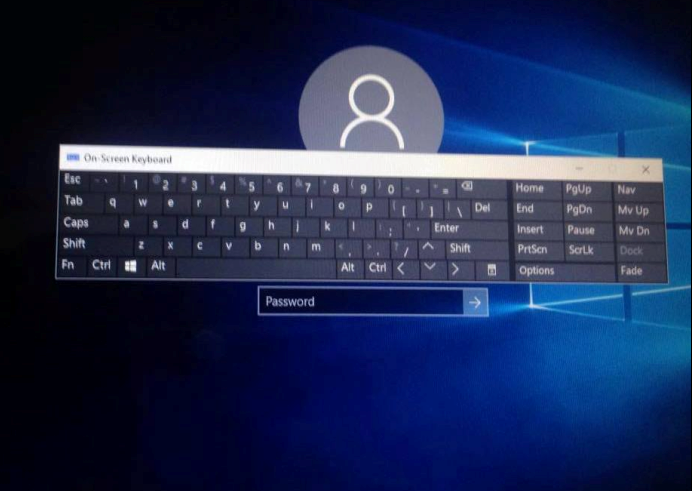
At lalabas ang stand alone keyboard
5.
Tap nyo yung shift ng keyboard.. dapat naka highlight yung shift tapos saka nyo i tap yung no. 2 yung restart.
6.
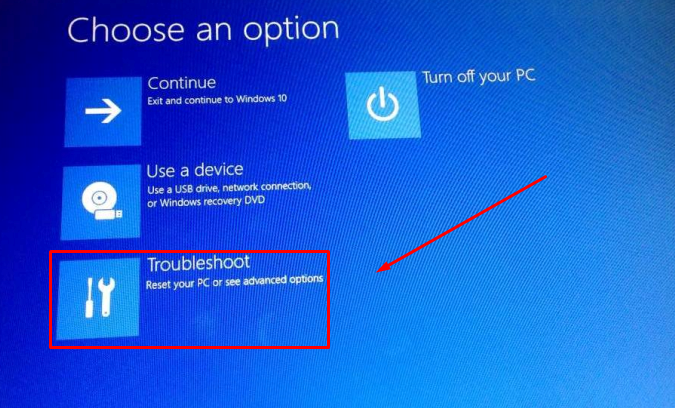
After ng restart mapupunta sya dyan.. then tap or click nyo yan(dahil may mouse arrow na lalabas na dyan kasi nga gumamit tayo ng mouse)
7.
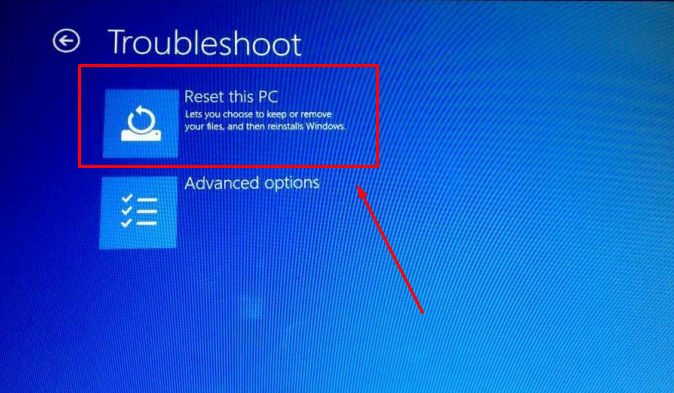
Next i-click nyo yan.
8.
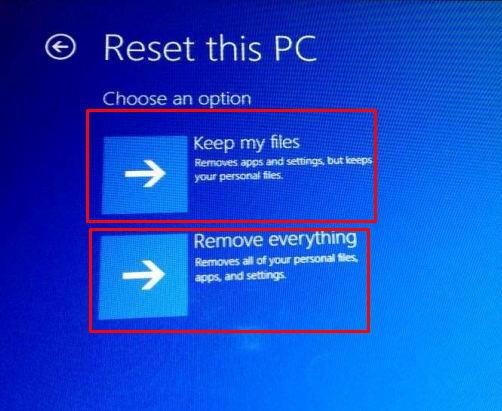
Then may pagpipilian kayo dyan kung ano gusto nyo.. ako ang pinili ko ay yung "Remove Everything"
9.
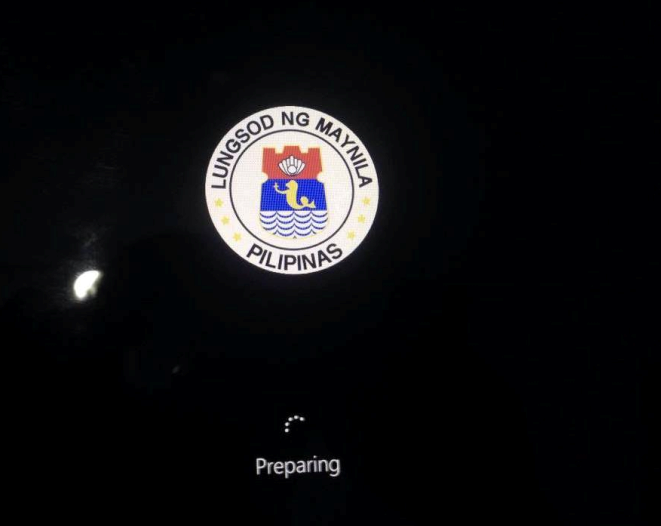
At mag rerestart na sya and it will look like this...
10.
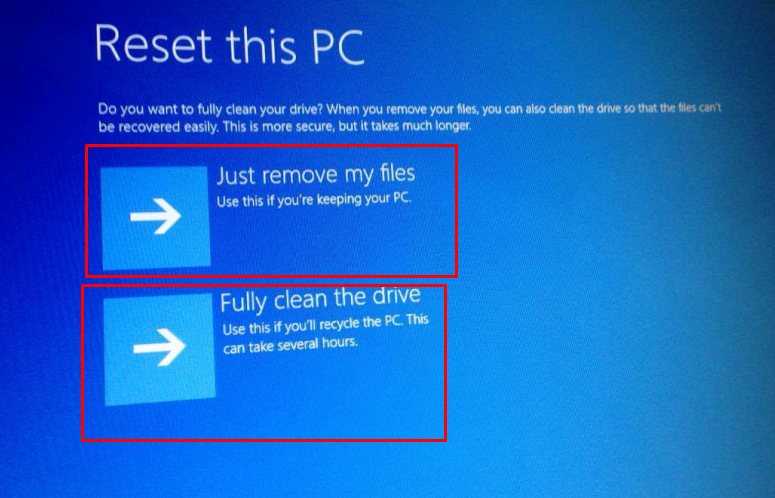
Then may pagpipilian ulit kayo.. bahala na kayo kung saan gusto nyo dyan.. ang pinili ko ay yung "Fully clean the drive"
11.
Then wait a few minutes.. upo ka muna at magkape..
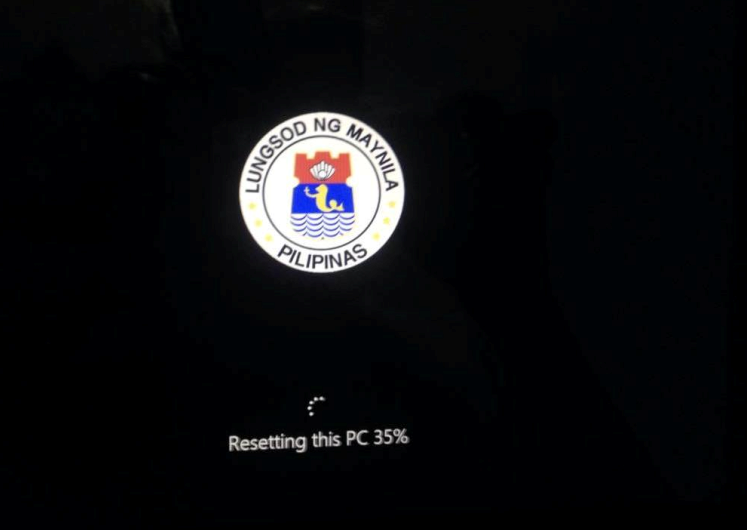
12. Congrats!! na reset mo na ang tablet mo! hindi ko na sinama ang mga sumunod dahil alam ko mga Teki naman kayo at alam nyo na yun...
pagkatapos nga pala ng reset(yang nasa number 11) ay may mag po-promp na menu.. (hindi ko na na picturan eh once lang kasi lalabas yun) ang gawin nyo sundin nyo yung nasa menu na "press ESC or Volume down"
yung lang.. Cheerss!!!
Tools we need:
1.Full Charged Battery si Tablet
2. OTG
3. USB Mouse
Let's Start!
1.
isaksak nyo yung OTG kasama yung mouse to prepare.. kasi alam nyo kung bakit kailangan natin ng mouse na nakakabit sa OTG? kasi pagdating dun sa Option after mag restart eh hindi gumagana yung touch.. ewan ko lang sa inyo kung gumagana.. sa akin kasi hindi eh kaya gumamit ako ng mouse..

2.
Pagdating nyo sa login window Click nyo yung icon.. see image bellow

3.
At ito ang menu.. tap nyo yung On-screen keyboard

4.
At lalabas ang stand alone keyboard

5.
Tap nyo yung shift ng keyboard.. dapat naka highlight yung shift tapos saka nyo i tap yung no. 2 yung restart.

6.
After ng restart mapupunta sya dyan.. then tap or click nyo yan(dahil may mouse arrow na lalabas na dyan kasi nga gumamit tayo ng mouse)

7.
Next i-click nyo yan.

8.
Then may pagpipilian kayo dyan kung ano gusto nyo.. ako ang pinili ko ay yung "Remove Everything"

9.
At mag rerestart na sya and it will look like this...

10.
Then may pagpipilian ulit kayo.. bahala na kayo kung saan gusto nyo dyan.. ang pinili ko ay yung "Fully clean the drive"

11.
Then wait a few minutes.. upo ka muna at magkape..

12. Congrats!! na reset mo na ang tablet mo! hindi ko na sinama ang mga sumunod dahil alam ko mga Teki naman kayo at alam nyo na yun...
pagkatapos nga pala ng reset(yang nasa number 11) ay may mag po-promp na menu.. (hindi ko na na picturan eh once lang kasi lalabas yun) ang gawin nyo sundin nyo yung nasa menu na "press ESC or Volume down"
yung lang.. Cheerss!!!
Last edited by a moderator:
