
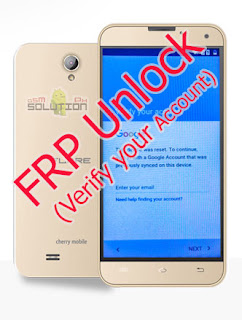
The new Cherry Mobile Flare J1 v4.0 has now in android version 6.0 marshmallow. most of the latest android version requires you to sign in a google account, then after you reset then you forgot your account, so here is the tutorial on how to bypass Cherry Mobile Flare J1 v4.0 verify your account.
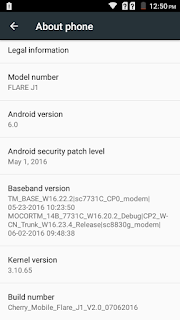
Lets check first more about Cherry Mobile Flare J1 v4.0.
Model Number: FLARE J1
Android Version: 6.0
Kernel Version: 3.10.65
Build number: Cherry_Mobile_Flare_J1_V2.0_07062016
How to bypass Cherry Mobile Flare J1 v4.0 FRP Lock (Verfy your google account) with pictures
Before anything else, lets prepare the things we need,
Wifi Connection
SD Card
QuickShortcutMaker
Brain
First, copy the QuickShortcutMaker_2.4.0[GSMSolutionPH].apk to your SD Card before going to step 1.
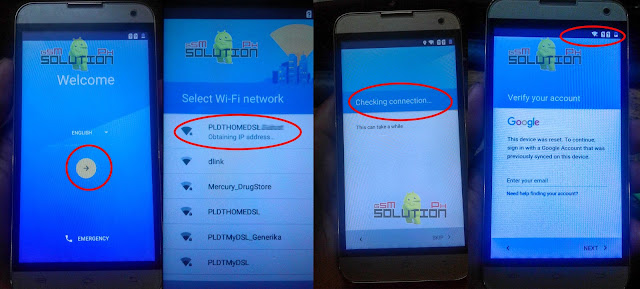
1. Upon resetting your phone, you will see a Welcome, just tap on arrow next next until you connected to wifi. after you connect to wifi, the next is Verify your account.
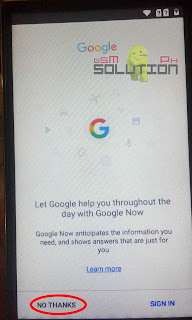
2. Here is the trick, Touch and hold the Home icon until search popup. just tap No thanks if Google help appear.
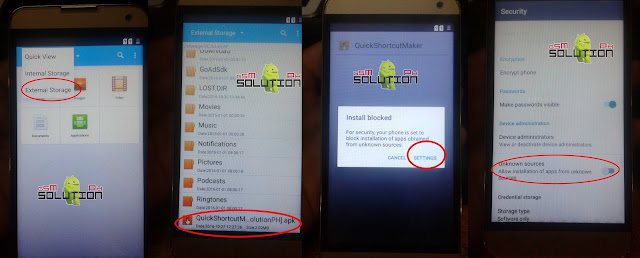
3. search for File Explorer, then open it to install QuickShortcutMaker.

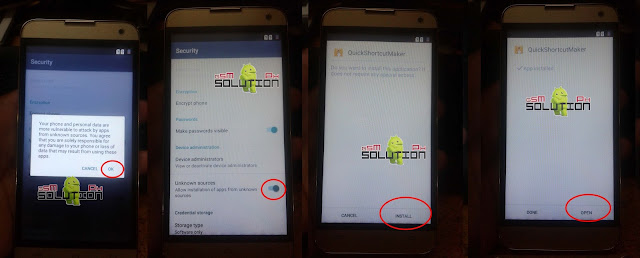
4. Tap on Quick view and select External Storage, locate the QuickShortcutMaker you copied in SD Card and install, for Install block just tap on Settings, Scroll down and enable Unknown source.
4.1 Tap on OK to confirm and go back and install again the QuickShortcutMaker then OPEN.
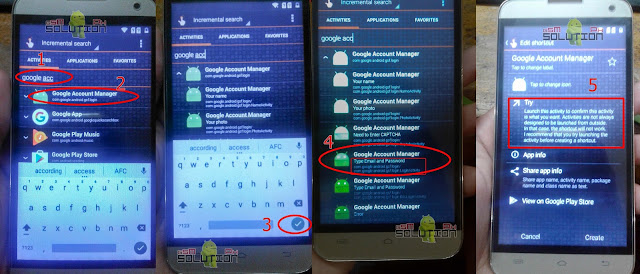
5. In QuickShortcutMaker, Search for Google Account Manager, follow the numbered on image below.
google acc and it will display at first the Google Account Manager.
Tap on Google Account Manager to select.
Tap on Check to hide keyboard.
Tap on Google Account Manager with Type Email and Password below.
Tap on Try.
6. You will see a three dot icon at the upper right of screen, tap and tap again on Browser Sign In. Now its your chance to sign in your new Google Account. Enter your email and password then Sign in. Wait for a while to sign in.
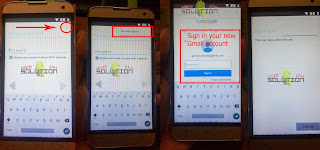
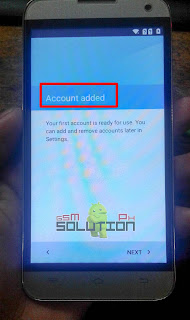
7. After you signed in your new Google Account, just back and back until you see the Account added. and now Bypass Cherry Mobile Flare J1 v4.0 Google Account DONE.
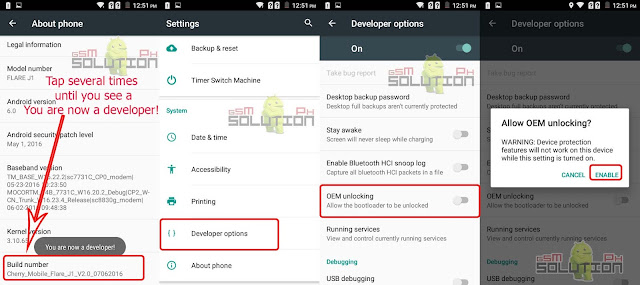
Tips: To prevent FRP lock again, you should enable OEM unlocking, to do this, follow the instruction below.
----------------------------------------------------------------------------------------------------
How to enable Developers option and USB Debugging in Cherry Mobile Flare J1?
Go to Settings
Go to About phones
Scroll down on Build number and tap it for 7 times until you see a 'You are now a developer!'
go back to Settings
You will see now the Developers options, There you can now enable OEM unlocking and USB Debugging also.
Credits sa
source:
http://gsmsolutionph.blogspot.com/2016/11/cherry-mobile-flare-j1-v40-google-frp.html


