- Joined
- Oct 17, 2014
- Messages
- 2,447
- Reaction score
- 22
- Points
- 381
Cherry Mobile W7i Password Done
Problem: May Password pag open ng unit, at di alam ni costumer
ang nilagay na code ng anak nya...
Solution: Read Password sa Volcano
Procedure:
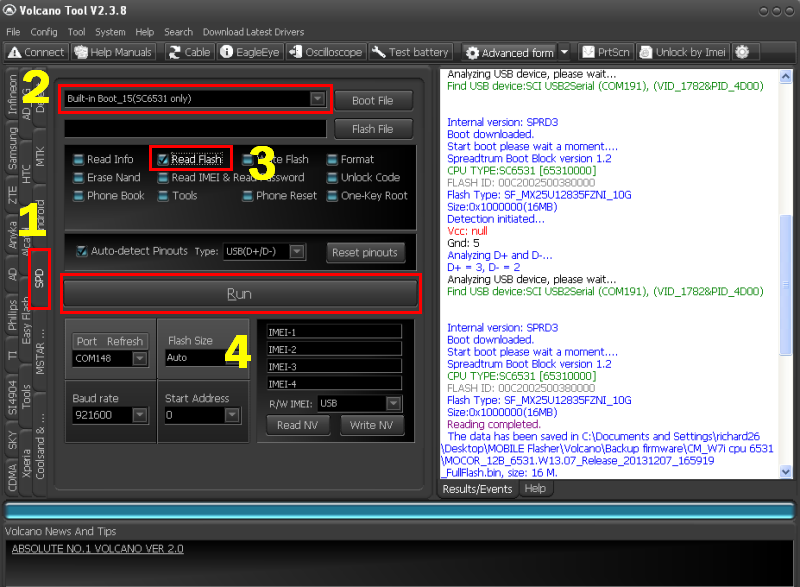
*Connect Phone via volcano usb jig P-05B
*Open Volcano Tool
*Click SPD tab
*Select Built-in Boot_15 (SC6531 only)
*Check Read Flash
*Click Run
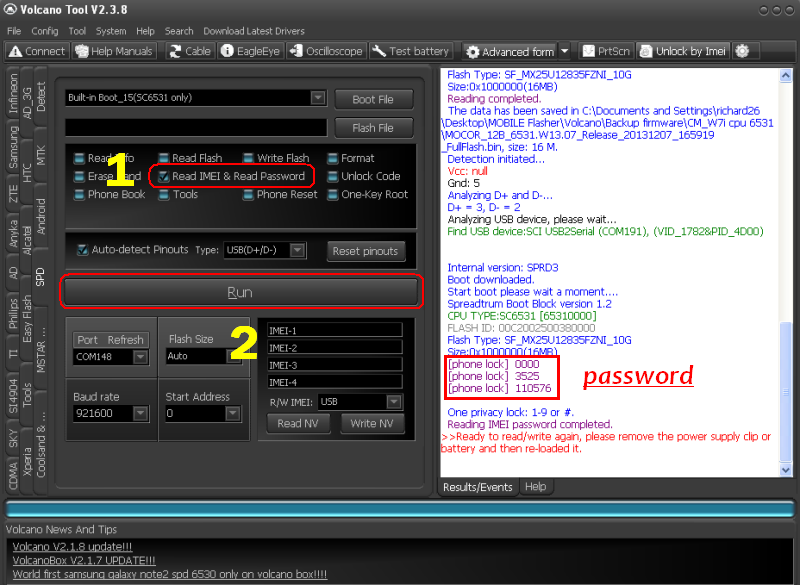
*Check Read IMEI & Read Password
*Click Run
*DONE...
Screenshot:
Password Problem
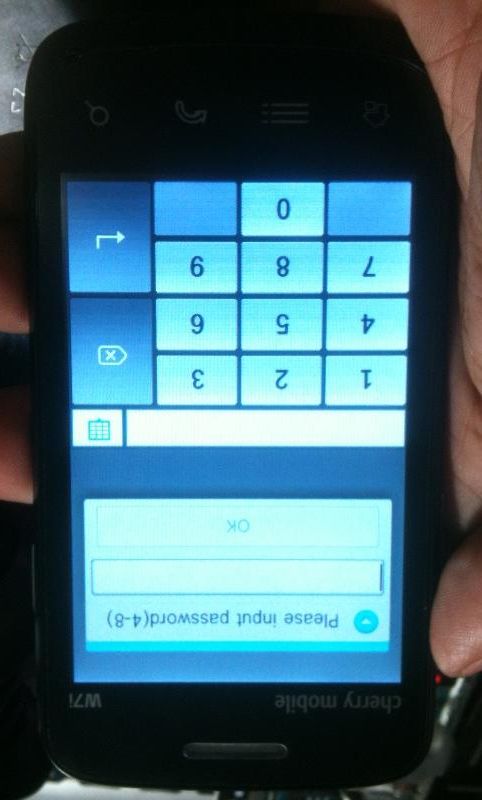
Connect Phone, open Volcano Tool and make Back-up first
Check Read IMEI & Read Password then Click Run
Enter Password read by Volcano
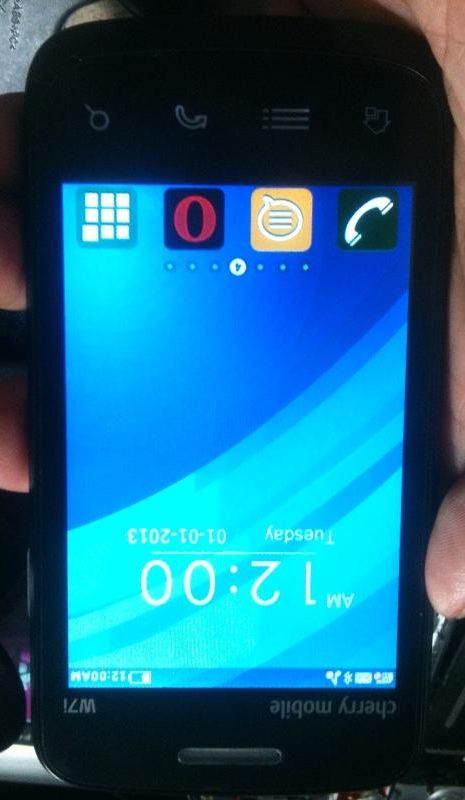
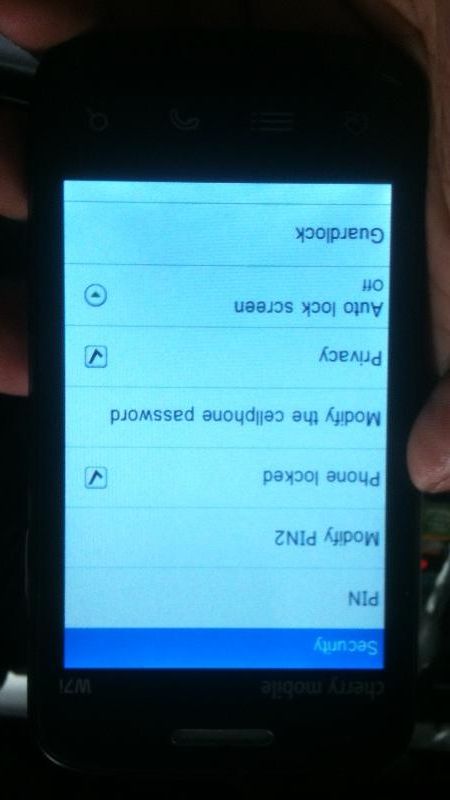
Go to Settings remove Phone Locked & Privacy and your done...
FIRMWARE BACK-UP:
Cherry Mobile W7i SC6531
DONE...
Problem: May Password pag open ng unit, at di alam ni costumer
ang nilagay na code ng anak nya...
Solution: Read Password sa Volcano
Procedure:
*Connect Phone via volcano usb jig P-05B
*Open Volcano Tool
*Click SPD tab
*Select Built-in Boot_15 (SC6531 only)
*Check Read Flash
*Click Run
*Check Read IMEI & Read Password
*Click Run
*DONE...
Screenshot:
Password Problem
Connect Phone, open Volcano Tool and make Back-up first
Check Read IMEI & Read Password then Click Run
Enter Password read by Volcano
Go to Settings remove Phone Locked & Privacy and your done...
FIRMWARE BACK-UP:
Cherry Mobile W7i SC6531
DONE...