You are using an out of date browser. It may not display this or other websites correctly.
You should upgrade or use an alternative browser.
You should upgrade or use an alternative browser.
Dell Laptop Help
- Thread starter dashand
- Start date



napstersnook
Registered
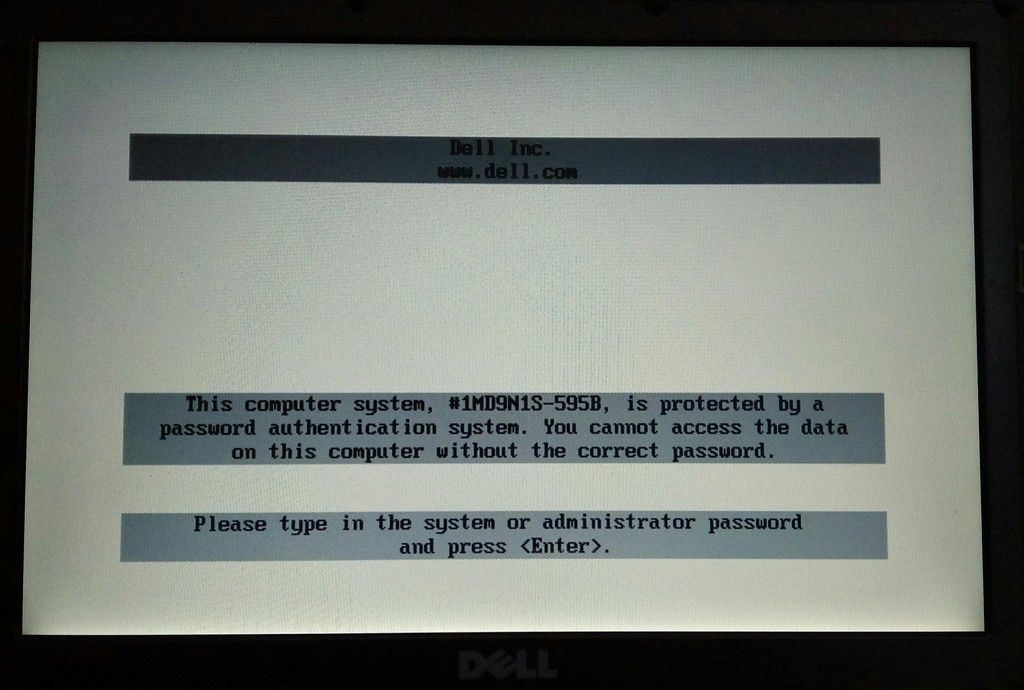
Try one of the following codes:
Dell from hdd serial number (old) nnnnnnnn
Dell from serial number d2dg4uvg
Dell from hdd serial number (new):
81vcvzoq
a5qzppqp
skKWZ00sLbJINv39
d3cdnela
SlpvN281yg19TxBc
XR9h4VvolYWh3Dyw
SKtVbw3LGMMBwm0z
* FOR SOME DELL CODES PRESS CTRL-ENTER, NOT ENTER, WHEN ENTRING CODE INTO THE BIOS
Dell from hdd serial number (old) nnnnnnnn
Dell from serial number d2dg4uvg
Dell from hdd serial number (new):
81vcvzoq
a5qzppqp
skKWZ00sLbJINv39
d3cdnela
SlpvN281yg19TxBc
XR9h4VvolYWh3Dyw
SKtVbw3LGMMBwm0z
* FOR SOME DELL CODES PRESS CTRL-ENTER, NOT ENTER, WHEN ENTRING CODE INTO THE BIOS

riecel
Registered
- Joined
- Apr 25, 2016
- Messages
- 139
- Reaction score
- 0
- Points
- 1
I prefer the brute force method:
Unplug the computer, open it up, remove the battery, remove CMOS battery, press the power button to discharge whatever residual power is left in the caps, wait 10 to 30 seconds, replace the battery, plug in and power up the computer. All BIOS values will be reset, including the password.
Note: That may not be so convenient for a laptop, though, so this method would probably work well there.
This doesn't work for modern laptops, as the password values now reside in NVRAM or FLASH, not CMOS with a 1F supercap or battery. So, try it for once if it works.
Unplug the computer, open it up, remove the battery, remove CMOS battery, press the power button to discharge whatever residual power is left in the caps, wait 10 to 30 seconds, replace the battery, plug in and power up the computer. All BIOS values will be reset, including the password.
Note: That may not be so convenient for a laptop, though, so this method would probably work well there.
This doesn't work for modern laptops, as the password values now reside in NVRAM or FLASH, not CMOS with a 1F supercap or battery. So, try it for once if it works.

acetech05
Registered
ito lang ginagawa ko dyan boss open mo laptop then remove cmos battery 30 minutes then put again the cmos battery and open laptop malalaman mo wala na ang password try lang boss madalas ko yan ginagawa sa ganyan may mga password.

Lanz
Registered
try mo boss f9 boot

cyruscharlie
Registered
tama sabi nila boss acetech...try to remove the batery of the laptop at cmos batery ng w8 30min to discharge....after 30mins replace mo ulit mga batery it will restore to factory seting ng bios yn....kung hnd nmn gumana yn try k gumawa ng usb boot recovery....feed back muna

LEEMAR
Registered
try mo na mag boot para makapag reformat kana!
napstersnook
Registered
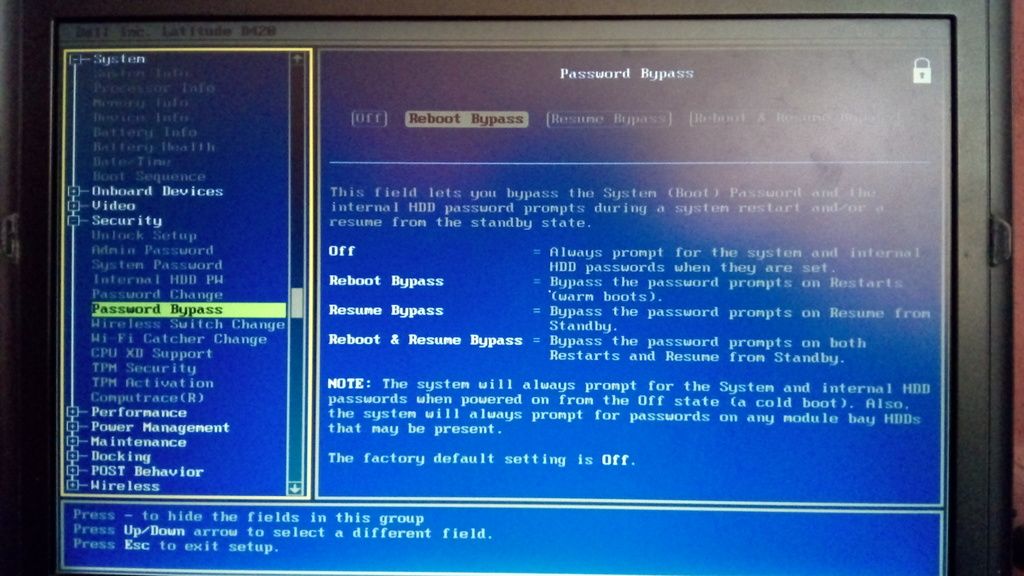
Sir try mo po mag boot sa bios using F2 yan ang madalas na bios key ng dell computers... tas i load default or set default mu ung bios... or if not find mo ung password on boot or ng bios then disable it using the master password. at this point no need na mag hardware solution since pumasok nmn ang master password.
napstersnook
Registered
You can also post screenshots ng bios tabs so we can assist you better po. iba iba kasi ang options ng bios for every version and model ng laptop so please post screenshots if kaya.
barba052013
Registered
- Joined
- Mar 7, 2017
- Messages
- 21
- Reaction score
- 0
- Points
- 1
reset bios mo paps
Who read this thread
(Total readers: 0)
No registered users viewing this thread.