
EUROSTAR ONYX-1+LITE FRP AND BACK UP DONE
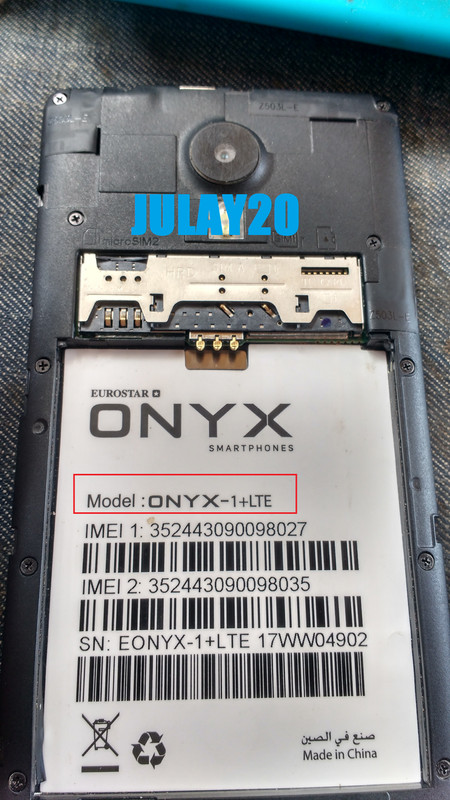
History:
na reset ng tumer pag katapos ma reset meron daw google account
nag sing in sya gamit yung google account nya ayaw naman daw pomasok
kaya papagawa daw yung google account ang ginawa ko ganito Search mona ako kong may naka gawa na ba nito pero wala akong my nakita ginawa ko sinobokan ko sa CM2 pero bago yun sinilip ko mona yung driver MTK kaya CM2MTK ginamit ko
EUROSTAR ONYX-1+LITE FRP AND BACK UP DONE
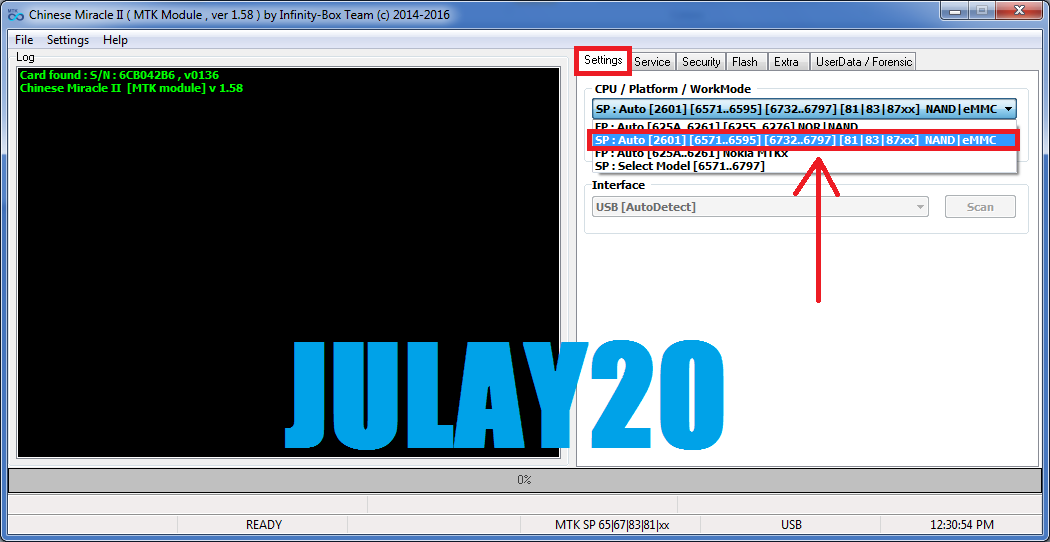
open cm2mtk
settings CPU/Platform/WorkMode piliin mo yung pangalawa
Security Format FS/Reset Settings
saksak USB wala ka nang pipindotin hayan mo lang mag run
hantayin mo lang mag done
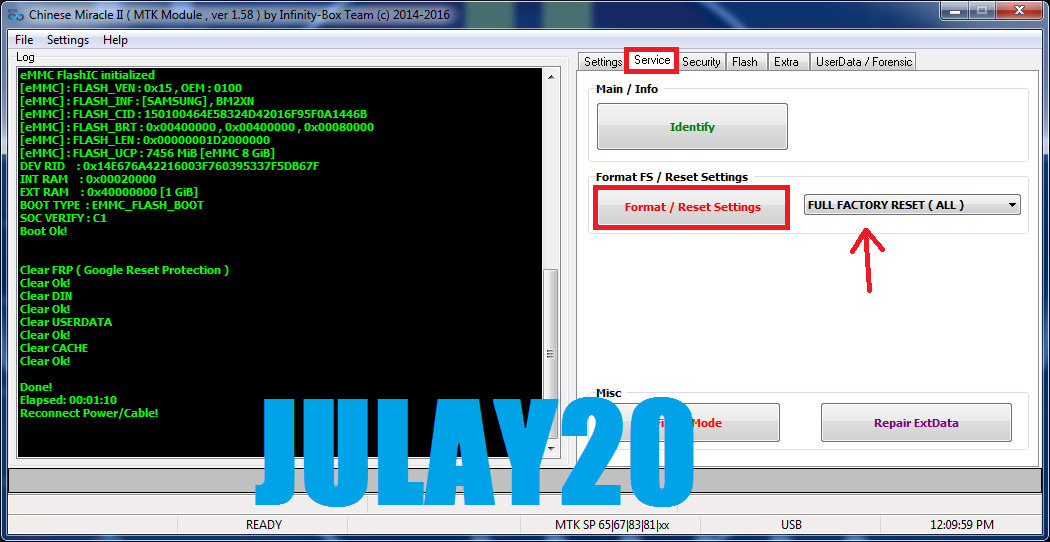
INFO:
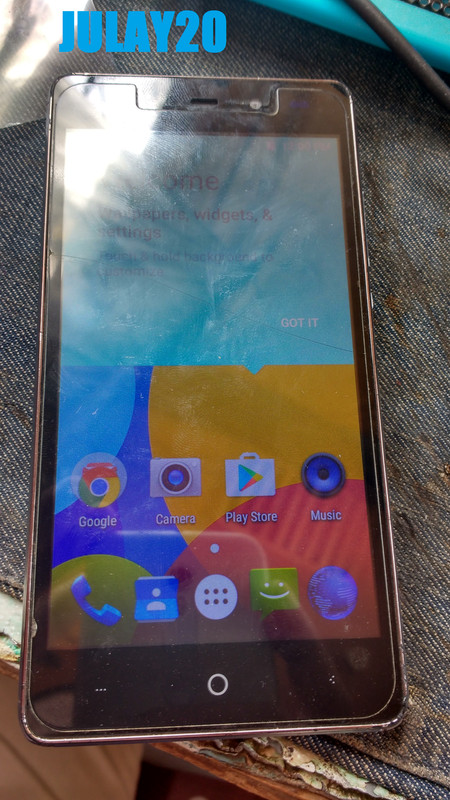
ito done na po sya
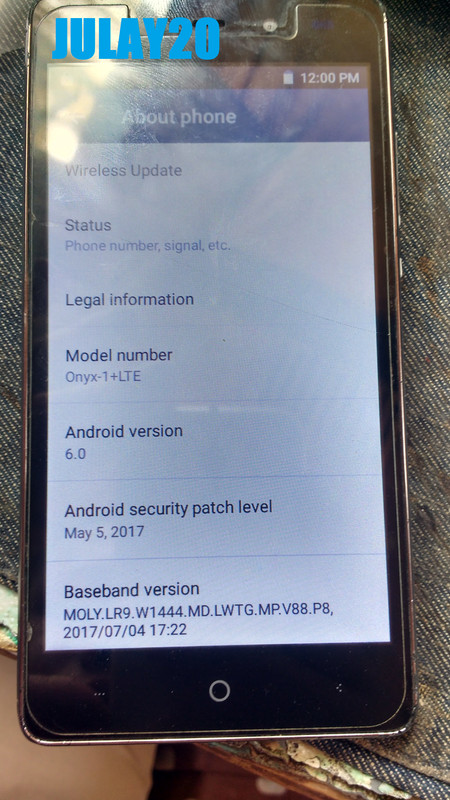
meron ako back up upload pa po
ito BACK UP INFO:
ferst po yan dito sa atin
History:
na reset ng tumer pag katapos ma reset meron daw google account
nag sing in sya gamit yung google account nya ayaw naman daw pomasok
kaya papagawa daw yung google account ang ginawa ko ganito Search mona ako kong may naka gawa na ba nito pero wala akong my nakita ginawa ko sinobokan ko sa CM2 pero bago yun sinilip ko mona yung driver MTK kaya CM2MTK ginamit ko
EUROSTAR ONYX-1+LITE FRP AND BACK UP DONE
open cm2mtk
settings CPU/Platform/WorkMode piliin mo yung pangalawa
Security Format FS/Reset Settings
saksak USB wala ka nang pipindotin hayan mo lang mag run
hantayin mo lang mag done
INFO:
Code:
Card found : S/N : 6CB042B6 , v0136
Chinese Miracle II  [MTK module] v 1.58

Operation : Format FileSystem [ v1.58 ]

1. Power Off Phone , Remove battery , Insert back
2. Insert USB cable. In some cases require hold BootKey

Wait for phone...
Phone found! [ 29 ]
Sync...
Inital Boot Ok!
BB_CPU_PID : 6737
BB_CPU_NME : [MediaTek] MT6737M|MT6737_S00
BB_CPU_EXT : 0xCB00 , 0x8A00 , 0x0000
Processing BROM stage
Settings for BROM configured!
SecCfgVal : 0x00000000
BromVer   : 0x00FF
BLVersion : 0x0001
PreLoader : Active [ Boot with PL ]
BootLdrSS : NORMAL with PRELOADER
Processing DA stage
DA Select done, will use MTK_AllInOne_DA_v3.3001.00.00
Sending and initialize DA ...
Running DA ver.4.2 on BBID : 0x93
NAND Flash : NOT INSTALLED
eMMC Flash : 460001154D32584E956F01426B28A1F0
Initialize Memory ...
DRAM already initialized by Preloader
DAgent sent , init HW now
eMMC FlashIC initialized
[eMMC] : FLASH_VEN : 0x15 , OEM : 0100
[eMMC] : FLASH_INF : [SAMSUNG] , BM2XN
[eMMC] : FLASH_CID : 150100464E58324D42016F95F0A1446B
[eMMC] : FLASH_BRT : 0x00400000 , 0x00400000 , 0x00080000
[eMMC] : FLASH_LEN : 0x00000001D2000000
[eMMC] : FLASH_UCP : 7456 MiB [eMMC 8 GiB]
DEV RID    : 0x14E676A42216003F760395337F5DB67F
INT RAM    : 0x00020000
EXT RAM    : 0x40000000 [1 GiB]
BOOT TYPE  : EMMC_FLASH_BOOT
SOC VERIFY : C1
Boot Ok!


Clear FRP ( Google Reset Protection )
Clear Ok!
Clear DIN
Clear Ok!
Clear USERDATA
Clear Ok!
Clear CACHE
Clear Ok!

Done!
Elapsed: 00:01:10
Reconnect Power/Cable!
ito done na po sya
meron ako back up upload pa po
ito BACK UP INFO:
Code:
Operation : Read Flash [ v1.58 ]

1. Power Off Phone , Remove battery , Insert back
2. Insert USB cable. In some cases require hold BootKey

Wait for phone...
Phone found! [ 29 ]
Sync...
Inital Boot Ok!
BB_CPU_PID : 6737
BB_CPU_NME : [MediaTek] MT6737M|MT6737_S00
BB_CPU_EXT : 0xCB00 , 0x8A00 , 0x0000
Processing BROM stage
Settings for BROM configured!
SecCfgVal : 0x00000000
BromVer   : 0x00FF
BLVersion : 0x0001
PreLoader : Active [ Boot with PL ]
BootLdrSS : NORMAL with PRELOADER
Processing DA stage
DA Select done, will use MTK_AllInOne_DA_v3.3001.00.00
Sending and initialize DA ...
Running DA ver.4.2 on BBID : 0x93
NAND Flash : NOT INSTALLED
eMMC Flash : 460001154D32584E956F01426B28A1F0
Initialize Memory ...
DRAM already initialized by Preloader
DAgent sent , init HW now
eMMC FlashIC initialized
[eMMC] : FLASH_VEN : 0x15 , OEM : 0100
[eMMC] : FLASH_INF : [SAMSUNG] , BM2XN
[eMMC] : FLASH_CID : 150100464E58324D42016F95F0A1446B
[eMMC] : FLASH_BRT : 0x00400000 , 0x00400000 , 0x00080000
[eMMC] : FLASH_LEN : 0x00000001D2000000
[eMMC] : FLASH_UCP : 7456 MiB [eMMC 8 GiB]
DEV RID    : 0x14E676A42216003F760395337F5DB67F
INT RAM    : 0x00020000
EXT RAM    : 0x40000000 [1 GiB]
BOOT TYPE  : EMMC_FLASH_BOOT
SOC VERIFY : C1
Boot Ok!

Reading Flash Content now ...

xGPT : Normalize settings Ok!

Brand     : Onyx-1+LTE
ProdName  : Onyx-1+LTE
ProdModel : Onyx-1+LTE
Device    : Onyx-1+LTE
AndroidVer: 6.0
MTKxCPU   : MT6737M
MTKxPRJ   : alps-mp-m0.mp1-V2.84_bd6737m.35g.a.m0

[Read Ok] : preloader_bd6737m_35g_a_m0.bin
[Read Ok] : lk.bin
[Read Ok] : boot.img
[Read Ok] : recovery.img
[Read Ok] : logo.bin
[Read Ok] : secro.img
[Read Ok] : tz1.img
[Read Ok] : tz2.img
[Read Ok] : system.img
[Read Ok] : cache.img
[Read Ok] : userdata.img

[ScatCFG] : MT6737M / V1.1.2 / bd6737m_35g_a_m0 / EMMC
Android Info saved
MAUI Meta DB saved
HWConfig Info saved
FW Size : 1964 MiB
Scatter saved to : C:\Users\julay20\Desktop\upload file\MT6737M__Onyx-1+LTE__Onyx-1+LTE__Onyx-1+LTE__6.0__alps-mp-m0.mp1-V2.84_bd6737m.35g.a.m0\

All done!

Done!
Elapsed: 00:10:54
Reconnect Power/Cable!
ferst po yan dito sa atin
