
una need root>>https://www.youtube.com/watch?v=FFzg3wxMVHw
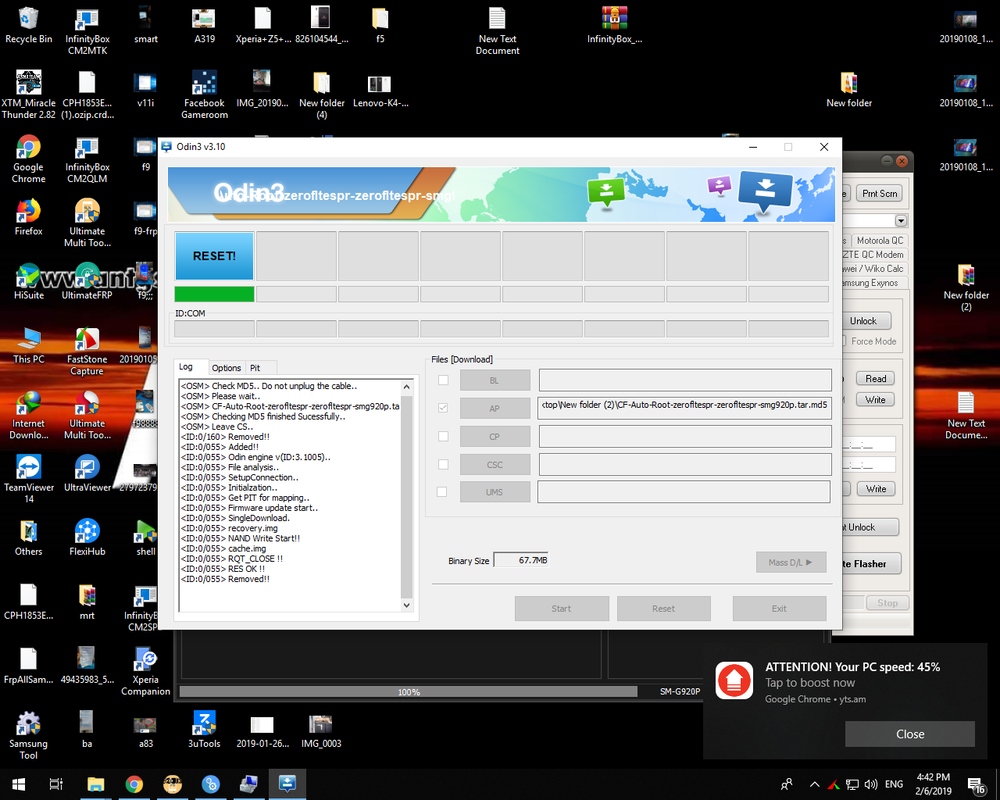
root file>>.http://www.mediafire.com/file/a3917r6s8vdsdm6/CF-Auto-Root-zerofltespr-zerofltespr-smg920p.rar
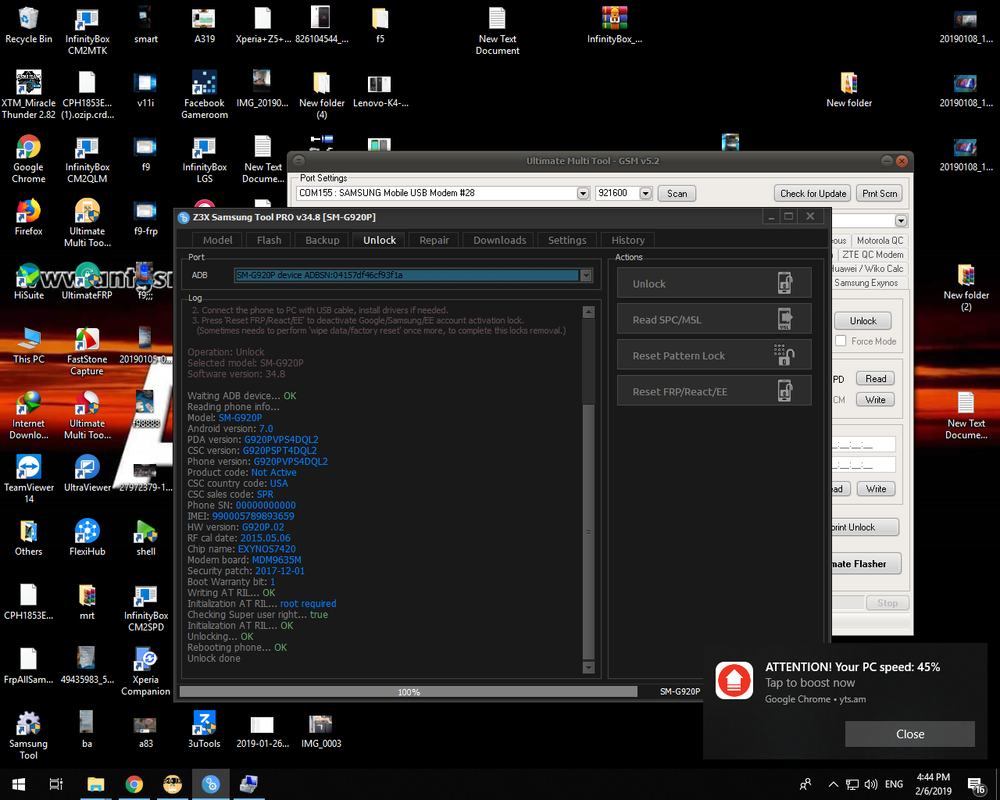
pag katapos e root kunin natin c z3x
Domestic Unlock:
1. Power on the phone.
2. Enable 'USB debugging' in 'Settings'-'Developer options',
tap 7 times on 'Build number' in 'Settings'-'About phone' to enable 'Developer options'.
3. Connect the phone to PC with USB cable, install drivers if needed.
4. Select device in ADB settings.
5. Press 'Unlock Domestic' button.
800
root file>>.http://www.mediafire.com/file/a3917r6s8vdsdm6/CF-Auto-Root-zerofltespr-zerofltespr-smg920p.rar
pag katapos e root kunin natin c z3x
Domestic Unlock:
1. Power on the phone.
2. Enable 'USB debugging' in 'Settings'-'Developer options',
tap 7 times on 'Build number' in 'Settings'-'About phone' to enable 'Developer options'.
3. Connect the phone to PC with USB cable, install drivers if needed.
4. Select device in ADB settings.
5. Press 'Unlock Domestic' button.
800