piso wifi setup
piso wifi procedure
its a 2 step procedure:
1st Lagyan ng name ang AP Access antenna pero dapat open lang sya walang password
2nd flash the ssd card with the latest version of pisofi
TPlink configure
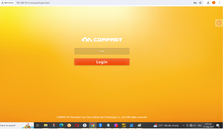
go to www.tplinkeap.net
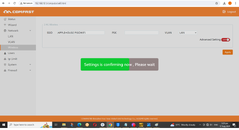
lagyan ng name and pass
pag naconfigure na ang desired name dapat alisin na ang password para ang mag control na lang sa password ay yung PISOWIFI Software
pisofi Vendo machine flash
get the balenaEtcher-Setup-1.18.11 tool and flash the ssd card
get the orange pie updated software - download link https://www.dropbox.com/scl/fi/y24g...-001.zip?rlkey=ueu8ytiud1i2pv66j3buu5nj4&dl=0
TP LINK EAP110
Procedure:
EAP110 LAN connection to PC LAN
EAP110 POE connection to Antenna
Control Panel
Network Lan Internet
Network and Sharing
chane adaptor Settings
V4
use following add
192.168.0.13
255
192.168.0.1
Click ok
go to google chrome
192.168.0.254
https://www.youtube.com/watch?v=Kd9SLiREIB8&t=8s
from https://www.facebook.com/lyradz04
admin password ng LPB piso wifi
123456789
from ryan sia
lpbpisowifi.com
lpb.full77714388839498720408
piso wifi procedure
its a 2 step procedure:
1st Lagyan ng name ang AP Access antenna pero dapat open lang sya walang password
2nd flash the ssd card with the latest version of pisofi
TPlink configure
go to www.tplinkeap.net
lagyan ng name and pass
pag naconfigure na ang desired name dapat alisin na ang password para ang mag control na lang sa password ay yung PISOWIFI Software
pisofi Vendo machine flash
get the balenaEtcher-Setup-1.18.11 tool and flash the ssd card
get the orange pie updated software - download link https://www.dropbox.com/scl/fi/y24g...-001.zip?rlkey=ueu8ytiud1i2pv66j3buu5nj4&dl=0
TP LINK EAP110
Procedure:
EAP110 LAN connection to PC LAN
EAP110 POE connection to Antenna
Control Panel
Network Lan Internet
Network and Sharing
chane adaptor Settings
V4
use following add
192.168.0.13
255
192.168.0.1
Click ok
go to google chrome
192.168.0.254
https://www.youtube.com/watch?v=Kd9SLiREIB8&t=8s
from https://www.facebook.com/lyradz04
admin password ng LPB piso wifi
123456789
from ryan sia
lpbpisowifi.com
lpb.full77714388839498720408
Last edited: