
This Guide From iClarified Only For unlock After Following Steps On Previous post
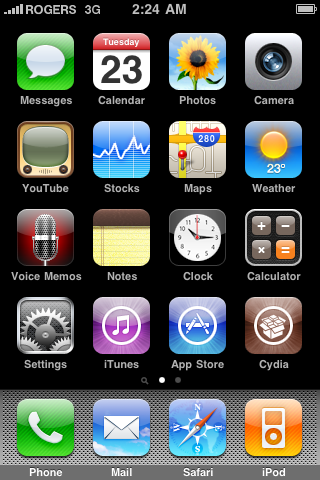
Step One
Press to launch Cydia Installer from your SpringBoard.
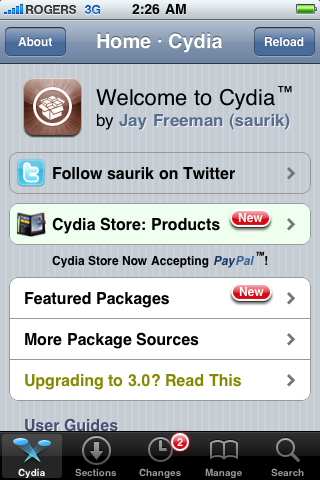
Step Two
Press to select the Manage tab at the bottom of the screen.
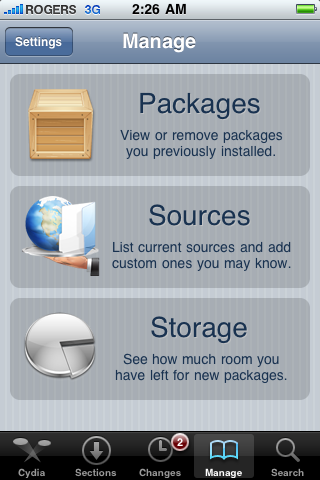
Step Three
Press to select the large Sources button
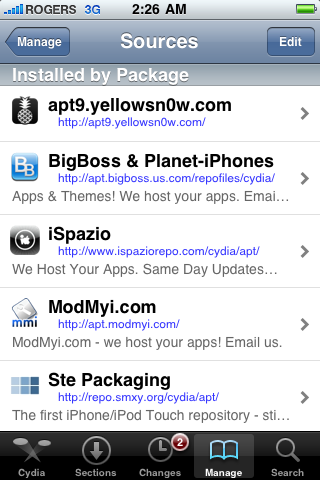
If the ultrasn0w repo is not present press the Edit button at the top right of the screen. Otherwise, skip to Step Nine.
Step Five
Press the Add button at the top left of the screen.
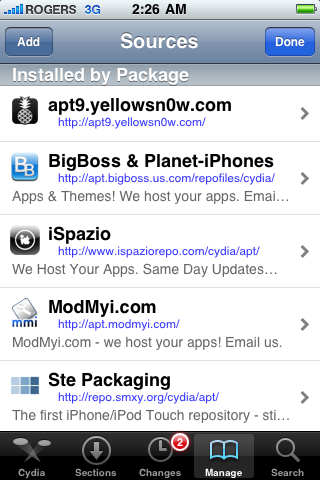
Step Six
Enter ultrasn0w.com as the source url and press the Add Source button.
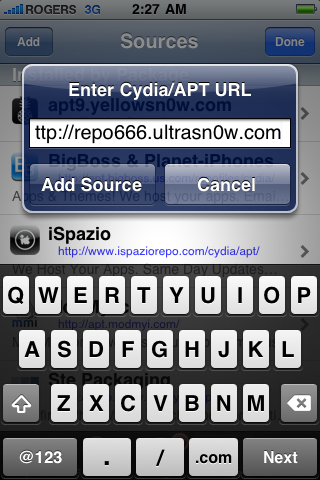
Step Seven
Once the source has been added press the large Return to Cydia button.
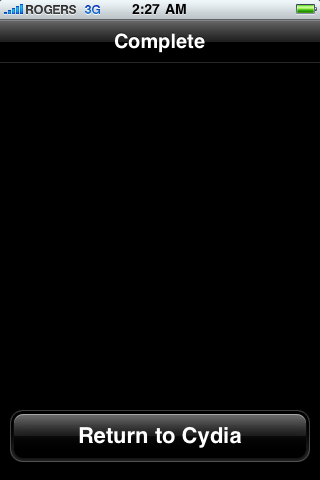
Step Eight
Press the Done button at the top right of the screen.
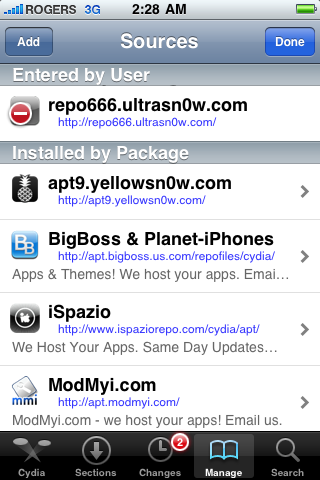
Step Nine
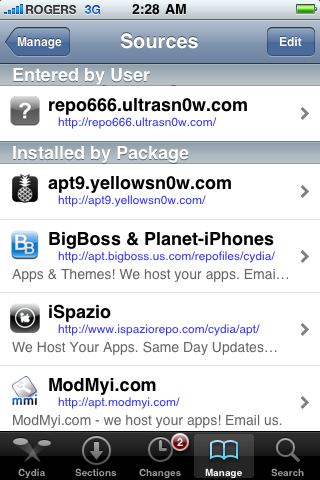
Press to select repo666.ultrasn0w.com from the list of user entered sources.
Step Ten
Press to select ultrasn0w from the list of packages

Step Eleven
Press the Install button at the top right of the screen

Step Twelve
Press the Confirm button at the top right of the screen.

Step Thir****
After installation completes successfully press the large Restart Springboard button.

Please Note That Changes in ultrasn0w Version Doesn't Effect iPhone 3G It's Only Update Nothing more
Step One
Press to launch Cydia Installer from your SpringBoard.
Step Two
Press to select the Manage tab at the bottom of the screen.
Step Three
Press to select the large Sources button
If the ultrasn0w repo is not present press the Edit button at the top right of the screen. Otherwise, skip to Step Nine.
Step Five
Press the Add button at the top left of the screen.
Step Six
Enter ultrasn0w.com as the source url and press the Add Source button.
Step Seven
Once the source has been added press the large Return to Cydia button.
Step Eight
Press the Done button at the top right of the screen.
Step Nine
Press to select repo666.ultrasn0w.com from the list of user entered sources.
Step Ten
Press to select ultrasn0w from the list of packages
Step Eleven
Press the Install button at the top right of the screen
Step Twelve
Press the Confirm button at the top right of the screen.
Step Thir****
After installation completes successfully press the large Restart Springboard button.
Please Note That Changes in ultrasn0w Version Doesn't Effect iPhone 3G It's Only Update Nothing more