
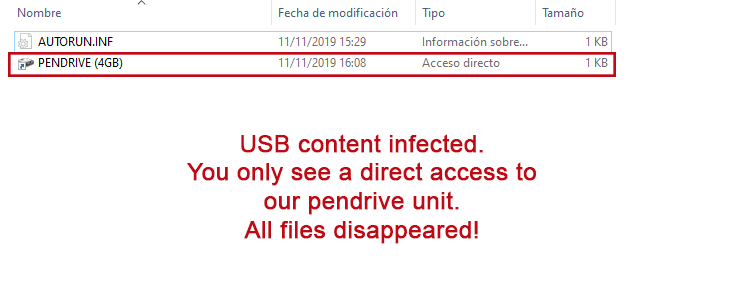
1. Go to start and then go to run, or in this case press on the keyboard, the start button (the one with the microsoft windows logo) and then press it along with the R key.
2. In this box they write CMD
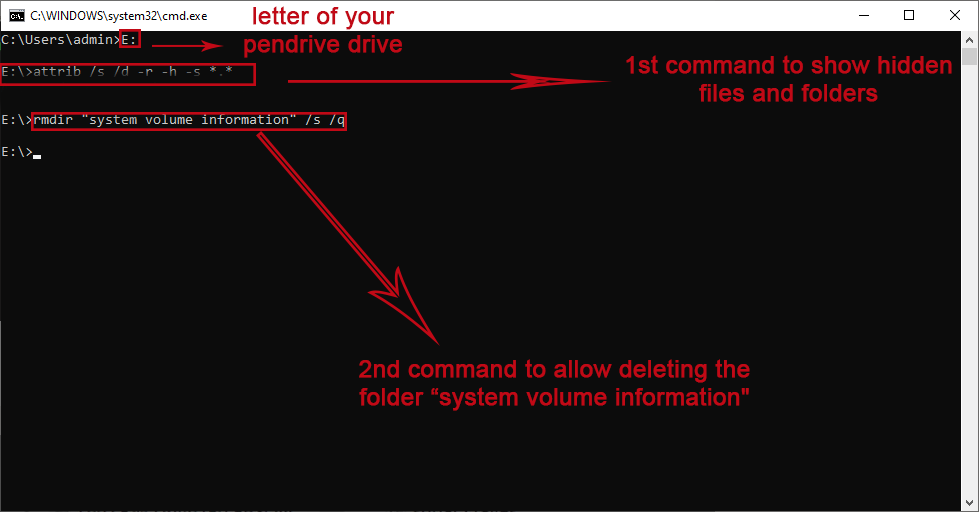
3. Now the console will open, in this first they write the letter of the drive of their USB and colon (e: f: g: h: i:, etc) press Enter key
4. Digitize:
Code:
attrib /s /d -r -h -s *.*
5. Now press the Enter key, now go to Windows Explorer, and you will see the files that were previously hidden, what this command does is show absolutely all the .exe .doc .rar files, etc. as well as subfolders
Delete all suspicious files (*), mainly those with these extensions: .exe, .inf, .lnk, .scr, .dll, for example:
Code:
del autorun.inf
del *.exe
del *.inf
del *.lnk
del *.scr
del *.dll
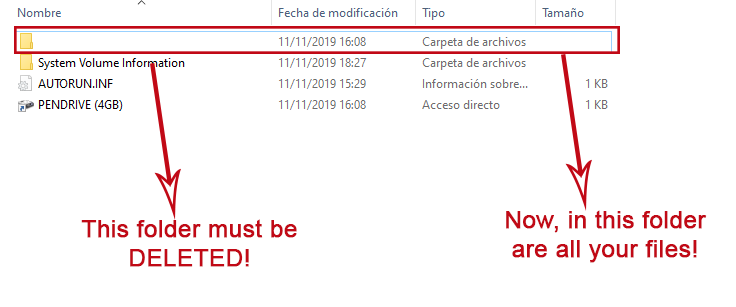
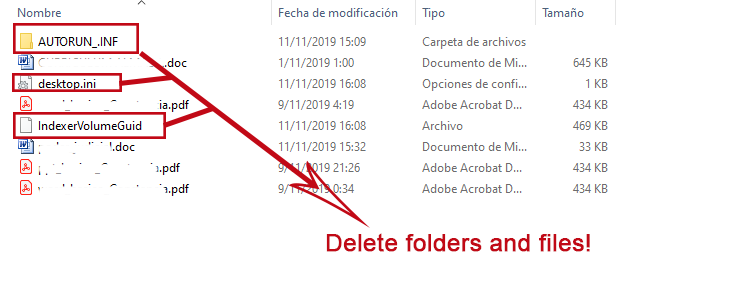
Delete the folders and files shown in the images. (*)
In order to delete the "system volume information" folder, use this command in CMD:
Code:
rmdir "system volume information" /s /q
(*) Deleting these files and folders removes the virus