- Joined
- Mar 26, 2019
- Messages
- 914
- Reaction score
- 301
- Points
- 131
- Location
- Santa Fe, Nueva Vizcaya Philippines
Nareset ni tumer kaso nakalimutan na nya ang kanyang Google Account.
Steps:
1. Download this DA File first. Credit to the original owner.
https://bestflashfile.com/huawei-mya-l22-da-file/
https://androidfilehost.com/?fid=14655340768118454910
2. Open NCKDongle AndroidMTK 2.5.6.2
3. Click Settings tab, at sa Custom Loader click Select Costum Loader at i-load mo yung na-DL mo sa taas na DA_SWSEC_Huawei_MYA_L22.bin.
4. Click mo ang Service tab at i-click mo ang Reset FRP.
5. Plug mo yung phone na naka-power off. Walang boot key. Hintayin na lang matapos at kusang mag restart si phone.
6. Done..Bypass na ang FRP
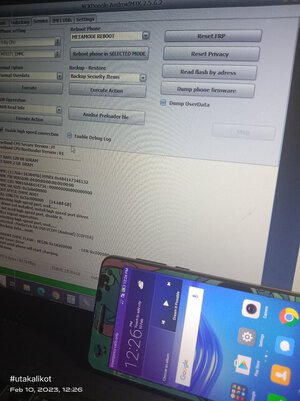
See photo for proof, diko na nakuhanan ng photo yung mismong cp at nagmamadali si tumer.


Sana makatulong sa tahanan
Steps:
1. Download this DA File first. Credit to the original owner.
https://bestflashfile.com/huawei-mya-l22-da-file/
https://androidfilehost.com/?fid=14655340768118454910
2. Open NCKDongle AndroidMTK 2.5.6.2
3. Click Settings tab, at sa Custom Loader click Select Costum Loader at i-load mo yung na-DL mo sa taas na DA_SWSEC_Huawei_MYA_L22.bin.
4. Click mo ang Service tab at i-click mo ang Reset FRP.
5. Plug mo yung phone na naka-power off. Walang boot key. Hintayin na lang matapos at kusang mag restart si phone.
6. Done..Bypass na ang FRP
See photo for proof, diko na nakuhanan ng photo yung mismong cp at nagmamadali si tumer.
Sana makatulong sa tahanan