
- Joined
- Dec 10, 2017
- Messages
- 270
- Reaction score
- 176
- Points
- 201
Huawei y9 prime 2019 password and frp issue
Model:STK-L22
para sa mga NO unlocktool
Operation:
1.Hard reset first hold volume up and power recovery mode,gdowngrade to android 10 and update via SD Card with tested dload firmware file copy
2.Waiting to verify update and load to 100% after successfully downgrade bootup automatically
3.Power off again and hard reset again
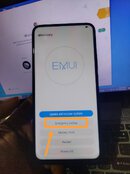
4.Click Update mode,eRecovery mode,emergency backup and click continue.
5.After Device Restart Need to insert Sim Card with Data access
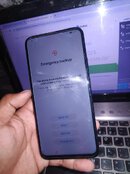
6.On Emergency Backup click (backup)
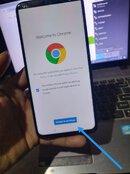
Backup Icon will appear and click blue highlight word(here)
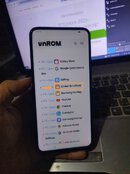
Chrome Browser will appear and search in the search bar vnrom bypass
6.on vnrom bypass click
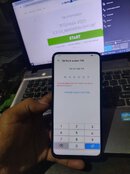
(smart screen lock) set your new password and click skip and restart the device
7.After Restart Connect to wifi first and Setup Your phone with your new password instead google account.Always click skip to make sure your setup is succes.
Downgrade Process:
https://youtu.be/citqn75KCBg?si=UFXnf9hpWI5c6iO2
Bypass Process:
https://youtu.be/qiW1xwc9m8E?si=dRX1ZQabb2NKFhAF
Tested File:
https://drive.google.com/file/d/19wkWsQSS_hln7uxI1s0_wzDxLfH_TN2-/view


Model:STK-L22
para sa mga NO unlocktool
Operation:
1.Hard reset first hold volume up and power recovery mode,gdowngrade to android 10 and update via SD Card with tested dload firmware file copy
2.Waiting to verify update and load to 100% after successfully downgrade bootup automatically
3.Power off again and hard reset again
4.Click Update mode,eRecovery mode,emergency backup and click continue.
5.After Device Restart Need to insert Sim Card with Data access
6.On Emergency Backup click (backup)
Backup Icon will appear and click blue highlight word(here)
Chrome Browser will appear and search in the search bar vnrom bypass
6.on vnrom bypass click
(smart screen lock) set your new password and click skip and restart the device
7.After Restart Connect to wifi first and Setup Your phone with your new password instead google account.Always click skip to make sure your setup is succes.
Downgrade Process:
https://youtu.be/citqn75KCBg?si=UFXnf9hpWI5c6iO2
Bypass Process:
https://youtu.be/qiW1xwc9m8E?si=dRX1ZQabb2NKFhAF
Tested File:
https://drive.google.com/file/d/19wkWsQSS_hln7uxI1s0_wzDxLfH_TN2-/view
Attachments
Last edited:
