
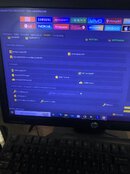
1. open ut. select apple tab. then select get activation no change sn.
2. go to 3 utools then dfu mode the unit using power switch and volume down then count 10 seconds release the power switch still hold volume - button
3. go to PWNDFU select Utool then still hold vol. -
4. go to download on ut. select this name files (File Ramdisk iPhone 8G-8P-X IOS 16.4.x 16.5.x No Bootloop Bypass Passcode & Hello Ok (1))
5. go to boot ramdisk please hold vol. - and power after sending ibecc release holding tha buttons
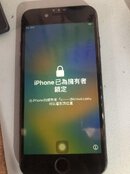
6. go to back up passcode
7. go to factory resset
8. open again 3 utool then enter dfu mode the unit again.
9. repeat no.3 PWNDFU select Utool then still hold vol. -
10. repeat NO. 5 boot ramdisk please hold vol. - and power after sending ibecc release holding tha buttons
11. go to tab RESTORE BACKUP+DISABLE OTA / ERASE..
sana maka tulong...
Attachments
-
 383863592_1956978134783326_6351424451655708470_n.jpg110.7 KB · Views: 94
 -
 384050312_3685333961793998_3655762855991009639_n.jpg111.3 KB · Views: 83
 -
 383904189_322881243774910_3981313938946293346_n.jpg100.9 KB · Views: 78
 -
 383942692_7201417603220063_6332684475011146993_n.jpg104.4 KB · Views: 71
 -
 383877272_306508725315145_7614915377136902225_n.jpg112.1 KB · Views: 67
 -
 383362207_1402769797008486_980618951290332283_n.jpg149.4 KB · Views: 63
 -
 383300841_1068613330792098_8657712284147614246_n.jpg127.7 KB · Views: 66
 -
 383770396_3568817390032717_4412609468029150552_n.jpg142.2 KB · Views: 77

