Itel P13 Plus FRP Reset By CMT2MT2
Please follow below steps:
1. Hard reset unit first (Press & hold Power & Volume + ,,, )
2. Power off unit & Insert USB cable in phone
3. Open CM2MT2
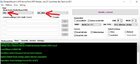
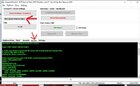
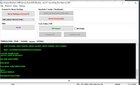
4. Select CPU as ITEL -> SEC_NEW
5. Click on Service tab & select FRP (RESET PROTECTION)
6. Click Reset Settings / Format FS wait until it' done.
Please follow below steps:
1. Hard reset unit first (Press & hold Power & Volume + ,,, )
2. Power off unit & Insert USB cable in phone
3. Open CM2MT2
4. Select CPU as ITEL -> SEC_NEW
5. Click on Service tab & select FRP (RESET PROTECTION)
6. Click Reset Settings / Format FS wait until it' done.