
- Joined
- Oct 10, 2014
- Messages
- 1,602
- Reaction score
- 248
- Points
- 181
Lenovo Tab P11 tb-j606f black screen done via Flashing
procedure
download muna natin firmware at tools for flashing
link here
https://support.lenovo.com/ph/en/downloads/ds101291-rescue-and-smart-assistant-lmsa
after ma dl mga kailanga procced na po tayo for flashing
extract ang firmware at Qfil tool
open ang qfil tool
click browser ( programmer path ) select image folder and select < prog_firehouse.ddr
next click Load content then select < content
press power at volume up ilagay ang cable
bitawan ang tab after ma detect select ang port at click ang qualcom port
click Download Content at antayin matapos ang Flashing
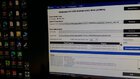
ScreenShot
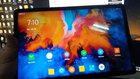
Finish Product
Sana nkatulong po ang simpleng post ko na to
#evtmobilecare
procedure
download muna natin firmware at tools for flashing
link here
https://support.lenovo.com/ph/en/downloads/ds101291-rescue-and-smart-assistant-lmsa
after ma dl mga kailanga procced na po tayo for flashing
extract ang firmware at Qfil tool
open ang qfil tool
click browser ( programmer path ) select image folder and select < prog_firehouse.ddr
next click Load content then select < content
press power at volume up ilagay ang cable
bitawan ang tab after ma detect select ang port at click ang qualcom port
click Download Content at antayin matapos ang Flashing
ScreenShot
Finish Product
Sana nkatulong po ang simpleng post ko na to
#evtmobilecare