lg g3 beat factory reset
When the LG logo is displayed,
let go of the Power key, keep
pressing the Volume Down and then
press once more the Power button.
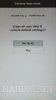
After that you should see a factory
reset menu on your screen. You should
confirm process by choosing appropriate
options. Use Volume rockers to navigate
and Power button to confirm.
1.) At the beginning switch off your cell phone
by holding the Power key for a short while.
2.) In the next step hold down the Volume Down
and Power button together for a couple of seconds.
3.) When the LG logo is displayed, let go of the
Power key, keep pressing the Volume Down and then
press once more the Power button.
4.) After that you should see a factory
reset menu on your screen.
5.) You should confirm process by choosing
appropriate options. Use Volume rockers to
navigate and Power button to confirm.
6.) Wait to complete the operation.
When the LG logo is displayed,
let go of the Power key, keep
pressing the Volume Down and then
press once more the Power button.
After that you should see a factory
reset menu on your screen. You should
confirm process by choosing appropriate
options. Use Volume rockers to navigate
and Power button to confirm.
1.) At the beginning switch off your cell phone
by holding the Power key for a short while.
2.) In the next step hold down the Volume Down
and Power button together for a couple of seconds.
3.) When the LG logo is displayed, let go of the
Power key, keep pressing the Volume Down and then
press once more the Power button.
4.) After that you should see a factory
reset menu on your screen.
5.) You should confirm process by choosing
appropriate options. Use Volume rockers to
navigate and Power button to confirm.
6.) Wait to complete the operation.