
- Joined
- Apr 21, 2016
- Messages
- 1,439
- Reaction score
- 309
- Points
- 181
- Location
- Cabadbaran City Agusan Del Norte
1. FLASHING TOOL DOWNLAOD ..
SmartFlashTool_External.rar
2. FIRMWARE DOWNLOAD ..
this method will remove phone lock if you forget unlock code or pattern..( not network lock)
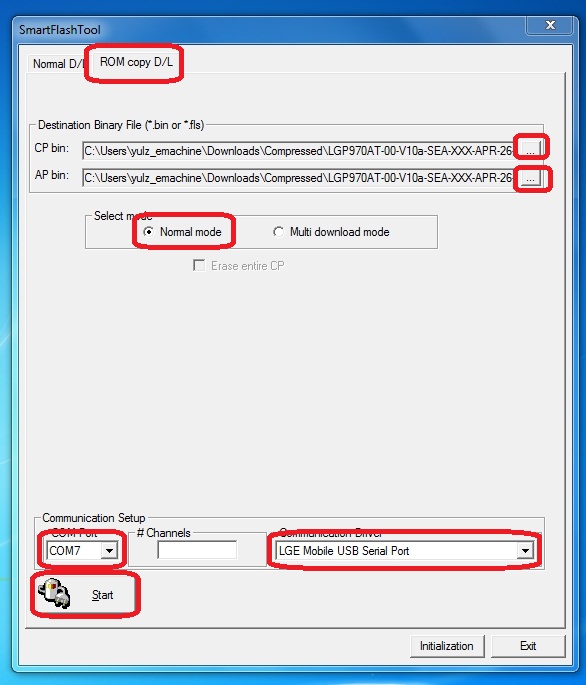
1. open B_SmartFlashTool_Extern.exe
2. select firmware
LGP970AT-00-V10a-SEA-XXX-APR-26-2011+0_CP.fls
LGP970AT-00-V10a-SEA-XXX-APR-26-2011+0_AP.bin
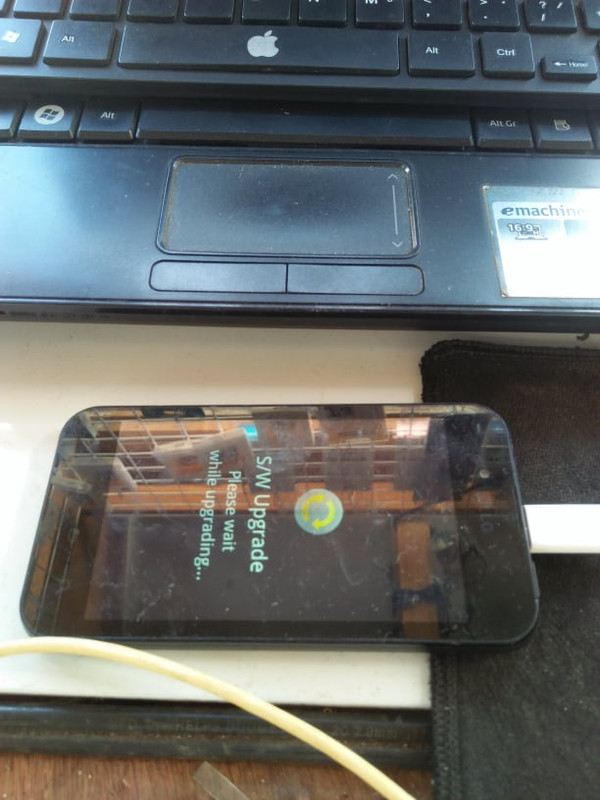
connect phone in S/W Update mode with battery in it (on the phone that is switched off, plug in USB cable WHILE HOLDING Vol+ button)
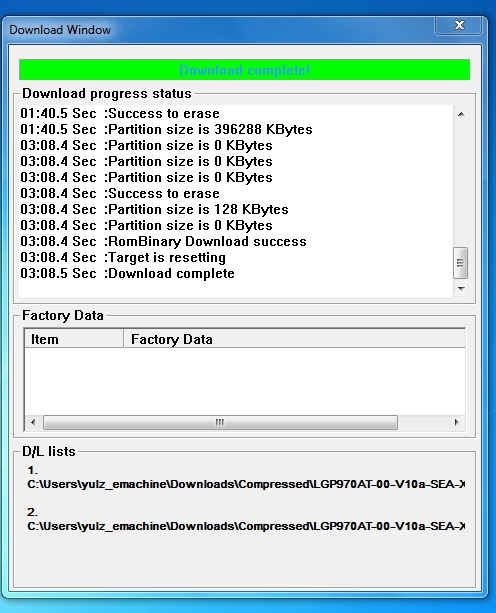
then click start button
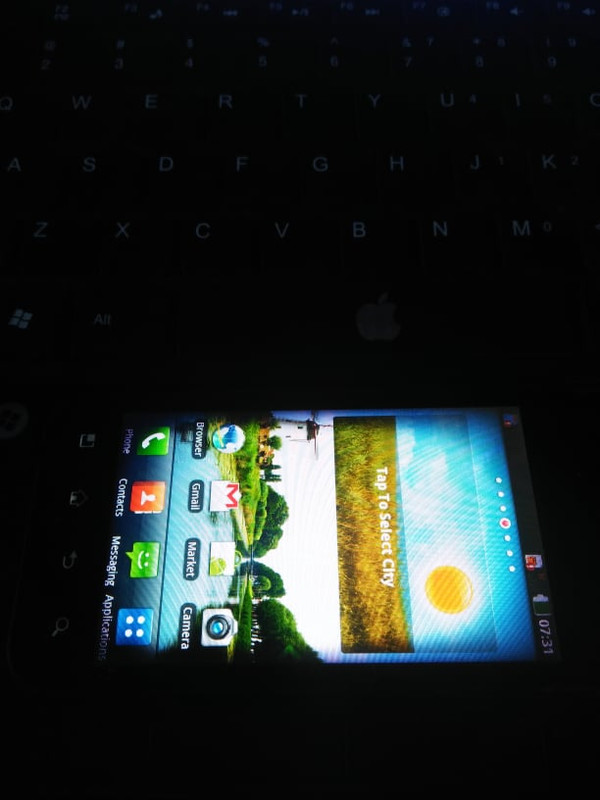
After successfully flashing, phone will reboot and make Factory Reset
warning
"do not tick erase entire cp"
smart flashtool
firmware
SmartFlashTool_External.rar
2. FIRMWARE DOWNLOAD ..
this method will remove phone lock if you forget unlock code or pattern..( not network lock)
1. open B_SmartFlashTool_Extern.exe
2. select firmware
LGP970AT-00-V10a-SEA-XXX-APR-26-2011+0_CP.fls
LGP970AT-00-V10a-SEA-XXX-APR-26-2011+0_AP.bin
connect phone in S/W Update mode with battery in it (on the phone that is switched off, plug in USB cable WHILE HOLDING Vol+ button)
then click start button
After successfully flashing, phone will reboot and make Factory Reset
warning
"do not tick erase entire cp"
smart flashtool
firmware
Last edited:
