
Password-mtkfirmware.netpassword tatsulok mo lang
R1 Firmware SC7731 Flash File Cm2 Read
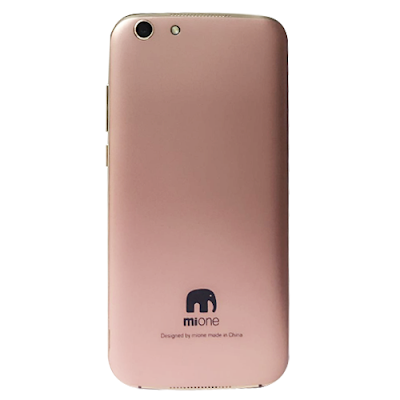
Mione R1 Firmware SC7731 Flash File Cm2 Read
Mtk Firmware 10 days ago Various
T13_BOPAI_BATTERY_64_4_t13_bopai_S014_mione_battery_64_4_5.1_mione_battery-_R1_Android_6.0_V02_20170703_R1.pac
- > Wait phone connected ...
Phone found! [ 38 ]
Port Opened
Sync...
InitBoot Done [ 0x81 ] , Ver : SPRD3
Sync...
Sending FDL
[Info] : If SW freeze here more, than 15 seconds - remove cable
FDL Ready!
Boot Ver : SC7731 Crev eMMC Loader v2.0
Sending FLASH FDL
FLASH FDL Ready!
Boot Ok!
Model Name : t13_bopai_S014_mione_battery_64_4_dt
Model Brand : mione
Model Device: t13_bopai_S014_mione_battery_64_4
AndrVersion : 5.1
BaseBand CPU: T13_BOPAI_BATTERY_64_4
Project Ver : mione_battery- R1_Android_6.0_V02_20170703
Model Ext : R1
[Read Mode] : HSUSB : 0x3000
[FW_READER] : Reading Firmware Now ...
[Read Ok] : u-boot-spl-16k.bin
[Read Ok] : u-boot.bin
[Read Ok] : prodnv.img
[Read Ok] : sc7731C_CP0_modem.bin
[Read Ok] : DSP_DM_Gx.bin
[Read Ok] : nvitem_w.bin
[Read Ok] : sc8830g_modem_CP2_WCN_Trunk_W17.07.3_Release.bin
[Read Ok] : nvitem_wcn.bin
[Read Ok] : logo_480x854.bin
[Read Ok] : fblogo_480x854.bin
[Read Ok] : thirdlogo.bin
[Read Ok] : forthlogo.bin
[Read Ok] : fifthlogo.bin
[Read Ok] : boot.img
[Read Ok] : system.img
[Read Ok] : oem.img
[Read Ok] : sysinfo.img
[Build Ok] : cache.img
[Read Ok] : recovery.img
[Build Ok] : userdata.img
AndroidInfo created
Firmware Size : 2333 MiB
Saved to : C:\Users\babu\Desktop\read\mione\T13_BOPAI_BATTERY_64_4_t13_bopai_S014_mione_battery_64_4_5.1_mione_battery-_R1_Android_6.0_V02_20170703_R1\
Done!
Elapsed: 00:21:52
Reconnect Power/Cable!
Download Here
How To Flash:
1. FactoryDownload/ResearchDownload
2. Unpack ROM and extract File.pac
3. Run ResearchDownload or FactoryDownload
4. Click on "Load packet" and add the .pac
5. Click on "Start"
6. Connect your android device to the computer
7. During the flashing your mobile will restart automatically
8. Finish
Important Notes: Take a Backup of your mobile data before flashing or installing the firmware on your smartphone. As this will help you to recover the data whenever any thing wrong happens to your mobile

