
- Joined
- Dec 1, 2016
- Messages
- 157
- Reaction score
- 26
- Points
- 1
[FONT=source_sans_proregular]https://mega.nz/#!DLZ1UDDY[FONT=source_sans_proregular]!qKqaopJ0C_Er32nl51DH_PxMX0rVOWdxxT1C1VE63lU[/FONT]
1 Click Phone Data Transfer
Transfer Data From iPhone, Android, iOS, iTunes, iCloud etc. to Anywhere without Any Loss.

Or Go to Mac version >>

[/FONT]
1 Click Phone Data Transfer
Transfer Data From iPhone, Android, iOS, iTunes, iCloud etc. to Anywhere without Any Loss.
Or Go to Mac version >>
Cross-platform SupportedSupport 3500+ Mobile Devices
[/FONT]

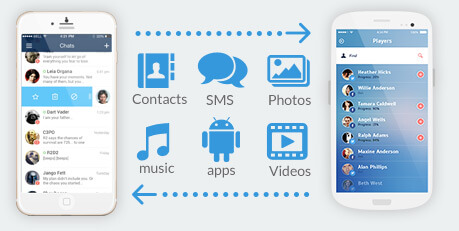
Not only contacts transfer, also can copy text messages, call log, photos, music, videos and android apps between devices with just 1 click.
Comprehensive contact copy, including job title, email addresses and etc. For iPhones, photo albums, camera roll, music playlists can all be transferred to Android phones.

It works perfectly with Apple, Samsung, Nokia, HTC, Blackberry, LG, Sony, Google, HUAWEI, Motorola, ZTE, and more mobile models.
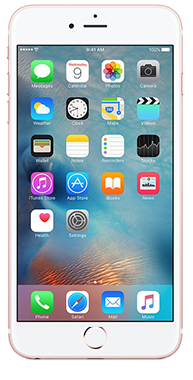
Apple: iPhone 7, iPhone 6S/6S Plus/6/6 Plus/5S/5/4S, iPad, iPad Mini, iPad Air, iPod Touch etc. Fully compatible with iOS 10.3 and iTunes 12.6

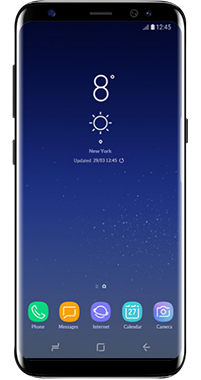
Samsung: Galaxy S8/Galaxy S8+/Galaxy S7/S7 Edge/S6/S6 Edge/Edge Plus/S5/S4/S3, Note 5/4/3/2/1 etc.
Lumia: 1520, 1020, 950, 930, 920, 900, 800, 710, 625, 535, 520 etc.
Blackberry: Passport,Q10,Z10,Torch2,Curve 9380,9350,9220,8310,Bold 9900,9780,9650,9000.
Android Devices





iOS Devices


Nokia Devices

iOS Devices
Nokia Devices

Regardless of the Cellular Carriers

Support data transfer from contract phones to no-contract cell phones. Supports migrating data between phones despite that they are from the same or different carriers: AT&T, Verizon, Sprint and T-Mobile etc.

Backup from the Old Phone and Restore to the New One Later
Having only one phone in your hand? Not a problem. You can back up your phone to your PC then restore it to any other supported phone whenever.

Transfer iTunes/iCloud to Any Phone
You can transfer songs and playlists from iTunes/iCloud to an Windows Phone, Android phone, iPhone, iPad and iPod touch. Besides, you can also retrieve iTunes/iCloud Backup and transfer contacts, text messages, photos, video, etc. to any supported mobile device.