
unit ;
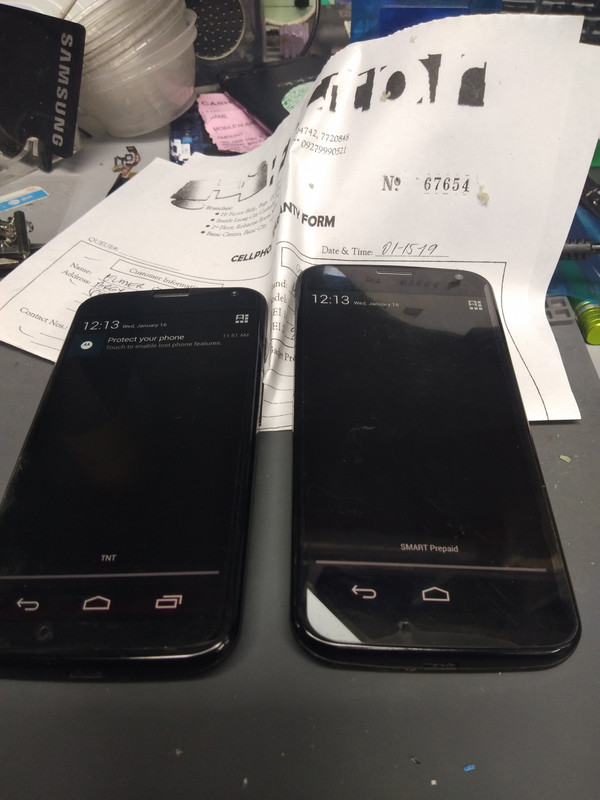
2pcs
moto X also know as XT1056
problem 1; unlocking to use any sim
UNLOCKING IN SIGMA SUCCES
NO ROOT NEEDED...(but need to enable debug)
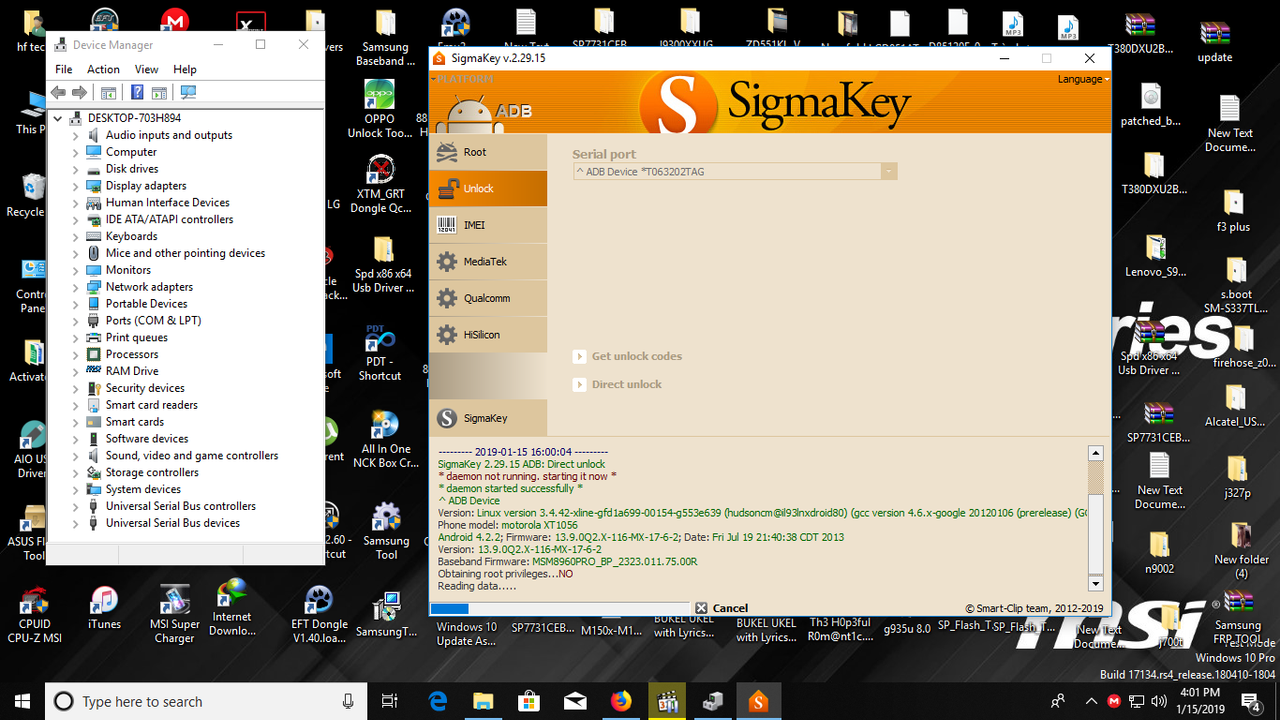
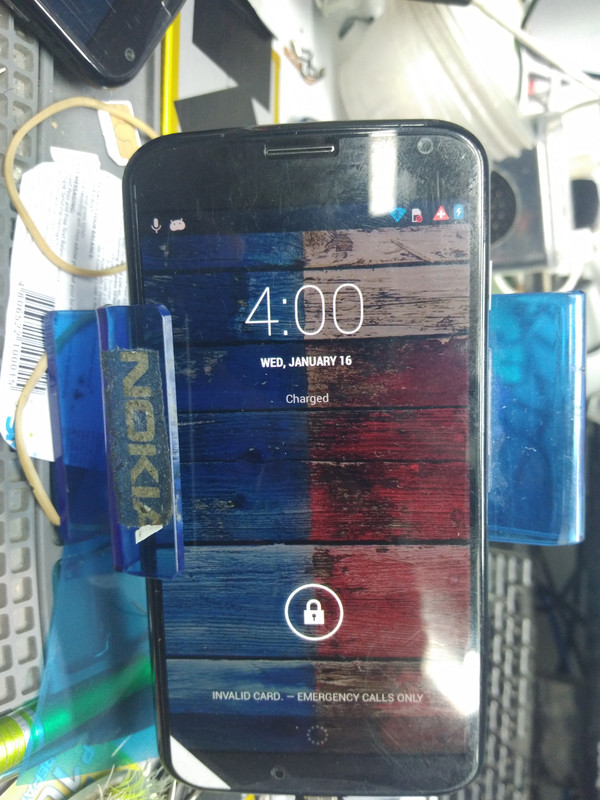
problem 2; after unlock in sigma no network caused gsm is not enable kahit naka configured na setting...
INVALID CARD/EMERGENCY CALL ONLY
lets do it...
the tricky part of this unit is how to installing the driver...specially on window10 os..
sinama ko na lahat yun video software at driver pag-aralan maigi yun video bagu gawin...
NOTE;
watch video for installing driver para mapag connect nio sa pc gamit ang software na nasa rar...
pag ok na si driver sunod na panoorin kung panu naman i unlock or iprogram yun file para mag ka signal...
lahat na ng sangkap nasa rar file na konting aral at higit sa lahat panoorin maige yun video para ma avoid ang brick ng unit...
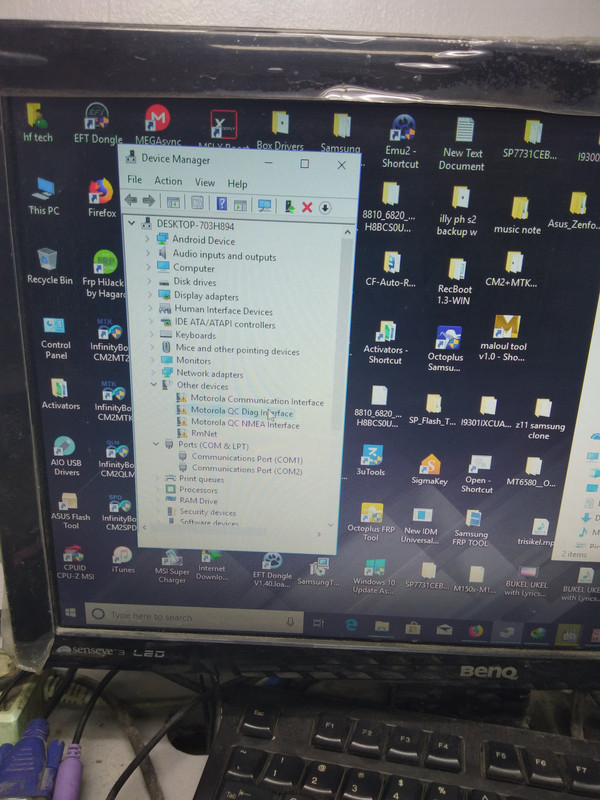
isang driver lang ang iinstal jan
 https://falloutfacts.com/fallout-3-or-new-vegas-which-is-better
windows 7 os (nasa video rar)
QC Interface
windows 10 (see screenshot)
Motorola QC Diag Interface
2 way of to get diag mode
1. dial lang yan sa phone ##3424#
pag ayaw lumabas or kung lamabas man yun diag at ayaw ma enable proceed sa no.2
2. 2 finger mode ) or fastboot mode how???
power off phone antayin mag off at rest phone for 5 second
press volume down at power . pag nasa fastboot kana select BP tools at wait mag restart
unit...check nasa file maneger(picture nasa taas ikatlong screenshoot..)
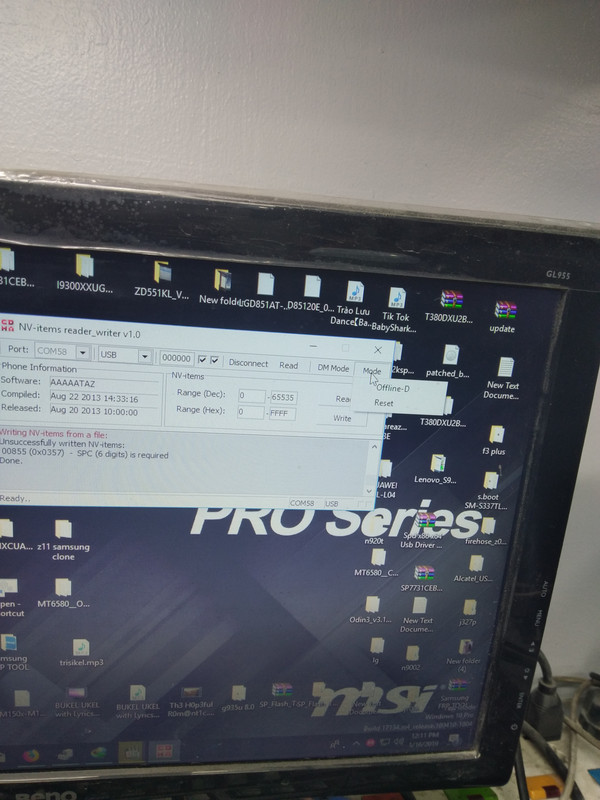
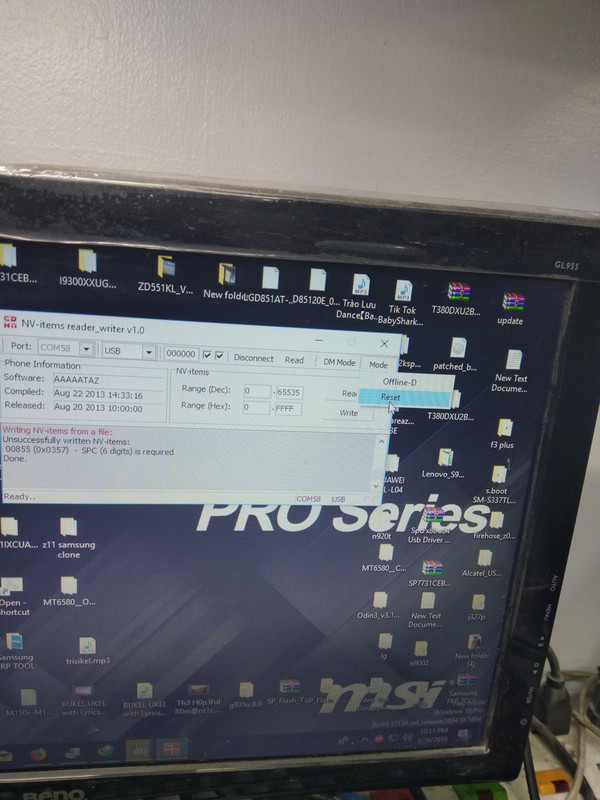
here the software to write nv file to shown signal after writing nv file...
 https://postimages.org/
after writing those nv file in the unit make it reset using that software
 https://postimages.org/
yun tinuturo ng mouse..
wait the unit to reboot...
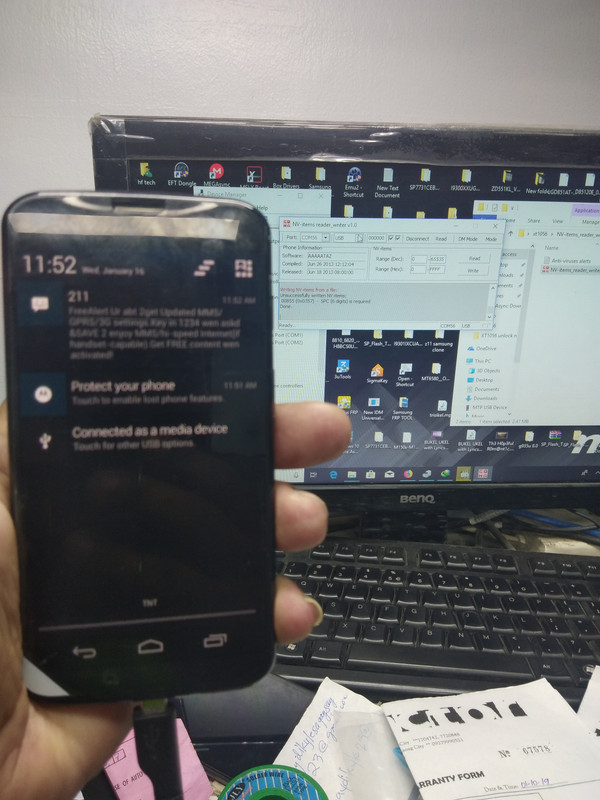
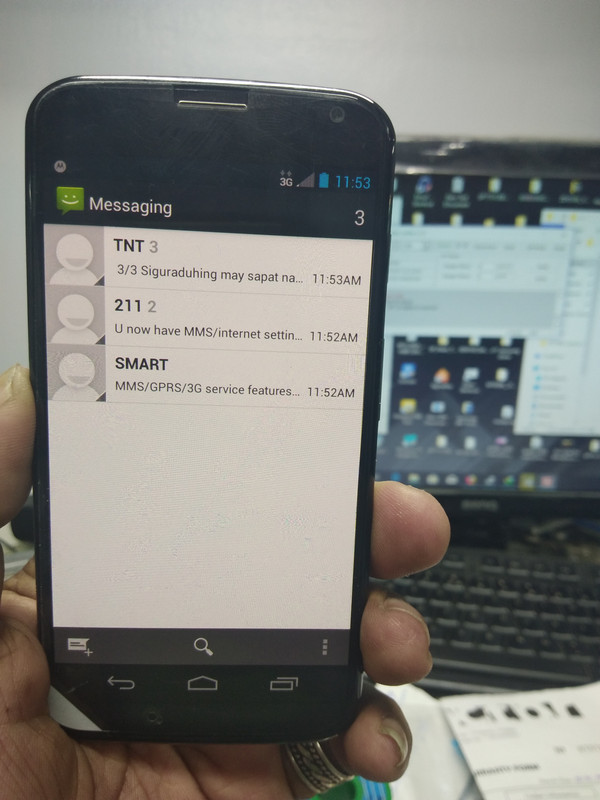
magkakasignal na yan after reboot...
 https://postimages.org/app
about phone
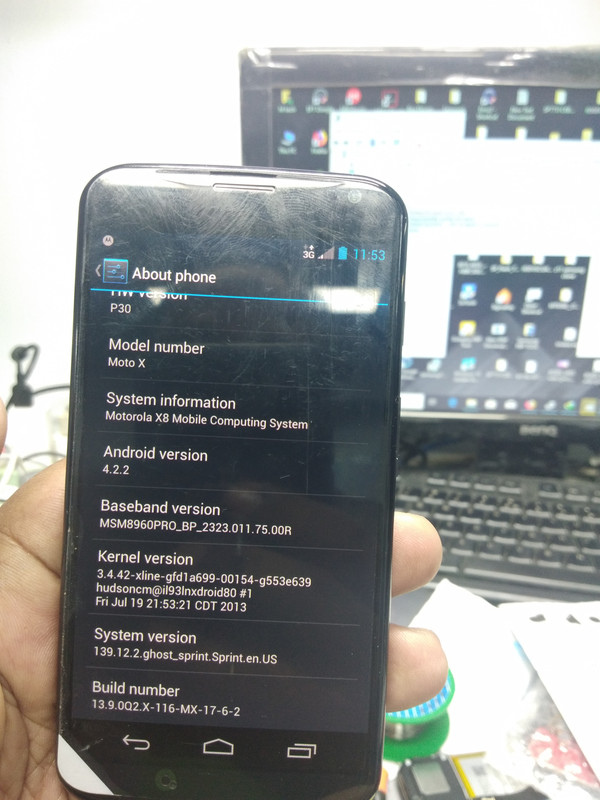
finish product
 https://postimages.org/
rar file are password protected..pm or triagle is the key=))
tested...
2pcs
moto X also know as XT1056
problem 1; unlocking to use any sim
UNLOCKING IN SIGMA SUCCES
NO ROOT NEEDED...(but need to enable debug)
problem 2; after unlock in sigma no network caused gsm is not enable kahit naka configured na setting...
INVALID CARD/EMERGENCY CALL ONLY
lets do it...
the tricky part of this unit is how to installing the driver...specially on window10 os..
sinama ko na lahat yun video software at driver pag-aralan maigi yun video bagu gawin...
NOTE;
watch video for installing driver para mapag connect nio sa pc gamit ang software na nasa rar...
pag ok na si driver sunod na panoorin kung panu naman i unlock or iprogram yun file para mag ka signal...
lahat na ng sangkap nasa rar file na konting aral at higit sa lahat panoorin maige yun video para ma avoid ang brick ng unit...
isang driver lang ang iinstal jan
https://falloutfacts.com/fallout-3-or-new-vegas-which-is-betterwindows 7 os (nasa video rar)
QC Interface
windows 10 (see screenshot)
Motorola QC Diag Interface
2 way of to get diag mode
1. dial lang yan sa phone ##3424#
pag ayaw lumabas or kung lamabas man yun diag at ayaw ma enable proceed sa no.2
2. 2 finger mode
) or fastboot mode how???power off phone antayin mag off at rest phone for 5 second
press volume down at power . pag nasa fastboot kana select BP tools at wait mag restart
unit...check nasa file maneger(picture nasa taas ikatlong screenshoot..)
here the software to write nv file to shown signal after writing nv file...
https://postimages.org/after writing those nv file in the unit make it reset using that software
https://postimages.org/yun tinuturo ng mouse..
wait the unit to reboot...
magkakasignal na yan after reboot...
https://postimages.org/appabout phone
finish product
https://postimages.org/rar file are password protected..pm or triagle is the key=))
tested...
Last edited by a moderator: