
- Joined
- Nov 5, 2014
- Messages
- 1,292
- Reaction score
- 81
- Points
- 181
share ko ito mga boss
Myphone My28s
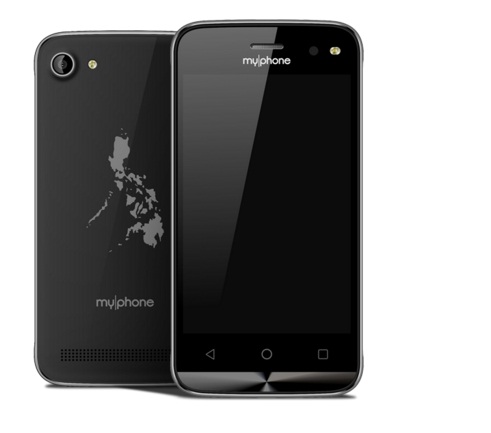
How to flash stock rom Myphone My28s and openline using PC
Download linkz..
1.FirmwareMy28s:
http://adf.ly/1WxSqp
2. Upgrade Download Tool:
http://adf.ly/1WxRHX
3. SPRD NPI USBDriver:
http://adf.ly/1WxRKK
NOTE; 1st password: PM me sa Password
2nd password: Salamat po
Myphone My28s
How to flash stock rom Myphone My28s and openline using PC
Download linkz..
1.FirmwareMy28s:
http://adf.ly/1WxSqp
2. Upgrade Download Tool:
http://adf.ly/1WxRHX
3. SPRD NPI USBDriver:
http://adf.ly/1WxRKK
NOTE; 1st password: PM me sa Password
2nd password: Salamat po
HOW TO FLASH?
Open SPRD NPI USB Driver > Production Line Version >Choose "amd64" if you're using 64 bits * choose x86 if you're using 32 bits (After this steps install the driver that compatible in your PC)
Open Upgrade Download (You can locate it in the SPRD Upgrade Tool Folder)
After you open Upgrade Download, Click LOAD PACKET
Then find the extracted folder ofMyPhone_My28s_Openline_Firmware_v1 and click the pac file (Wait for a few seconds until the pac file will load)
After the pac file will load, click the START DOWNLOADING (Parang Arrow)
REMOVE your battery and insert it back
Hold Vol + and Vol - together, then connect the USB Cable into the PC.
If you can see "IN PROGRESS" in the Upgrade Download Tool, you can release the Vol + & -
It will flash and just wait for a few minutes (It takes 3 - 5 minutes, so be patience)
When the flashing is "PASSED" It means you made it

Remove your device in PC.
Remove Battery and Insert it Back
Go to RECOVERY MODE (Hold Power Button + Volume UP, Dapat una mo ma hold yung power button then hold mo din agad yung volume up. Take note, dapat nka hold na power at yung volume up sa hindi pa lalabas yung mapa or hindi pa mag vibrate yung device mo)
Do a Wipe Data/Factory Reset (After wiping, please REBOOT your device)
Wait 5-10 minutes to boot your device. (1st time boot, matagal talaga pero 2nd time and so on hindi na)
*Then if you're in SYSTEM now, may Kingroot na yan na naka install (Pre-Rooted kasi yung firmware kaya may root access kana agad. Open mo lang yung Kingroot, pwede ka na din mag debloat ng apps)
Salamat sa...
oiginal..CREDITS to all Team28Devs


