What's new
PinoyTechnician

This is a sample guest message. Register a free account today to become a member! Once signed in, you'll be able to participate on this site by adding your own topics and posts, as well as connect with other members through your own private inbox!

N900 Hang And Restart Procedure with Files Done

lotero

Registered
Joined
Jun 12, 2014
Messages
142
Reaction score
6
Points
1
RX-51 NOKIA N900 NOKIA LOGO THEN RESTART
GANITO LANG SIYA TAPOS MAYA KONTI MAMATAY RESTART AGAIN

FIRMWARE AT FLASHER:
CLICK ME...N900 Flasher Tool
PROCEDURE:
FOR XP>START>RUN>THEN type CMD hit enter
I PASTE PO ITO..
cd C:\Program Files\maemo\flasher-3.5
PAGKATAPOS ITO NAMAN..
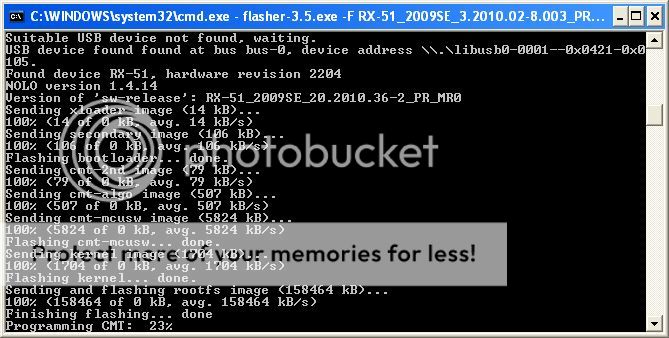
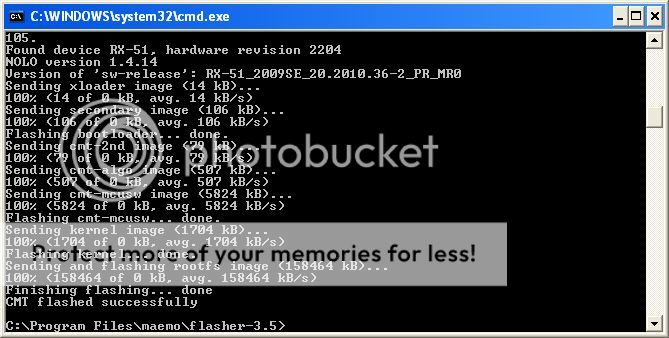
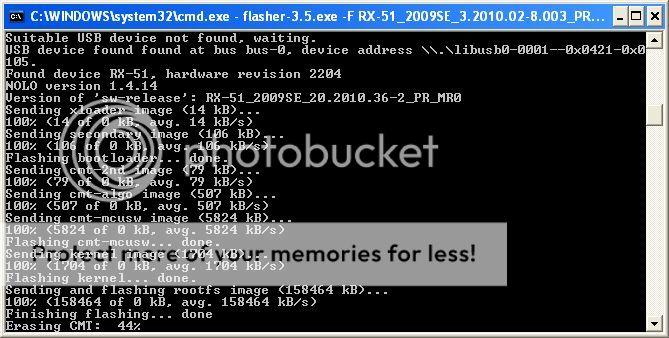
flasher-3.5.exe -F RX-51_2009SE_3.2010.02-8.003_PR_COMBINED_003_ARM.bin -f -R
HIT ENTER


add procedure
* Fully charge the battery.
* Unplug charger and switch off the device.
* Open the command prompt on XP. Start + Run. Type cmd and press Enter.
* Change directory to the flasher program

cd "c:\Program Files\maemo\flasher-3.5"

* Connect the USB cable while pressing ‘u’ key on the N900 (The detailed procedure of connecting the N900 is here).

Turn off Maemo device


1. Press and hold down key ‘u’
2. Connect USB cable between Maemo device and host PC while holding down key ‘u’
3. When USB cable gets connected it powers Maemo device and set’s it to flashing mode
4. When USB icon appears on right upper corner Maemo device is in flashing mode
5. You can release key ‘u’

* Run the following command:

flasher-3.5.exe -F RX-51_2009SE_1.2009.42-11_PR_COMBINED_MR0_ARM.bin -f -R

The update will take about 4 minutes after which the N900 will reboot and display the Welcome screen with Regional settings.
 
Back
Top