
Problem:
Power on after 2 seconds autoshut off
also cannot enter recovery mode
proceed to program via SD card kaso hindi pala maka recovery mode
proceed to flashing via fastboot
firmware download here Mirror3EX_11.A.07_OTA_INT_007_all_150324
also needed Minimal ADB and Fastboot download Here
install Minimal ADB and Fastboot
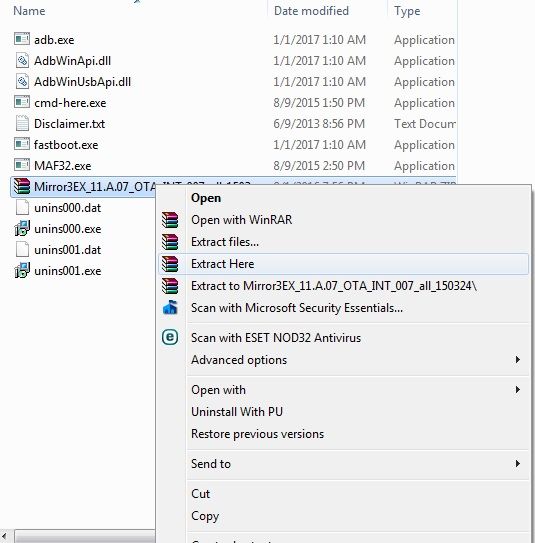
extract file inside Minimal ADB and fastboot
1. Power + volume up
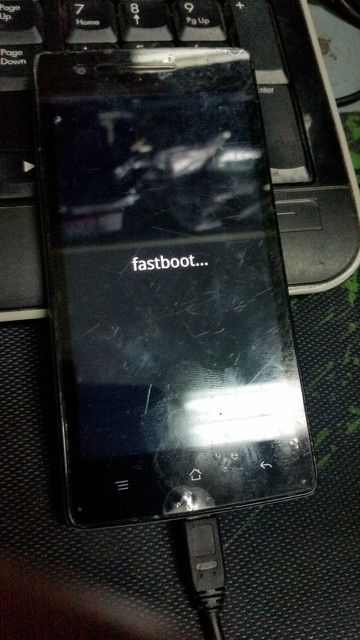
2. insert usb cable
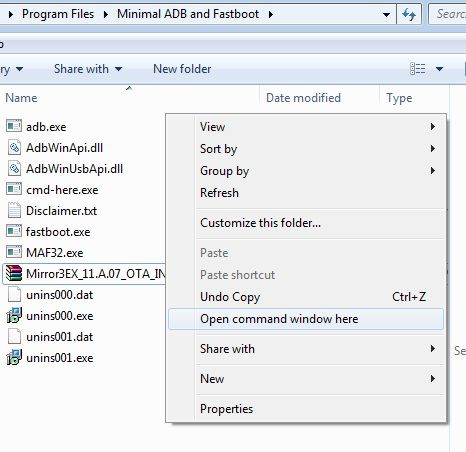
3. in Minimal ADB and Fastboot folder hold Shift then right click
select Open command window here
type this command
fastboot devices
Pag detected na type again mga command
type this command:
fastboot oem unlock
fastboot flash boot boot.img
fastboot flash aboot emmc_appsboot.mbn
fastboot flash modem NON-HLOS.bin
fastboot flash sbl1 sbl1.mbn
fastboot flash rpm rpm.mbn
fastboot flash tz tz.mbn
fastboot flash oppostanvbk static_nvbk.bin
fastboot flash LOGO logo.bin
fastboot flash reserve4 reserve4.img
fastboot reboot
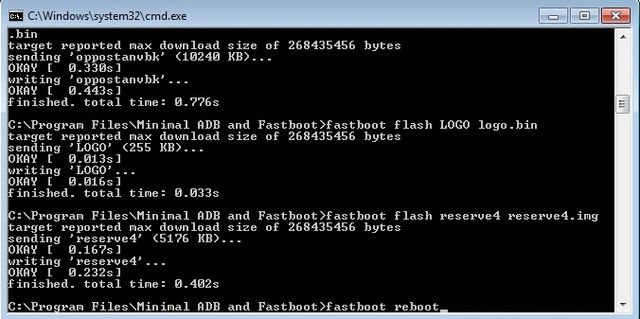
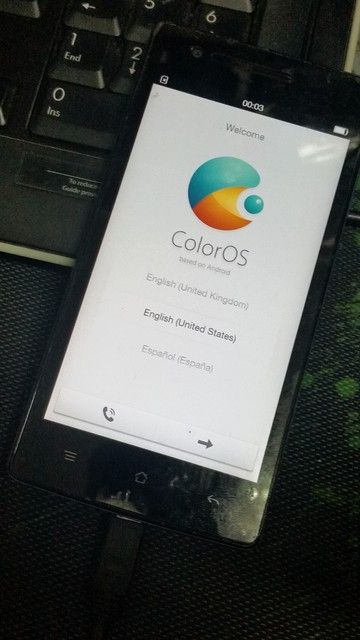
after unit reboot ito result
hindi nabura pero out of storage kaya proceed to format unit

Power off phone press volume - and power
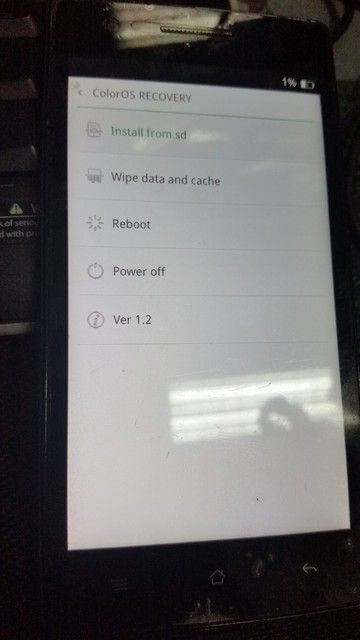
Done
Power on after 2 seconds autoshut off
also cannot enter recovery mode
proceed to program via SD card kaso hindi pala maka recovery mode
proceed to flashing via fastboot
firmware download here Mirror3EX_11.A.07_OTA_INT_007_all_150324
also needed Minimal ADB and Fastboot download Here
install Minimal ADB and Fastboot
extract file inside Minimal ADB and fastboot

1. Power + volume up

2. insert usb cable
3. in Minimal ADB and Fastboot folder hold Shift then right click
select Open command window here

type this command
fastboot devices
Pag detected na type again mga command
type this command:
fastboot oem unlock
fastboot flash boot boot.img
fastboot flash aboot emmc_appsboot.mbn
fastboot flash modem NON-HLOS.bin
fastboot flash sbl1 sbl1.mbn
fastboot flash rpm rpm.mbn
fastboot flash tz tz.mbn
fastboot flash oppostanvbk static_nvbk.bin
fastboot flash LOGO logo.bin
fastboot flash reserve4 reserve4.img
fastboot reboot

after unit reboot ito result
hindi nabura pero out of storage kaya proceed to format unit

Power off phone press volume - and power

Done


