What's new
PinoyTechnician

This is a sample guest message. Register a free account today to become a member! Once signed in, you'll be able to participate on this site by adding your own topics and posts, as well as connect with other members through your own private inbox!

oppo A37F FRP lock done BYPASS first in ant :)

reymz

Registered
Joined
Aug 4, 2014
Messages
1,594
Reaction score
100
Points
181
Location
wao lanao del sur
share kolng oppo a37f
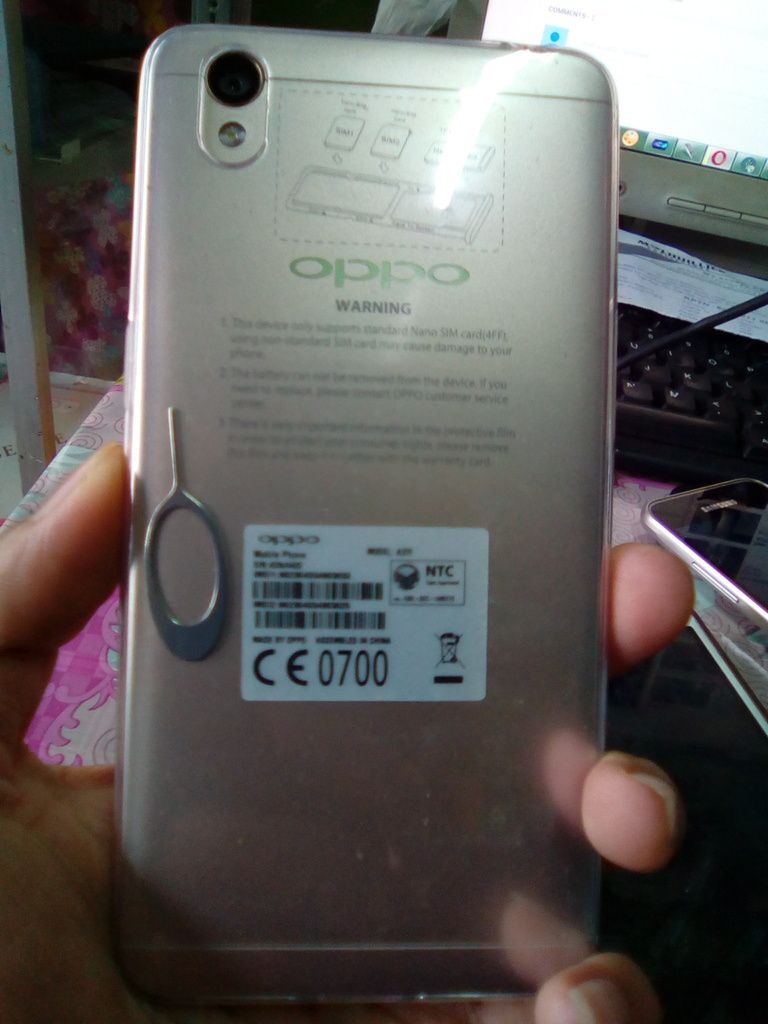
PROBLEM:FRP Lock
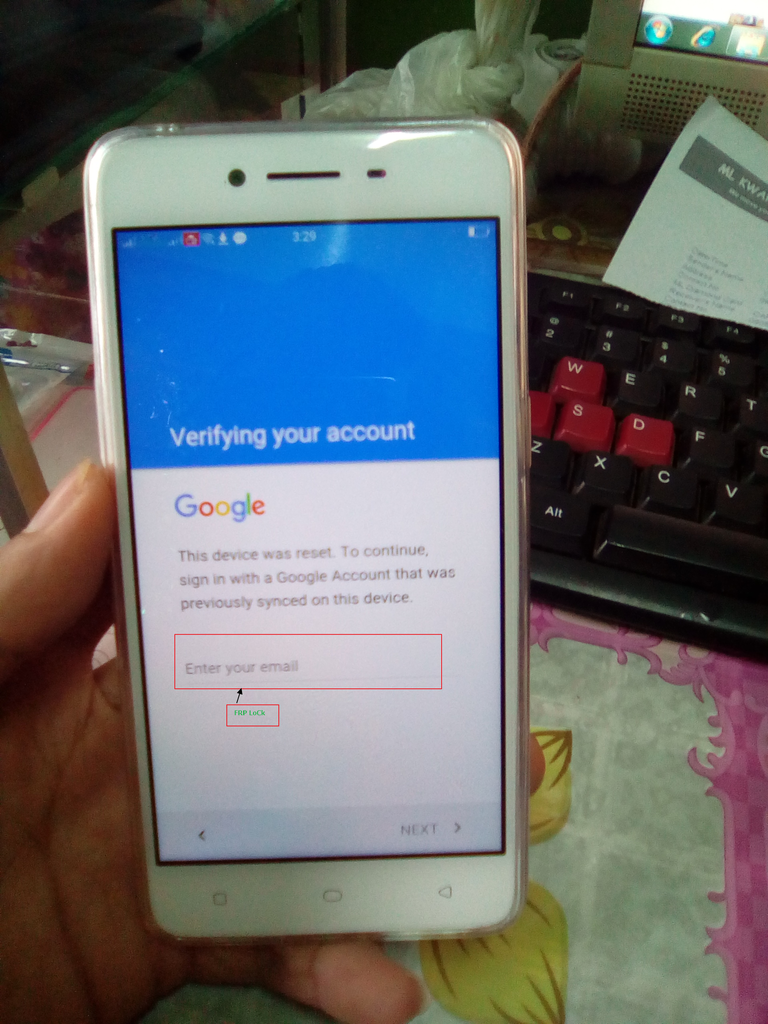
(history) nka pattern lng daw at pina warranty pinormat nmn ng taga OPPO
action taken you must not connected to any wifi :) kng nka connect po kayo disconnect nyo nlng
press:manually add a network
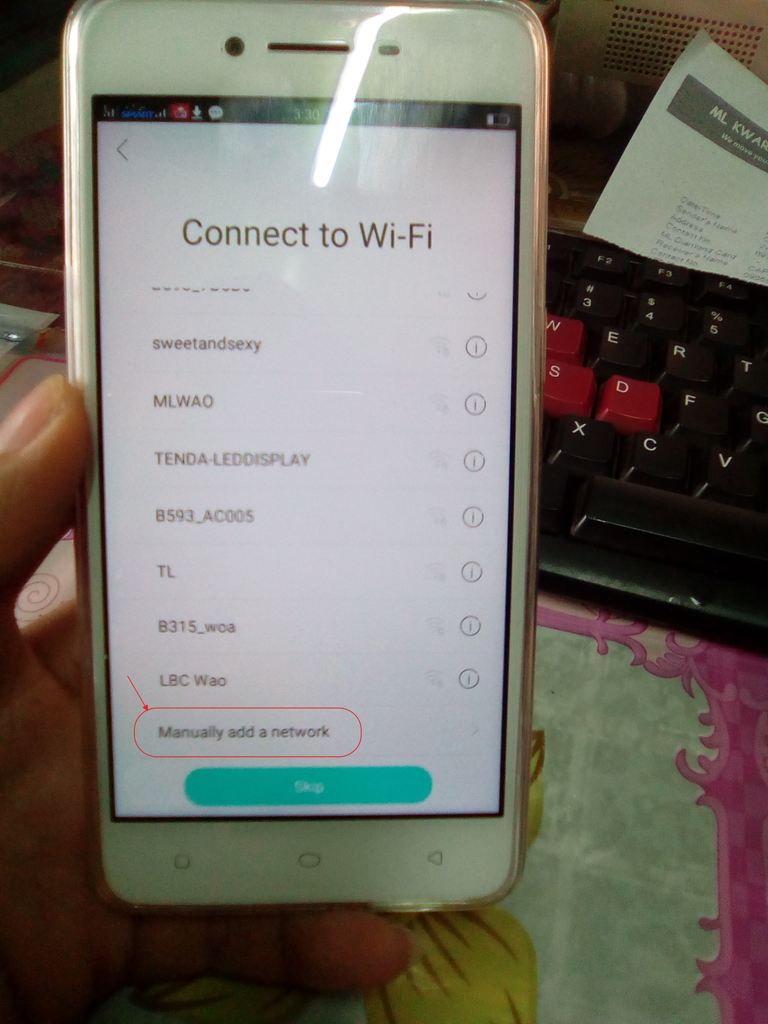
then in the name TYP anything then longpress select all
pop up well upper then pres search
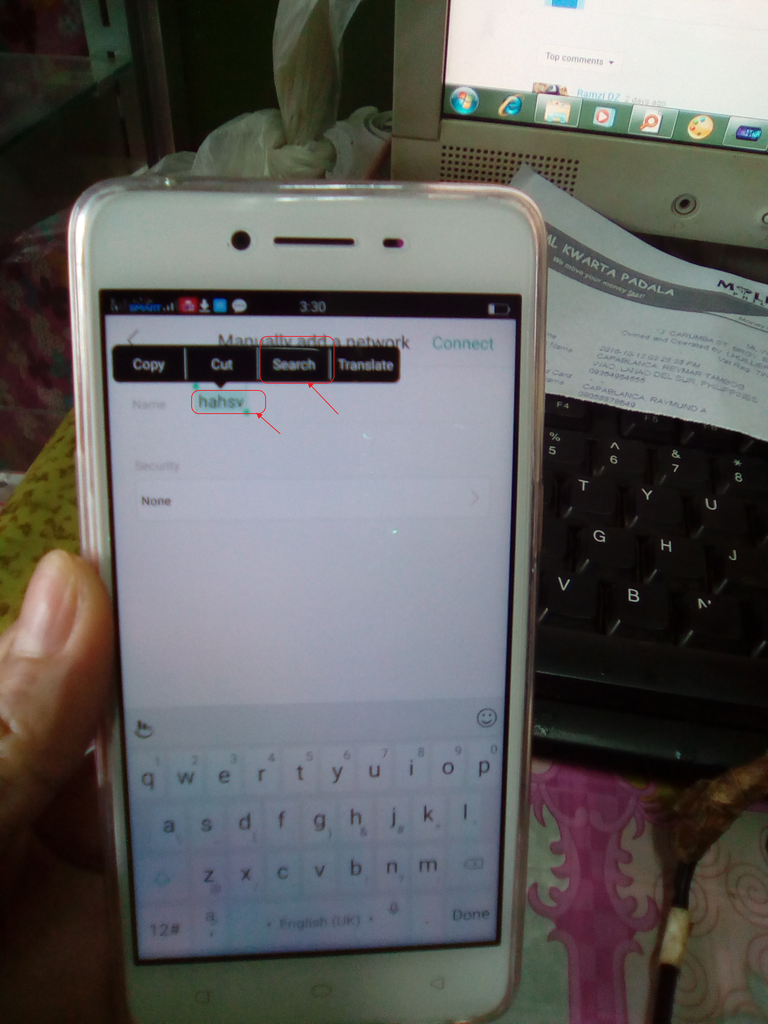
after press the seach lalabas po ang dalawang browser
press G sign na browser :)
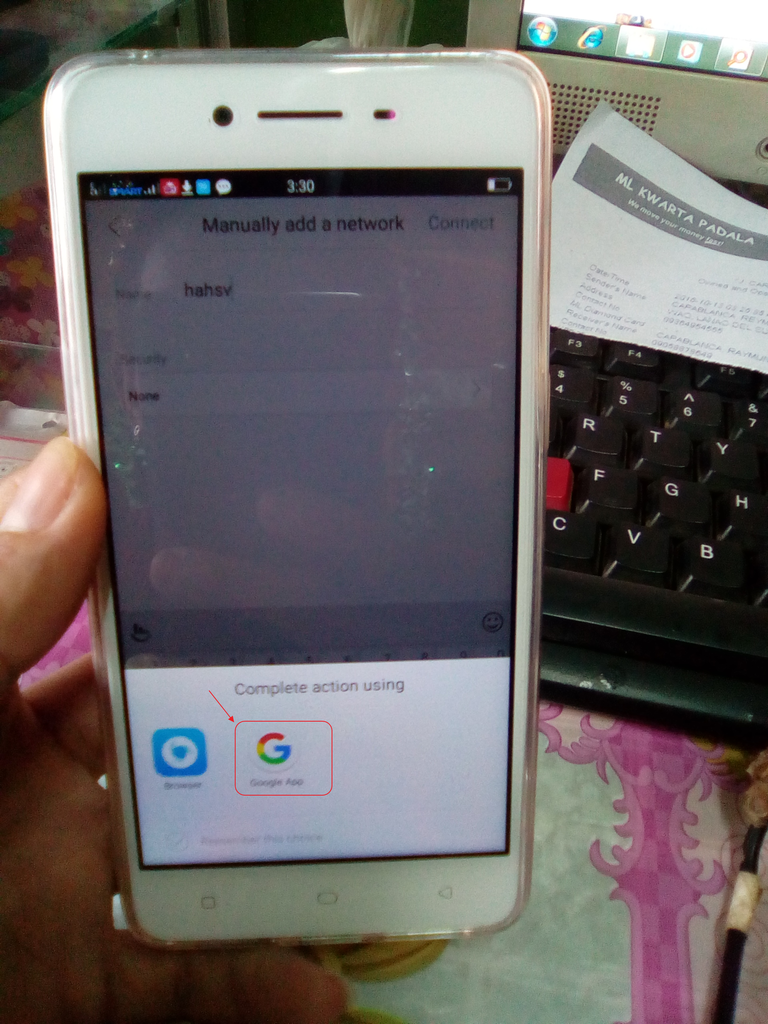
at lalabas ang seach tab e searh nyo nlng ang settings
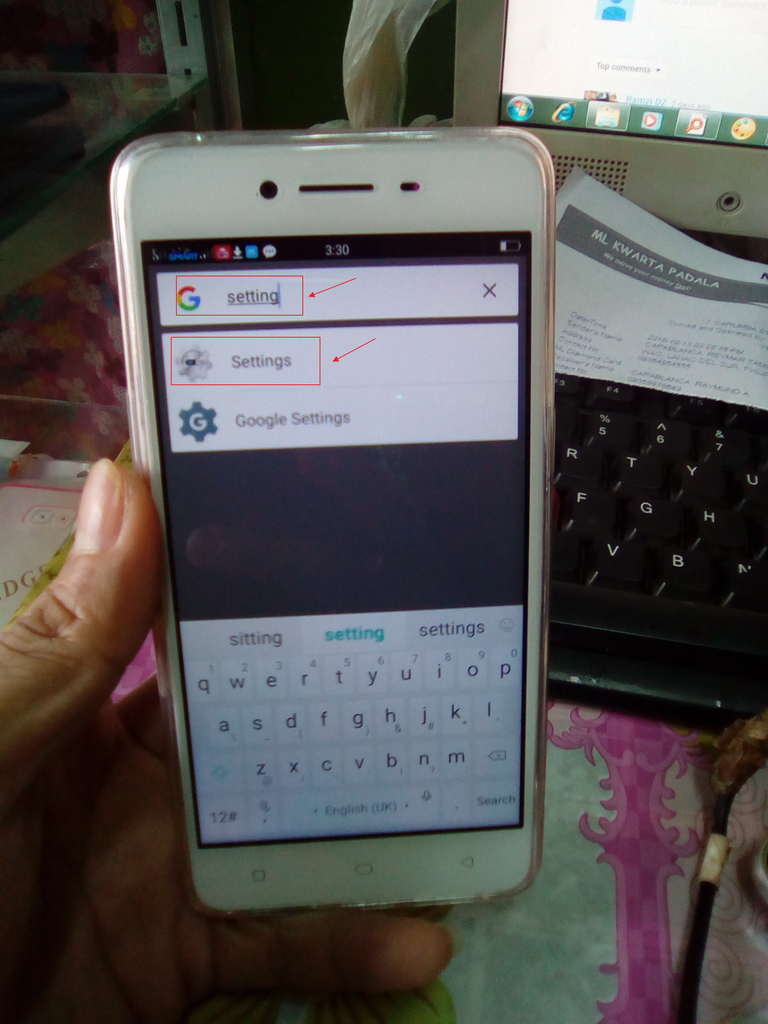
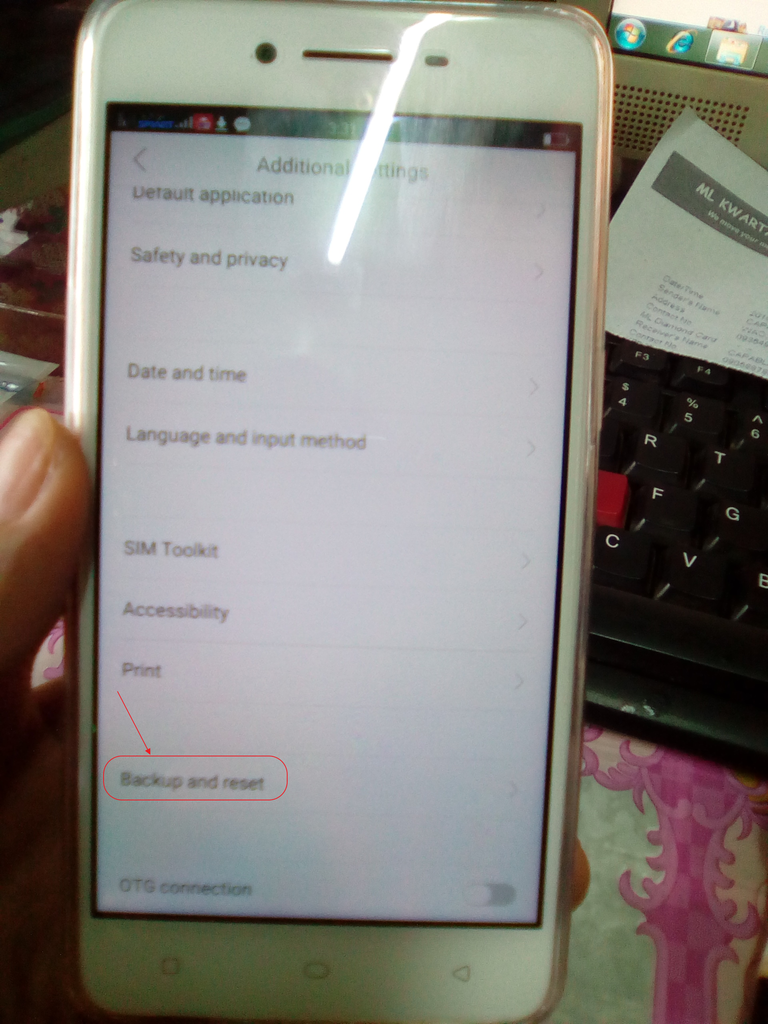
open settings then find additional setting :)
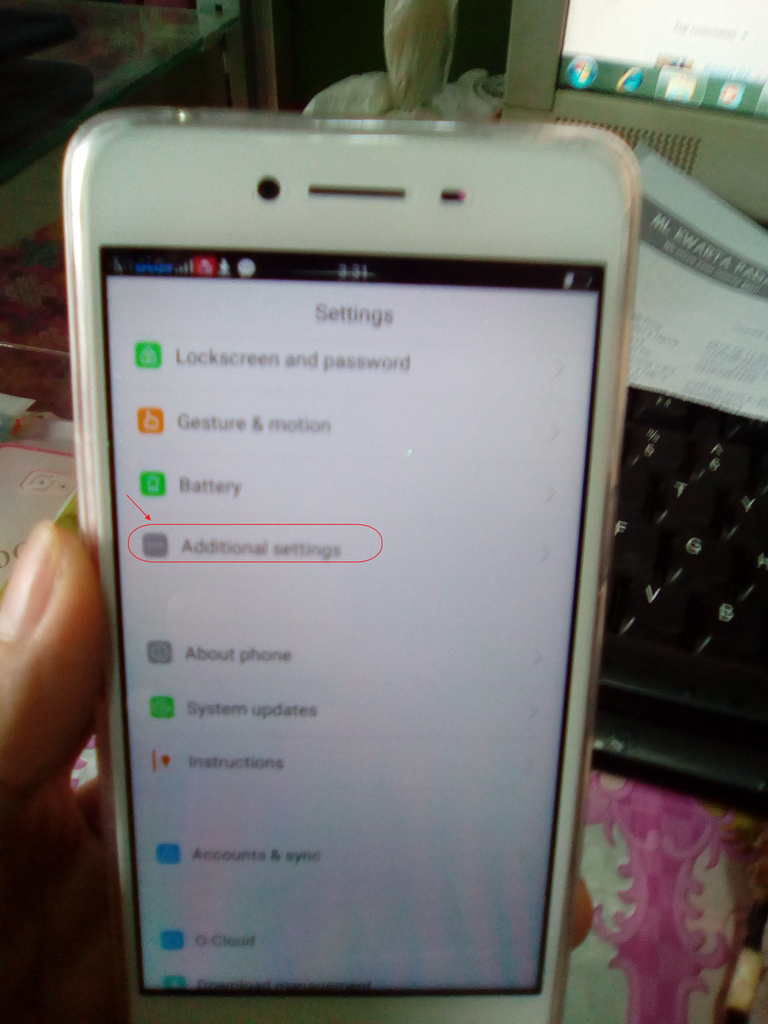
then back up & reset

then remove all content
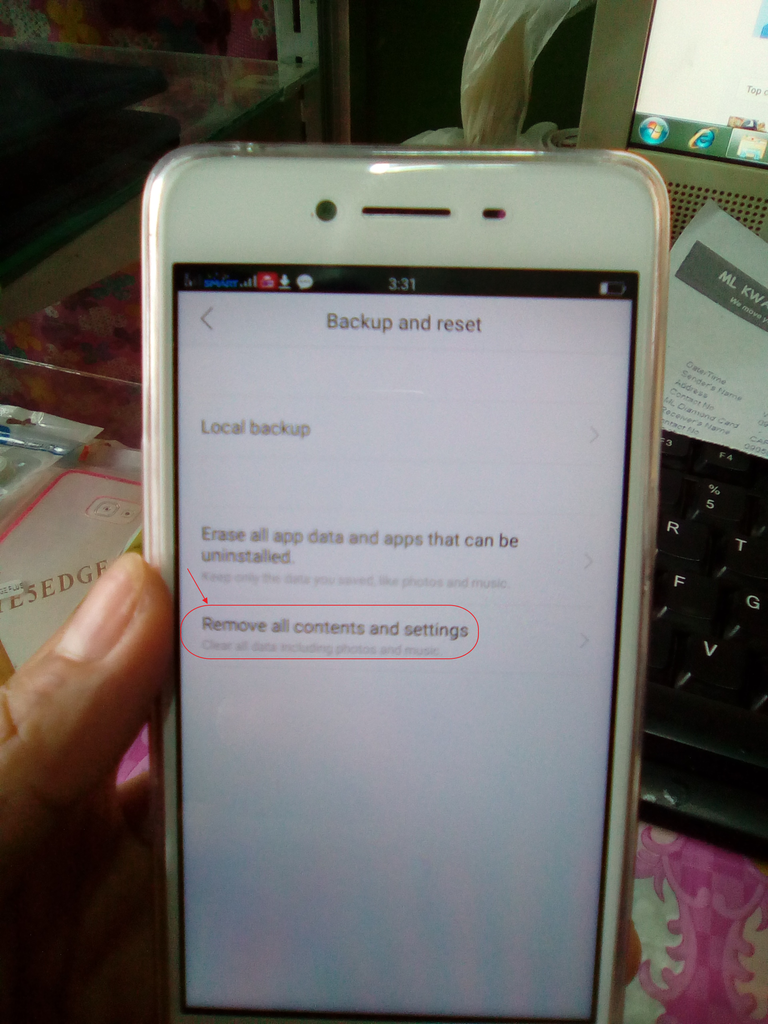

then OK
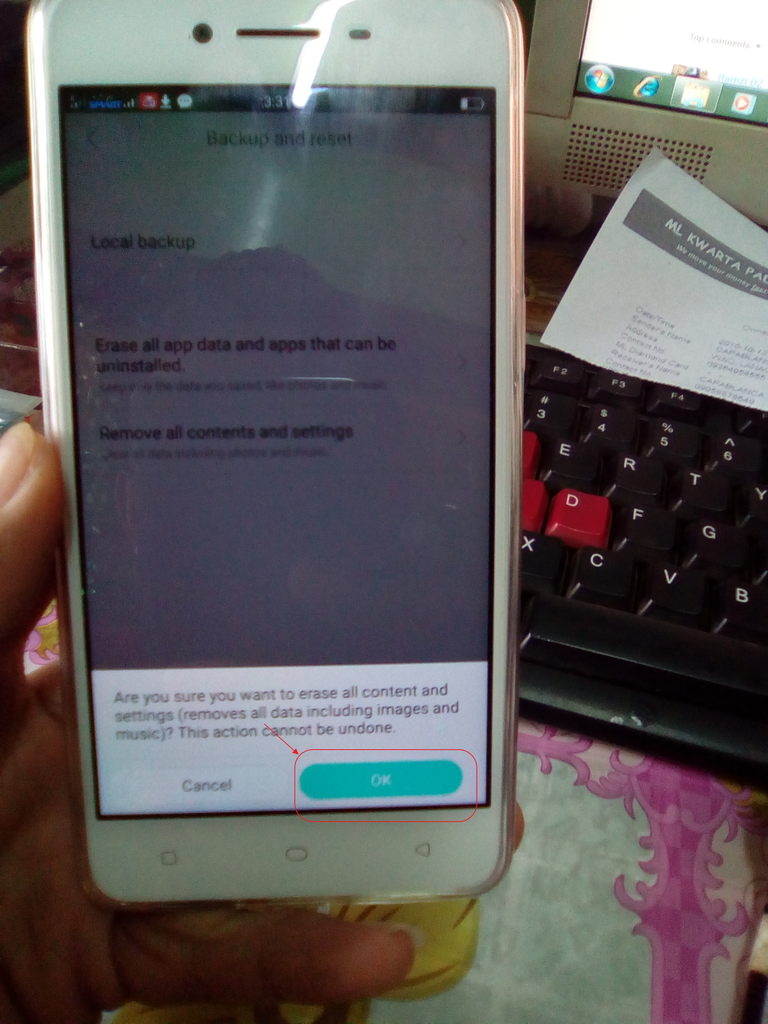
after press ok,,mg rerestart po ang phone then mg wipe hntayin lgn mg fulle boot c phone
then connect to wifi
now u can skip the google accoun,,,,,,,,,,,,,,
DONE
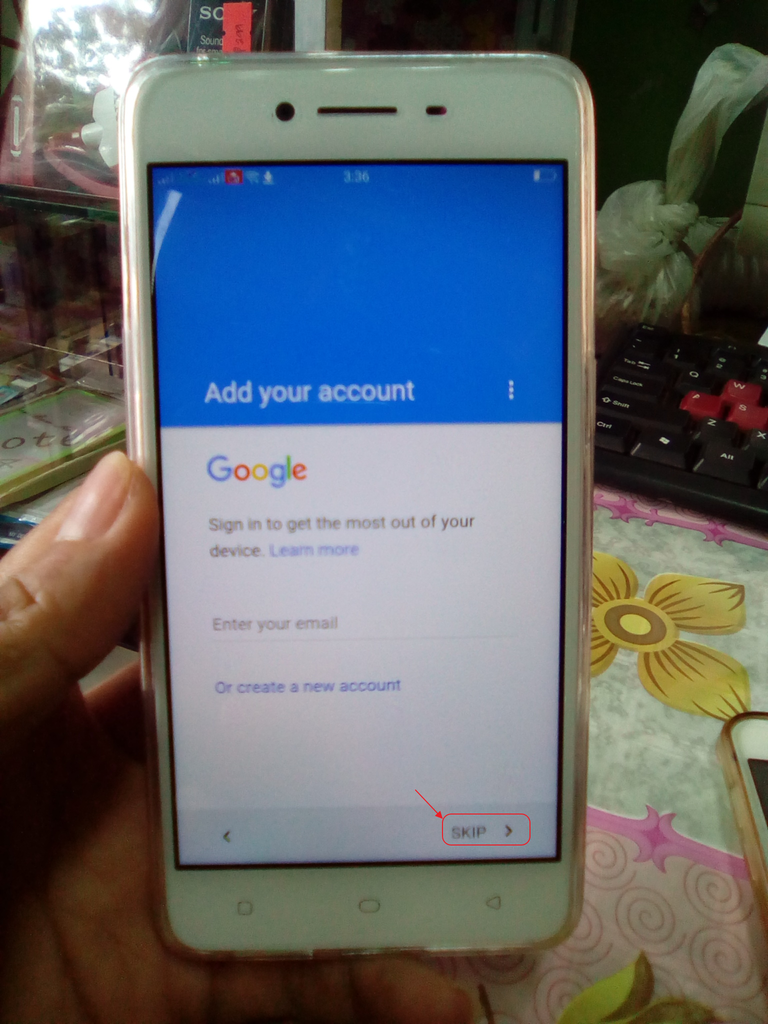
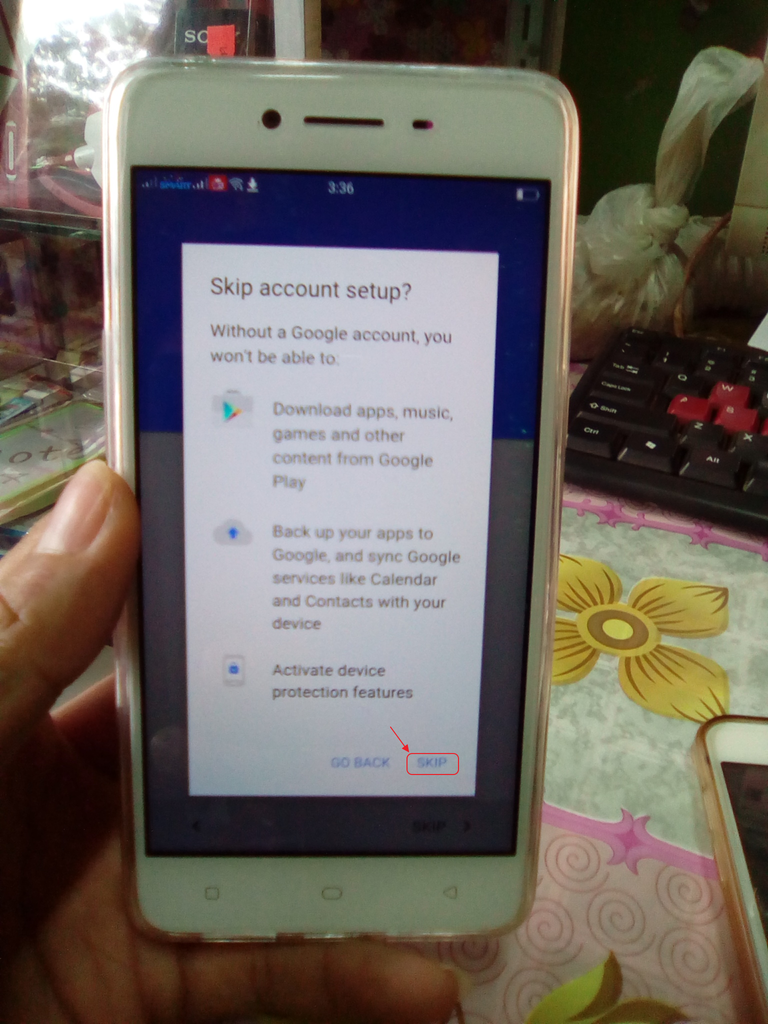


dandansoy :D
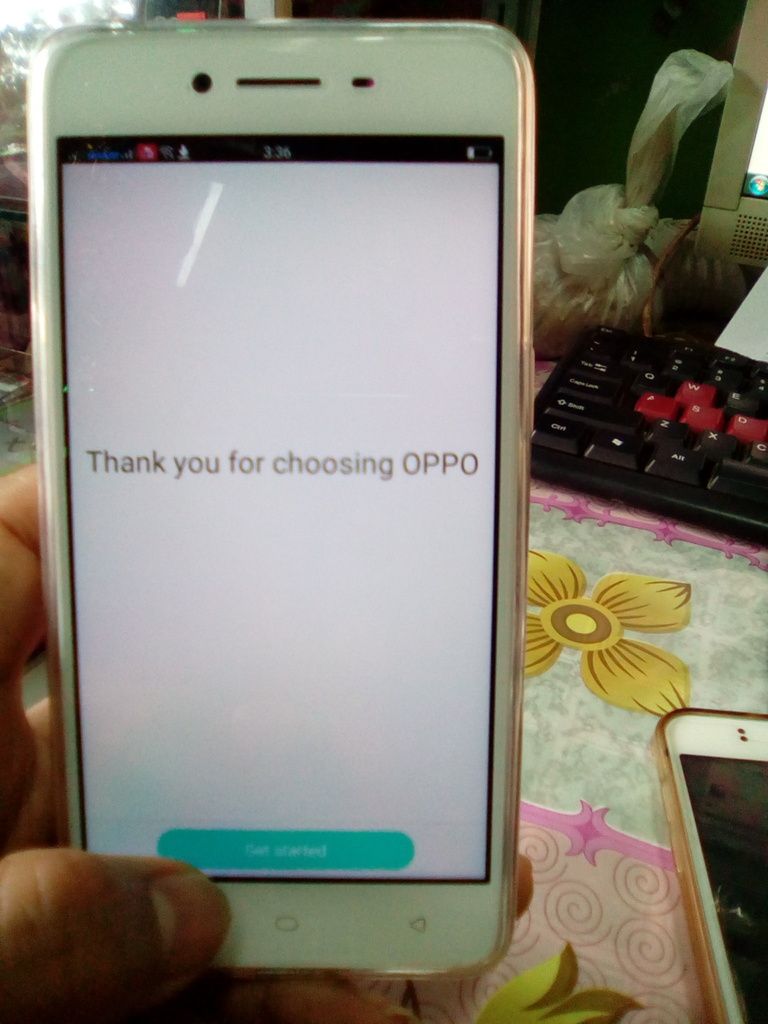


iAbot ang phone at kunin ang bayad nyaa,,
sana mkatulong mga ka langgam good day :D
 
thanks bossing,malaking tulong ito,,congratz..
 
than you po

salamat boss ang lupit mo talaga

thank you bos :)
nagawa ko in just 7 minutes nyaa,,,,,,
3:29 ng umpisa time ng phone :D
natapos 3:36

kayo na bhala sa price bstat wag lng dump :D

thank you than you mga ka langgam love you all :D
 
boss thnks,,,,,,,,its big help for all
 
yon oh maliwanag na thread..

maraming salamat sa idea boss na binahagi mo..
 
maraming salamat boss sa pag bahagi mo.....................
 
share kolng oppo a37f

PROBLEM:FRP Lock

(history) nka pattern lng daw at pina warranty pinormat nmn ng taga OPPO
action taken you must not connected to any wifi :) kng nka connect po kayo disconnect nyo nlng
press:manually add a network

then in the name TYP anything then longpress select all
pop up well upper then pres search

after press the seach lalabas po ang dalawang browser
press G sign na browser :)

at lalabas ang seach tab e searh nyo nlng ang settings

open settings then find additional setting :)

then back up & reset

then remove all content


then OK

after press ok,,mg rerestart po ang phone then mg wipe hntayin lgn mg fulle boot c phone
then connect to wifi
now u can skip the google accoun,,,,,,,,,,,,,,
DONE


dandansoy :D
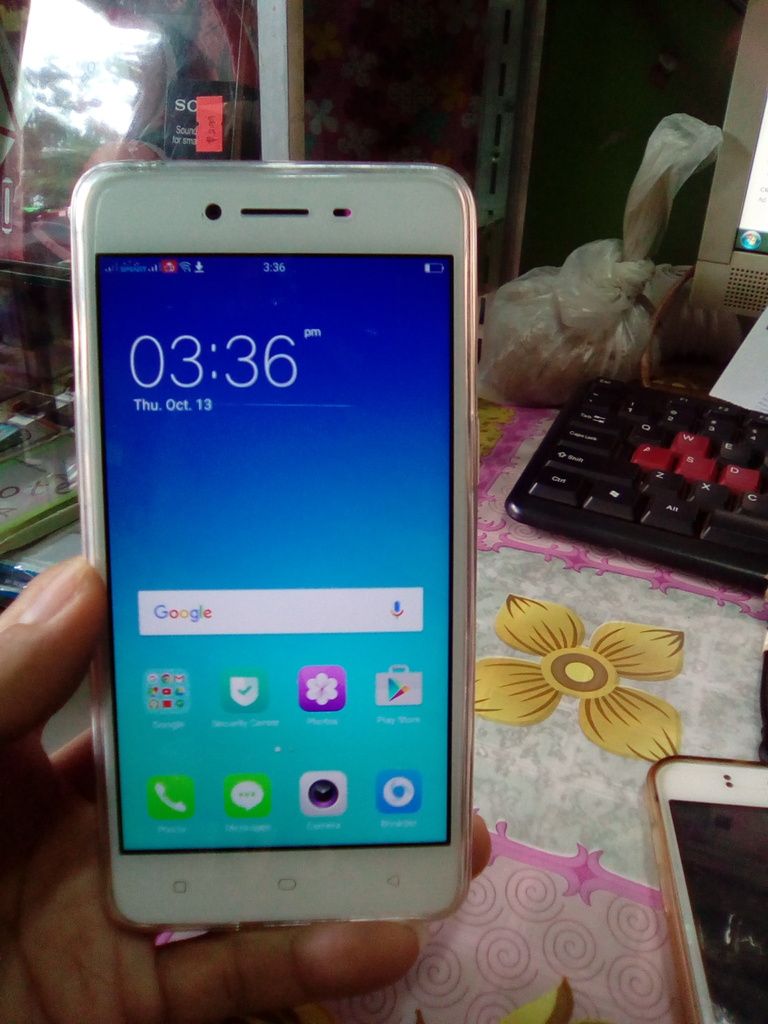


iAbot ang phone at kunin ang bayad nyaa,,
sana mkatulong mga ka langgam good day :D

salamat po boss tested..
 
congrats boss...btw boss may tanggap ako nyan openline...galing singapore may pang unlock ba tayu ???about this unit???
 
rvg6qq.jpg
 
salamot boss kaka gawa ko lang tested kanina ko pa ina ayos buti nakita ko tong tread na to mag isang oras hehehe salamat talaga boss usefull tread
 
galing mo boss Reymz... salamat nito boss... dagdag power samin to :) :-bd
 
good job boss thanks sa tips & tricks.... ang linaw ng step by step... galing mo talaga..
 
ang galing mu boss tested tlaga :)
salamat dito boss :)
 
ang galing mo bossing maraming salamat po
 
thank you po mga bos dami pla tnx button ng thread kong ito sarp pa oori slamt sa inyo mga bos :)
 
isang kagila gilalas na pamamaraan na naman ang ginamit ni mod reymz.salamat po sa malinaw na reference boss.god bless po
 
galing talaga ni master reymz!......,
 
salamat dito mod reymz tested 1000% kagagawa ko lang hehehe
 
ayos kaka gawa ko lng ok na oppo google account ko
salamat sa tut mo boss
 
Back
Top