
Issue: Failing switch
Procedure:
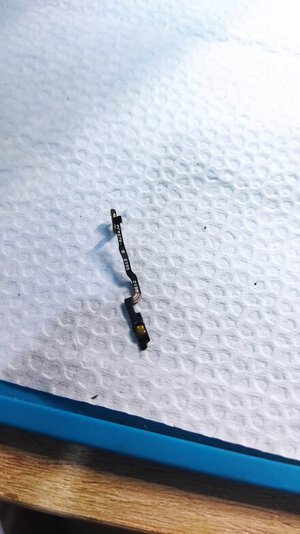
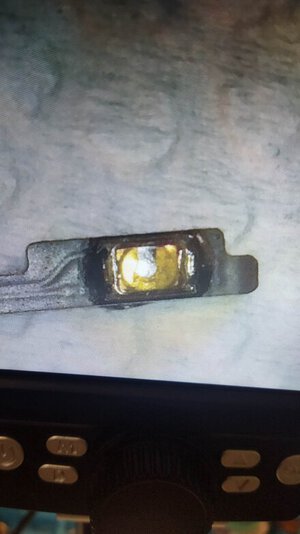
1. Check if the power switch button has signs of damage. (visual inspection)
2. Test using continuity mode in multimeter. Kung ok pero pumapalya minsan remove the button using hot plate.
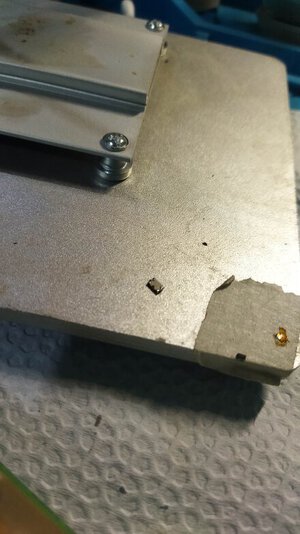
a. Apply flux on the button and prepare the hot plate o kahit ung part ng soldering iron. Mga 200 to 220 cguro na heat. Tantyahin nyo n lang wag lang sobrang init. Manipis lang kc un para iwas disgrasya. Ipatong nyo ung flex sa plate ung part lang na may metal sa ilalim. Pag lumambot na alisin using tweezers ung button.
3. Linisin ng PCB cleaner.
4. Lagyan ng bagong solder tin un pads.
5. Apply flux
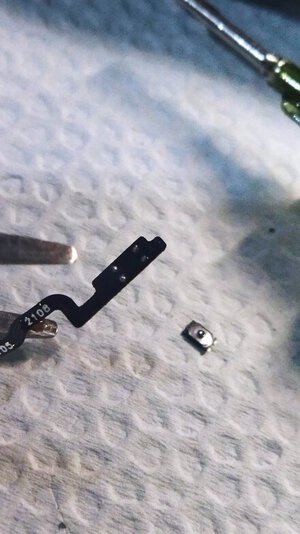
6. Patong ung bagong switch at ilagay ulit sa hot plate.
7. Linisin ng PCB cleaner.
8. Continuity test ulit.
9. Done.
Sana makatulong sa mga newbie na kagaya ko! Basic lang to sa iba eh. hehe!
Procedure:
1. Check if the power switch button has signs of damage. (visual inspection)
2. Test using continuity mode in multimeter. Kung ok pero pumapalya minsan remove the button using hot plate.
a. Apply flux on the button and prepare the hot plate o kahit ung part ng soldering iron. Mga 200 to 220 cguro na heat. Tantyahin nyo n lang wag lang sobrang init. Manipis lang kc un para iwas disgrasya. Ipatong nyo ung flex sa plate ung part lang na may metal sa ilalim. Pag lumambot na alisin using tweezers ung button.
3. Linisin ng PCB cleaner.
4. Lagyan ng bagong solder tin un pads.
5. Apply flux
6. Patong ung bagong switch at ilagay ulit sa hot plate.
7. Linisin ng PCB cleaner.
8. Continuity test ulit.
9. Done.
Sana makatulong sa mga newbie na kagaya ko! Basic lang to sa iba eh. hehe!
Attachments
-
 327518627_517823377005969_714892887117557199_n.jpg59.3 KB · Views: 14
 -
 326081365_708255000963212_2132236159764167765_n.jpg43.8 KB · Views: 15
 -
 326827684_720495186347371_4399747130961951947_n.jpg61.8 KB · Views: 15
 -
 327459750_2838352522967975_1991071131498474294_n.jpg62.2 KB · Views: 15
 -
 327213100_1322027201925334_6873913755108042228_n.jpg70.5 KB · Views: 15