
Unit: Realme 8i RMX3151
History/Problem: FRP/Password Locked
Action Taken: Reset via Unlock Tool
Procedure:
Open unlock tool
Select OPPO on tab
Choose Realme 8i 5G RMX2205 5G-MT6781
Click [BROM] FACTORY RESET + FRP
Power off the phone then press and hold volume up and down
Connect the phone to pc, make sure you installed drivers before the process.
Wait until done.
Kapag nag on ang unit, mapupunta ito sa recovery mode. Factory Reset nyo lang at type yung code sa pagreset. Wait nyo lang hanggang magreboot muli ang phone at tapos na, maari nyo nang setup sa menu.
Screenshot:
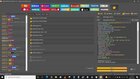
Pasensya na po di ko nakuhanan ang unit, nagmamadali ang may ari. Salamat sa pag view, sana makatulong sa inyo.
-BR malapot™
History/Problem: FRP/Password Locked
Action Taken: Reset via Unlock Tool
Procedure:
Open unlock tool
Select OPPO on tab
Choose Realme 8i 5G RMX2205 5G-MT6781
Click [BROM] FACTORY RESET + FRP
Power off the phone then press and hold volume up and down
Connect the phone to pc, make sure you installed drivers before the process.
Wait until done.
Kapag nag on ang unit, mapupunta ito sa recovery mode. Factory Reset nyo lang at type yung code sa pagreset. Wait nyo lang hanggang magreboot muli ang phone at tapos na, maari nyo nang setup sa menu.
Screenshot:
Pasensya na po di ko nakuhanan ang unit, nagmamadali ang may ari. Salamat sa pag view, sana makatulong sa inyo.
-BR malapot™
Last edited by a moderator: