REFERENCE realme c21y password remove via unlocktool

gerry_tech

Registered
Joined
Jan 14, 2022
Messages
21
Reaction score
12
Points
1
Location
Tagum City
realme c21y (rmx3261)
password remove via unlocktool

procedure:

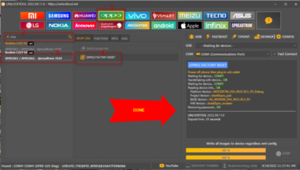
STEP 1 open unlocktool
STEP 2 click oppo
STEP 3 select model realme c21y v2
RMX3261 / RMX3262 - Spreadtrum T610
STEP 4 click [SPRD] FACTORY RESET
STEP 5 off ang unit then salpak usb wait until done no bootkey seconds only
STEP 6 pag may frp dial lang sa emergency call *#813#

ito yung link: https://postimg.cc/gallery/zHqFMdz
 
tested po

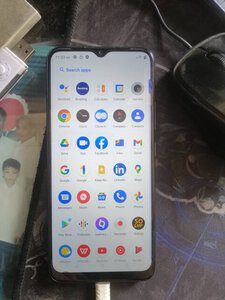
306787900_1852582308407503_6015354488735919821_n.jpg

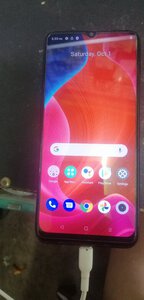
9-18-2022 11-17-50 AM.png

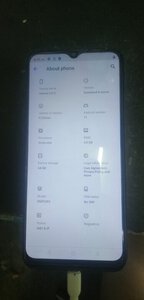
306626244_419552526932714_5024933797525899210_n.jpg

salamat po sa pag bahagi
 
realme c21y (rmx3261)
password remove via unlocktool

procedure:

STEP 1 open unlocktool
STEP 2 click oppo
STEP 3 select model realme c21y v2
RMX3261 / RMX3262 - Spreadtrum T610
STEP 4 click [SPRD] FACTORY RESET
STEP 5 off ang unit then salpak usb wait until done no bootkey seconds only
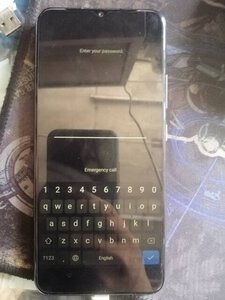
STEP 6 pag may frp dial lang sa emergency call *#813#

ito yung link: https://postimg.cc/gallery/zHqFMdz
salamat sa pag share boss
 
realme c21y (rmx3261)
password remove via unlocktool

procedure:

STEP 1 open unlocktool
STEP 2 click oppo
STEP 3 select model realme c21y v2
RMX3261 / RMX3262 - Spreadtrum T610
STEP 4 click [SPRD] FACTORY RESET
STEP 5 off ang unit then salpak usb wait until done no bootkey seconds only
STEP 6 pag may frp dial lang sa emergency call *#813#

ito yung link: https://postimg.cc/gallery/zHqFMdz
paki lagay ng tamang image sir
 
Who read this thread (Total readers: 0)
No registered users viewing this thread.
Back
Top