- Joined
- Dec 10, 2017
- Messages
- 270
- Reaction score
- 176
- Points
- 201
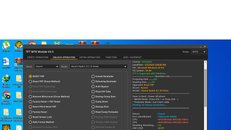
Redmi 10 FRP reset via Tft Module 3.5
Operation:
1.Phone must be off and atleast charged at 50%
2.Open Tft Module select model Redmi 10/Redmi 10 Prime
3.Select FRP reset and click start
4.Hold Volume + - and insert USB type C cable and wait to load the mtk driver.
5.After reset successfully.
Disconnect Cable and Manually reboot.
Setup phone to home screen.Injoy!


Operation:
1.Phone must be off and atleast charged at 50%
2.Open Tft Module select model Redmi 10/Redmi 10 Prime
3.Select FRP reset and click start
4.Hold Volume + - and insert USB type C cable and wait to load the mtk driver.
5.After reset successfully.
Disconnect Cable and Manually reboot.
Setup phone to home screen.Injoy!