
Hi
Unit : Xiaomi
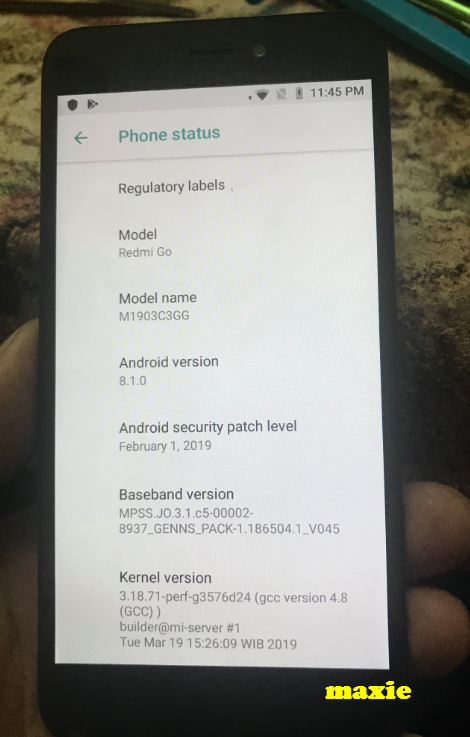
Model : Redmi Go M1903C3GG
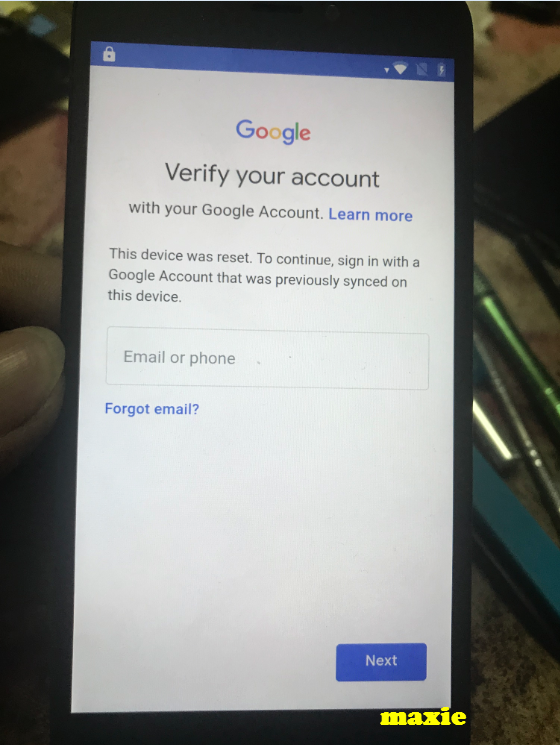
Problem : Hung on Fasboot mode and FRP
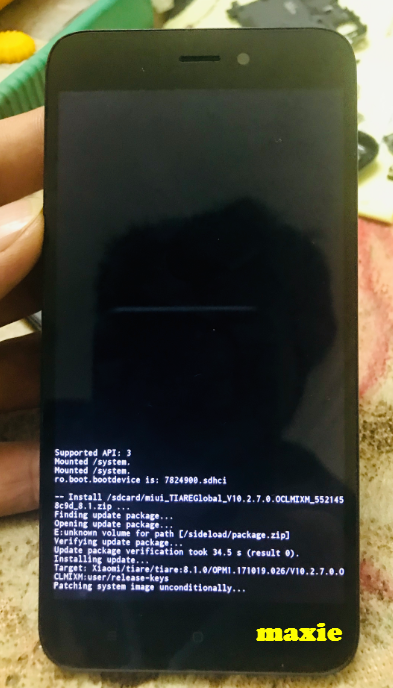
Solution : Flash Via SD card
Steps :
FRP:
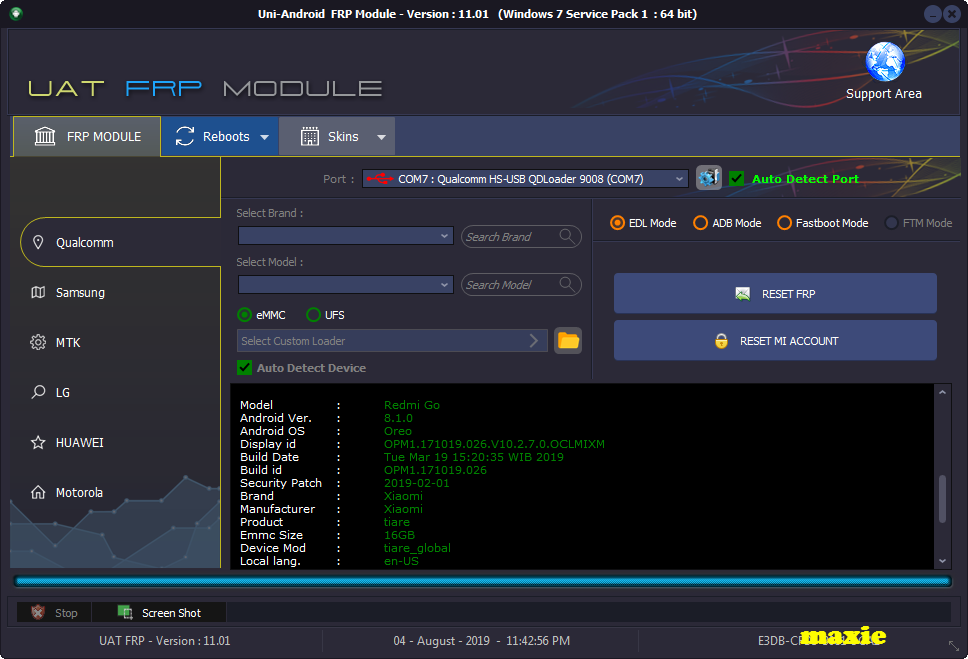
Logs
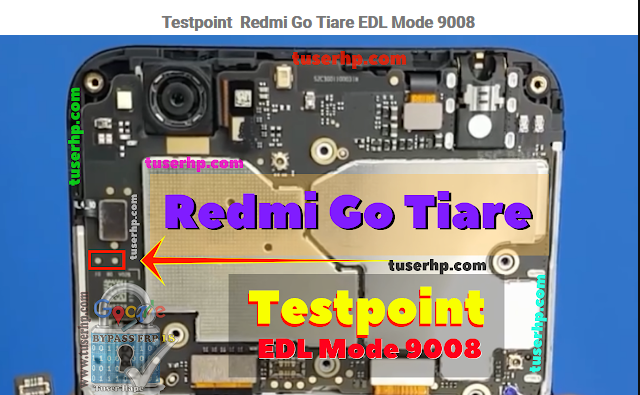
Picture and Test point below
sa susunod na naman mga folks
Hit likes lang ayus na
Download Link : https://mega.nz/#!eFMxDQwJ
Key : ??? alam nyo na gagawin nyo
Unit : Xiaomi
Model : Redmi Go M1903C3GG
Problem : Hung on Fasboot mode and FRP
Solution : Flash Via SD card
Steps :
- Download the file below
- Copy and paste into you SD card
- inset into phone
- Press and Vol "+" and Power
- After boot up of MI logo Release the Power and continue Pressing the Vol "+" untill goes to Recovery mode
- Select update visa SD CARD
- wait until the process has been finish
- Done
FRP:
- Open the back cover and do the test point
- Remove battery
- Connect test point
- Connect Battery
- Connect Cable
- Connectivity Must Qualcomm HS-USB QDloader 9008 if not install driver
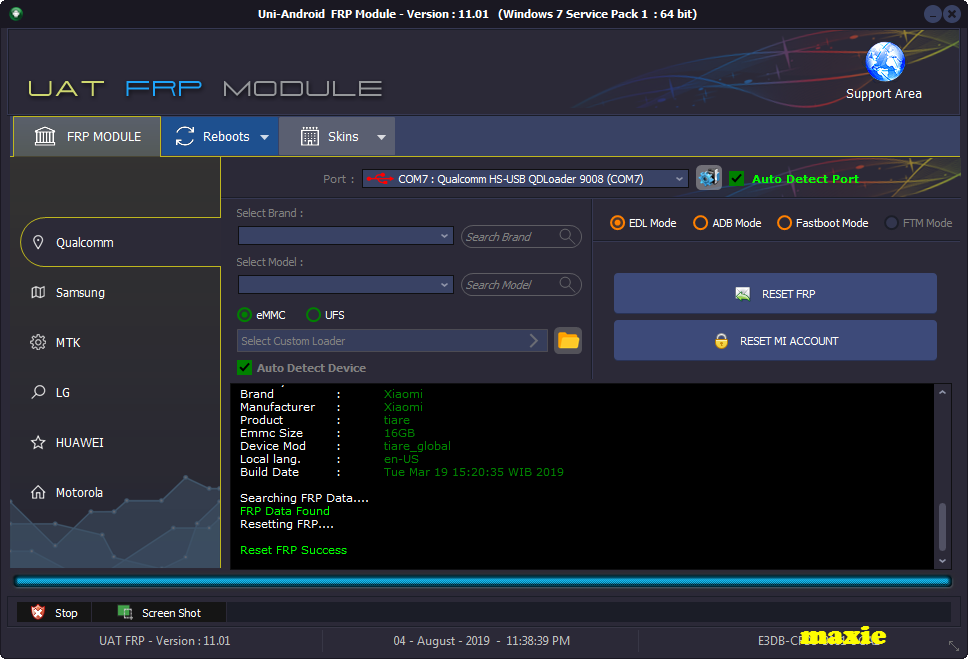
- Click Reset FRP
- DOne
Logs
Searching Device ...
Device on Port : [COM7]
Analyzing Please wait ...
HW_ID : 0001E065000
BLOCK_ID_S : EB174AFD
BLOCK_ID_H : 02603RNS6369Q23SQ7O8650RPR9QO63N
BLOCK_ID_H : 362N53NP119N0237N470S8SS3958Q84N
Executing Boot Please wait... Done
Reading Partition Table...
Read Partition Table Success.
number of Partations 48
MEM_TYPE : eMMC
Max_Bytes : 4096
Max_XML_Size : 4096
Target_Name : [MSM 8917]
Reading Device Information.
Model : Redmi Go
Android Ver. : 8.1.0
Android OS : Oreo
Display id : OPM1.171019.026.V10.2.7.0.OCLMIXM
Build Date : Tue Mar 19 15:20:35 WIB 2019
Build id : OPM1.171019.026
Security Patch : 2019-02-01
Brand : Xiaomi
Manufacturer : Xiaomi
Product : tiare
Emmc Size : 16GB
Device Mod : tiare_global
Local lang. : en-US
Build Date : Tue Mar 19 15:20:35 WIB 2019
Searching FRP Data....
FRP Data Found
Resetting FRP....
Reset FRP Success
Device on Port : [COM7]
Analyzing Please wait ...
HW_ID : 0001E065000
BLOCK_ID_S : EB174AFD
BLOCK_ID_H : 02603RNS6369Q23SQ7O8650RPR9QO63N
BLOCK_ID_H : 362N53NP119N0237N470S8SS3958Q84N
Executing Boot Please wait... Done
Reading Partition Table...
Read Partition Table Success.
number of Partations 48
MEM_TYPE : eMMC
Max_Bytes : 4096
Max_XML_Size : 4096
Target_Name : [MSM 8917]
Reading Device Information.
Model : Redmi Go
Android Ver. : 8.1.0
Android OS : Oreo
Display id : OPM1.171019.026.V10.2.7.0.OCLMIXM
Build Date : Tue Mar 19 15:20:35 WIB 2019
Build id : OPM1.171019.026
Security Patch : 2019-02-01
Brand : Xiaomi
Manufacturer : Xiaomi
Product : tiare
Emmc Size : 16GB
Device Mod : tiare_global
Local lang. : en-US
Build Date : Tue Mar 19 15:20:35 WIB 2019
Searching FRP Data....
FRP Data Found
Resetting FRP....
Reset FRP Success
Picture and Test point below
sa susunod na naman mga folks
Hit likes lang ayus na
Download Link : https://mega.nz/#!eFMxDQwJ
Key : ??? alam nyo na gagawin nyo
Last edited:
