china to global rom, hays nahirapan ako kala ko madali! napansin ko sa mtk saglit lang pero pag qualcomm/snapdragon, maproseso pala
Eto na procedure, summarized lang to mga lodi, alam ko naman marami na nakakalam nito, share ko lang para sa mga indi pa alam. pero make sure dapat malikot na din isisp nyo ha sa pagkalikot ng phone, dahil medyo pina igsi ko lang itong kwento ko, hehehhehe.
1. dl necessary files, drivers, unlock tool (important: don't downgrade, if you have a miui 11 flash it with higher version or else firmware will be corrupted)
2. sign in your miui account with data sim, wifi won't work
3. miui version click 7x ,turn on developer mode, switch oem unlock, check miui unlock status, check usb debug,
4. turn on data, then add account and device press agree, to see"added successfully mi account is associated with this device .
5. turn off phone
6.open mi flash unlock
7. sign in with your miui account
8. connect phone in fastboot mode
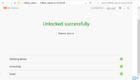
9. on mi unlock press unlock
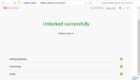
10. phone will reboot this means bootloader is unlock
11. wait for a while, phone was cleared so it will take a while to reboot, setup again phone
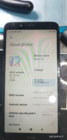
12.on phone double check if it is unlocked by viewing unlocking developer option, oem unlocking is greyed out, check mi unlock status if its unlocked, if ok, proceed to flashing global rom, i used unlock tool, i know you know how to used your unlock tool, and you're done!
for more details here's the link in youtube. credits to the uploader
https://www.youtube.com/watch?v=3iF8xT1CE6U&t=842s
TOOLS:
DRIVER ADB FASTBOOT:
https://adb.clockworkmod.com/
MI FLASHTOOL:
https://www.xiaomiflash.com/
MI FLASH UNLOCK TOOL:
https://en.miui.com/unlock/download_e...
PA like na lang po, first post ko po sa ant eh, salamat mga lodi!
Eto na procedure, summarized lang to mga lodi, alam ko naman marami na nakakalam nito, share ko lang para sa mga indi pa alam. pero make sure dapat malikot na din isisp nyo ha sa pagkalikot ng phone, dahil medyo pina igsi ko lang itong kwento ko, hehehhehe.
1. dl necessary files, drivers, unlock tool (important: don't downgrade, if you have a miui 11 flash it with higher version or else firmware will be corrupted)
2. sign in your miui account with data sim, wifi won't work
3. miui version click 7x ,turn on developer mode, switch oem unlock, check miui unlock status, check usb debug,
4. turn on data, then add account and device press agree, to see"added successfully mi account is associated with this device .
5. turn off phone
6.open mi flash unlock
7. sign in with your miui account
8. connect phone in fastboot mode
9. on mi unlock press unlock
10. phone will reboot this means bootloader is unlock
11. wait for a while, phone was cleared so it will take a while to reboot, setup again phone
12.on phone double check if it is unlocked by viewing unlocking developer option, oem unlocking is greyed out, check mi unlock status if its unlocked, if ok, proceed to flashing global rom, i used unlock tool, i know you know how to used your unlock tool, and you're done!
for more details here's the link in youtube. credits to the uploader
https://www.youtube.com/watch?v=3iF8xT1CE6U&t=842s
TOOLS:
DRIVER ADB FASTBOOT:
https://adb.clockworkmod.com/
MI FLASHTOOL:
https://www.xiaomiflash.com/
MI FLASH UNLOCK TOOL:
https://en.miui.com/unlock/download_e...
PA like na lang po, first post ko po sa ant eh, salamat mga lodi!