
- Joined
- Jan 14, 2016
- Messages
- 615
- Reaction score
- 3
- Points
- 81
Tools To Be Needed: http://www.3u.com/
Please note that this tutorial is only for iPhone 4 and 3GS, which run the system versions lower than iOS7.0, with 4-bit passwords!
If you change a new password and then forget it suddenly, it would be a little hard for you to deal with it. iOS Restoring could remove your data. However, 3uTools can’t only jailbreak and flash iOS devices, but also provide a variety of useful advanced features, for example, retrieving the device’s password. You can tap “Jailbreak→Advanced†to find it. But the tool can only support iPhone3GS and iPhone 4 running the system lower than iOS7.0, and retrieve the 4-bit passwords. Anyway, please do what 3uTools reminds.
Step 1. Connect your iPhone to the computer via the original Apple USB cable, and then start 3uTools.
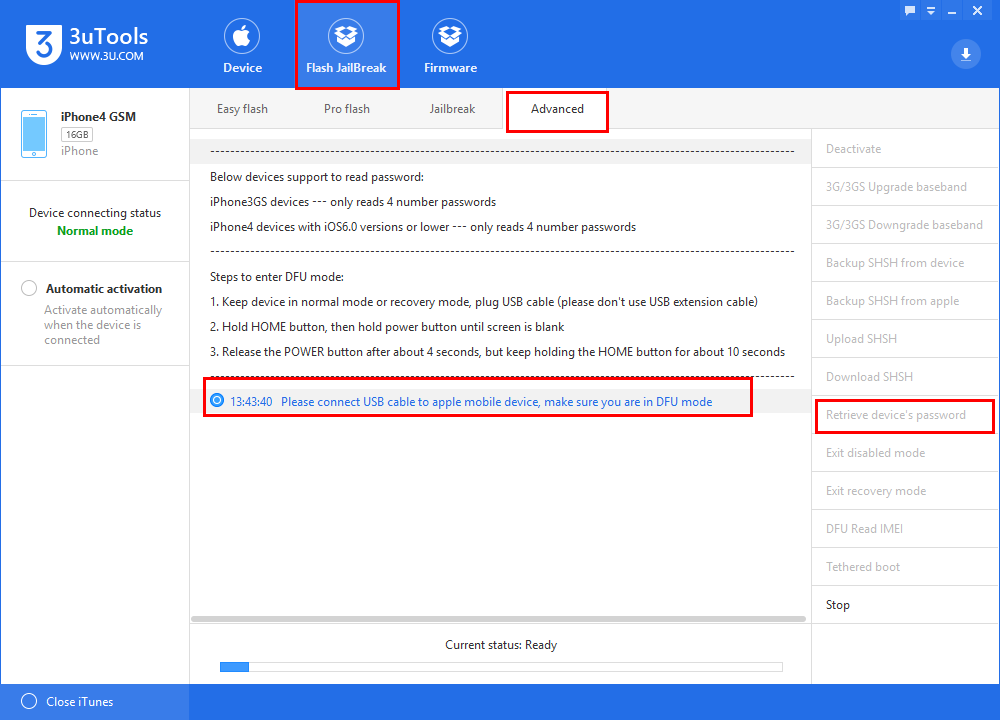
Step 2. Please ensure your iPhone in DFU Mode. As to the steps to enter DFU mode, you can do acccording to the tool's reminders. Then Tap Flash Jailbreak→Advanced→Retrieve device’s password.
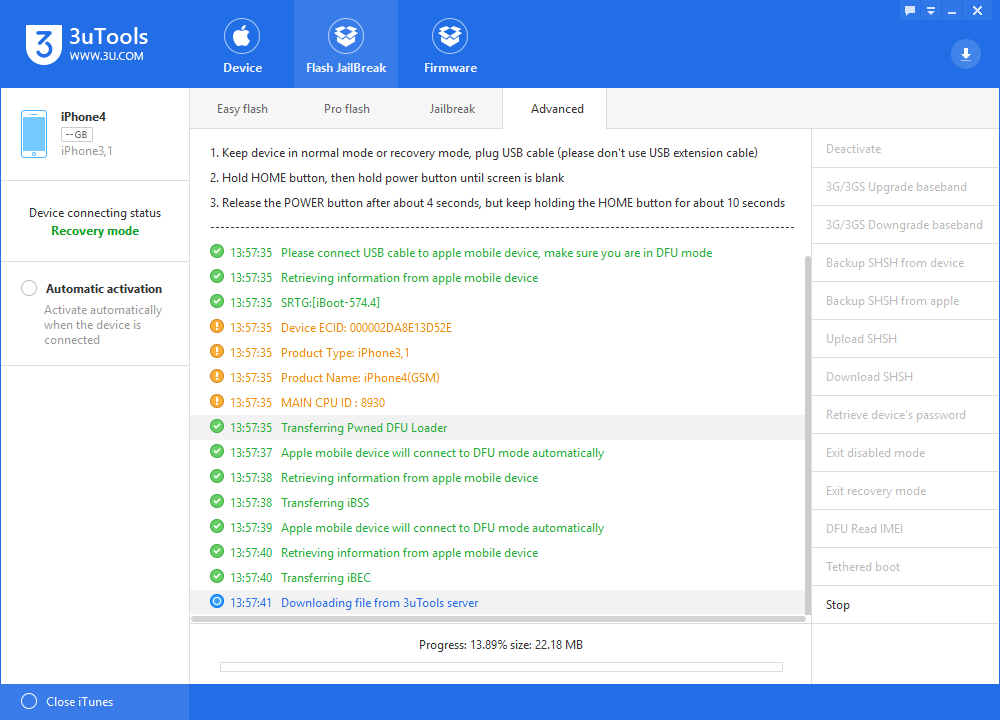
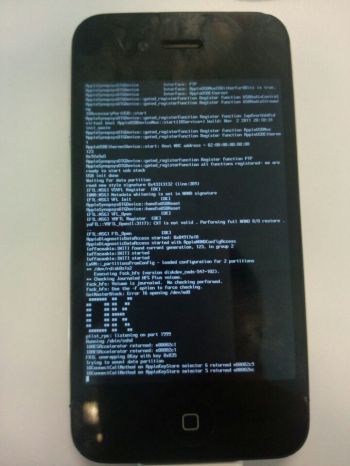
Step 3. During the password reading process, the white data rolls over on your iPhone screen.
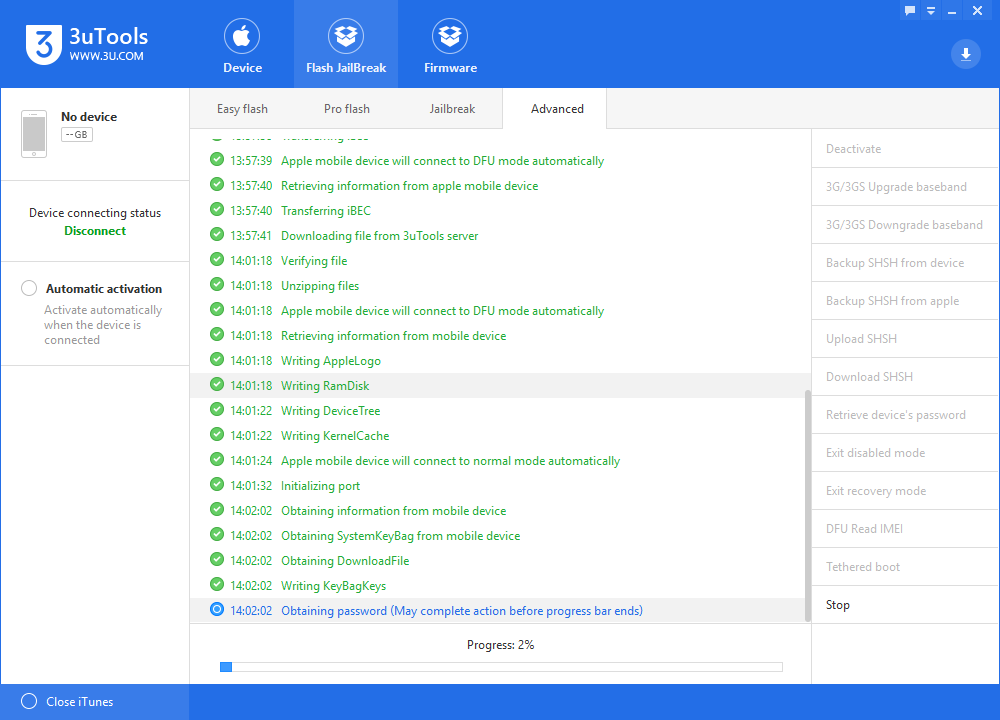
Step 4. Please keep waiting instead of making other operations before the password reading process is completed. Finally, we get the password:1234

We have preset a very simple password for this tutorial, and thus it takes about 8 minutes to finish the process. As to the iPhone with a more complex password, it will take more time. So please be patient if you preset a complex one!
FAQ about 3uTools retrieving iPhone’s password:
1. Why the original Apple USB cable?
Try your best to use the original Apple USB cable in order to ensure the successful match of input impedance, and thus the transmission of data is not influenced by the physical connection.
2. Why only iPhone 3GS and 4 get such a support? What about iPhone 4S, 5,…?
Currently the tool’s feature of retrieving the device’s password can only support iPhone 3GS and 4 running the system versions lower than iOS 7.0, and at the same time 3uTools can only read 4-bit passwords! In addition, this feature will become invalid if both devices are upgraded to iOS7.0 or higher iOS versions. Actually iPhone 4S, 5 and other above iOS devices have different CPU architectures.
3. Why the tool only supports 4-bit password reading?
3uTools tries different password combinations till one of them succeeds. As to 4-bit password, there are tens of thousands of number combinations (from 0000 to 9999). So it has been a very complex task for the software to work out the correct password. Sometimes, you need to spend half an hour or more in order to retrieve a complex 4-bit password. By the way, please don’t do other operations, for example, deleting any system file, when you forget the password, but use 3uTools to help you retrieve it.
Please note that this tutorial is only for iPhone 4 and 3GS, which run the system versions lower than iOS7.0, with 4-bit passwords!
If you change a new password and then forget it suddenly, it would be a little hard for you to deal with it. iOS Restoring could remove your data. However, 3uTools can’t only jailbreak and flash iOS devices, but also provide a variety of useful advanced features, for example, retrieving the device’s password. You can tap “Jailbreak→Advanced†to find it. But the tool can only support iPhone3GS and iPhone 4 running the system lower than iOS7.0, and retrieve the 4-bit passwords. Anyway, please do what 3uTools reminds.
Step 1. Connect your iPhone to the computer via the original Apple USB cable, and then start 3uTools.
Step 2. Please ensure your iPhone in DFU Mode. As to the steps to enter DFU mode, you can do acccording to the tool's reminders. Then Tap Flash Jailbreak→Advanced→Retrieve device’s password.
Step 3. During the password reading process, the white data rolls over on your iPhone screen.
Step 4. Please keep waiting instead of making other operations before the password reading process is completed. Finally, we get the password:1234
We have preset a very simple password for this tutorial, and thus it takes about 8 minutes to finish the process. As to the iPhone with a more complex password, it will take more time. So please be patient if you preset a complex one!
FAQ about 3uTools retrieving iPhone’s password:
1. Why the original Apple USB cable?
Try your best to use the original Apple USB cable in order to ensure the successful match of input impedance, and thus the transmission of data is not influenced by the physical connection.
2. Why only iPhone 3GS and 4 get such a support? What about iPhone 4S, 5,…?
Currently the tool’s feature of retrieving the device’s password can only support iPhone 3GS and 4 running the system versions lower than iOS 7.0, and at the same time 3uTools can only read 4-bit passwords! In addition, this feature will become invalid if both devices are upgraded to iOS7.0 or higher iOS versions. Actually iPhone 4S, 5 and other above iOS devices have different CPU architectures.
3. Why the tool only supports 4-bit password reading?
3uTools tries different password combinations till one of them succeeds. As to 4-bit password, there are tens of thousands of number combinations (from 0000 to 9999). So it has been a very complex task for the software to work out the correct password. Sometimes, you need to spend half an hour or more in order to retrieve a complex 4-bit password. By the way, please don’t do other operations, for example, deleting any system file, when you forget the password, but use 3uTools to help you retrieve it.


